5.4 CRANE OPERATION M A E D A Crawler Crane
5-38 5/2020 CC1908S-1
5.4.10.2 SETTING/CANCELLING
BOOM ANGLE
UPPER/LOWER LIMITS
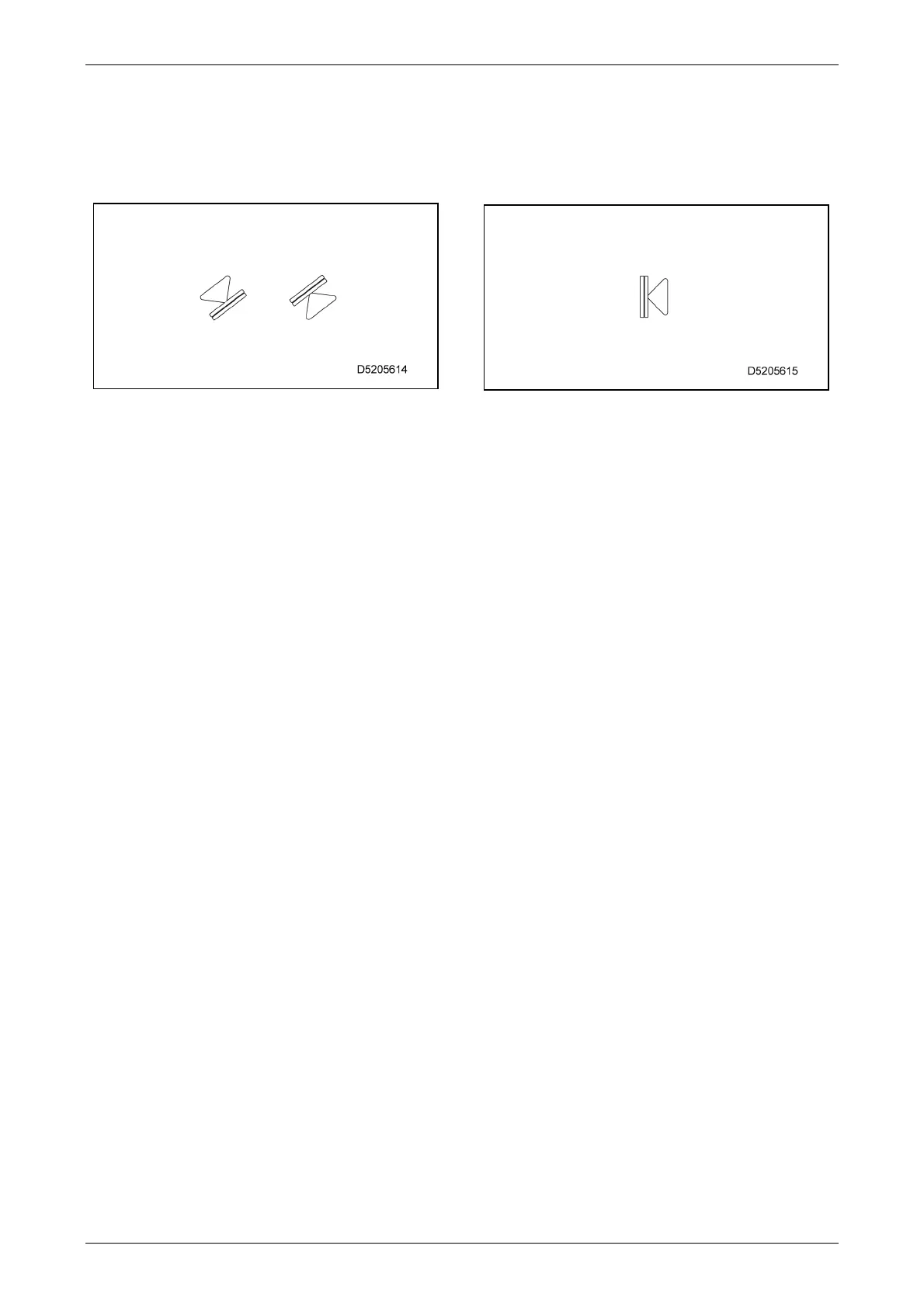
Use the following symbol to set or cancel the
boom angle upper and lower limits:
[Setting]
Position the boom at the desired angle with no
upper or lower limit set, then long-tap the
corresponding symbol.
The monitor display changes to orange, and the
boom angle is set as the upper or lower limit.
Be sure to check before actual work that the
boom automatically stops at the preset
angle. If the boom does not automatically
stop, reset the boom angle using the above
procedure.
With an upper limit set, when the boom is in
the warning alarm zone or upper limit stop
state, an alarm sounds intermittently only if
boom raising is performed. With a lower limit
set, when the boom is in the warning alarm
zone or lower limit stop state, an alarm
sounds intermittently only if boom lowering is
performed.
The preset value is retained even when the
starter switch is turned to the "OFF" position.
When the boom is in the warning zone or upper
limit stop state with the boom angle upper or
lower limit set, the monitor display illuminates in
orange.
[Cancelling]
Long-tap the symbol with the upper or lower limit
set. The monitor display changes to blue, and the
upper or lower limit setting is cancelled.
5.4.10.3 SETTING/CANCELLING
WORKING RADIUS UPPER
LIMIT
Use the following symbol to set or cancel the
working radius upper limit:
[Setting]
Position the boom at the desired working radius
with no upper limit value set and long-tap the
symbol.
The upper limit value on the monitor display
changes to orange, and the working radius is set
as the upper limit.
Be sure to check before actual work that the
boom automatically stops at the preset
working radius. If the boom does not
automatically stop, reset the working radius
using the above procedure.
When the boom is in the warning alarm zone
or upper limit stop state, an alarm sounds
intermittently only if boom lowering or
extension is performed.
The preset value is retained even when the
starter switch is turned to the "OFF" position.
When the boom is in the warning alarm zone or
upper limit stop state with the working radius
upper limit set, the monitor display illuminates in
orange.
[Cancelling]
Long-tap the symbol with the upper limit set. The
monitor display changes to blue, and the upper
limit setting is cancelled.



 To Next Page