5.6 AIR CONDITIONER OPERATION M A E D A Crawler Crane
5-48 5/2020 CC1908S-1
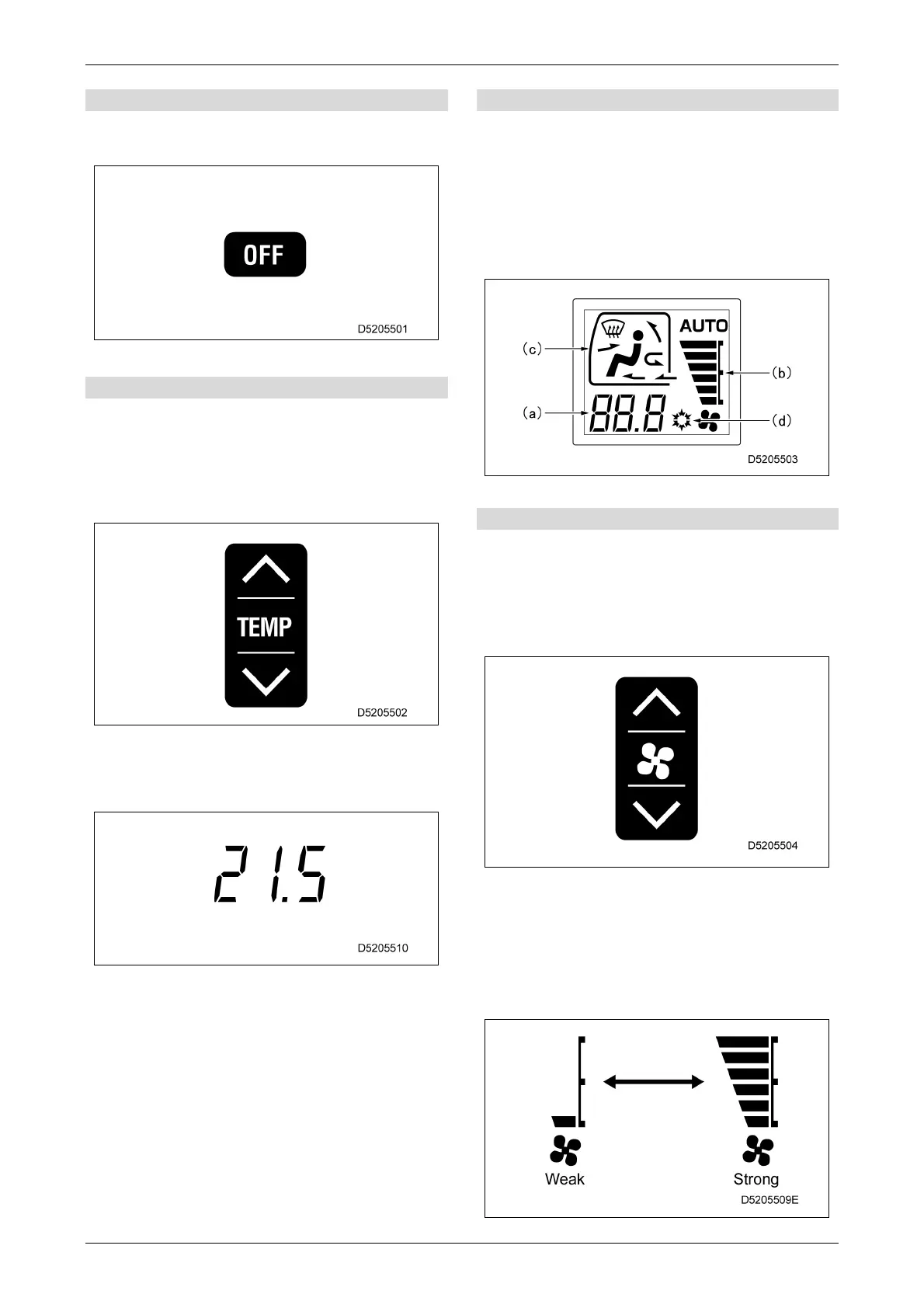
[1] Fan off switch
Use this switch to stop the fan and air
conditioner.
[2] Temperature setting switches
Use these switches to adjust the temperature in
the cab.
• Pressing the > switch increases the
temperature setting, and pressing the <
switch decreases the temperature setting.
• The cab interior temperature setting can be
adjusted in the range of 18 °C to 32 °C in
0.5 °C increments.
[3] Display monitor
Displays the temperature setting (a), air flow (b),
air outlets (c), and air conditioner on/off (d)
status.
• Pressing the OFF switch causes the
temperature setting (a), air flow (b), and air
conditioner on/off (d) indications to disappear
and operation to stop.
[4] Fan switches
Use these switches to adjust the air flow.
The of air flow can be adjusted in six stages.
• Pressing the > switch increases the air flow,
and pressing the < switch decreases the air
flow.
Operating this switch in auto mode cancels
auto mode.
[Monitor display and air flow]
The gauge bars increase to indicate a stronger
air flow.



 To Next Page