5.7 CAB RADIO OPERATION M A E D A Crawler Crane
5-54 5/2020 CC1908S-1
[1] Power button (ON/OFF)
The radio power turns on, and the frequency is
displayed on the display (8).
Pressing the button again turns off the power.
[2] AM/FM selector button (AM/FM)
Allows the sound quality adjustment to be set for
the desired band.
Pressing the button toggles the display (8)
between "FM" and "AM".
[3] Volume control buttons (VOLUME)
Adjust the volume.
Pressing "+" increases the volume and pressing
"-" decreases the volumes. The volume level is
indicated by a number on the display (8).
[4] Tuning buttons (TUNING/TIME)
Use these buttons to change the frequency or to
adjust the clock.
For details on how to tune the radio, refer to
"5.7.3.1 TUNING" on P. 5-55.
[5] Preset buttons (PRESET) (1, 2, 3, 4, 5, 6)
The buttons 1 to 6 can be used to store radio
station frequencies for immediate selection.
Six stations each can be stored for AM and FM
respectively.
For details on how to store presets, refer to
"5.7.3.2 PRESET BUTTON ADJUSTMENT" on
P. 5-55.
The preset buttons (5) can be used to store
frequencies manually.
To store frequencies automatically, use the
sound quality adjustment button (7).
[6] Display selector button (DISP)
This button toggles between the radio frequency
display and time display.
It can also be used to adjust the clock.
For details on how to adjust the clock, refer to
"5.7.3.4 CLOCK ADJUSTMENT" on P. 5-56.
[7] Sound quality adjustment button
(SOUND) (AUTOPRESET)
Pressing the button (2) toggles the display
through "BAL (c) (Balance) →TRE (d) (Treble)
→BAS (e) (Bass)", allowing the sound quality to
be adjusted for each mode.
This button can also be used to store frequencies
automatically.
For details on each mode, refer to "5.7.3.3 CAB
RADIO OPERATION" on P. 5-55.
[8] Display
This displays the reception band, frequency,
preset number, and time.
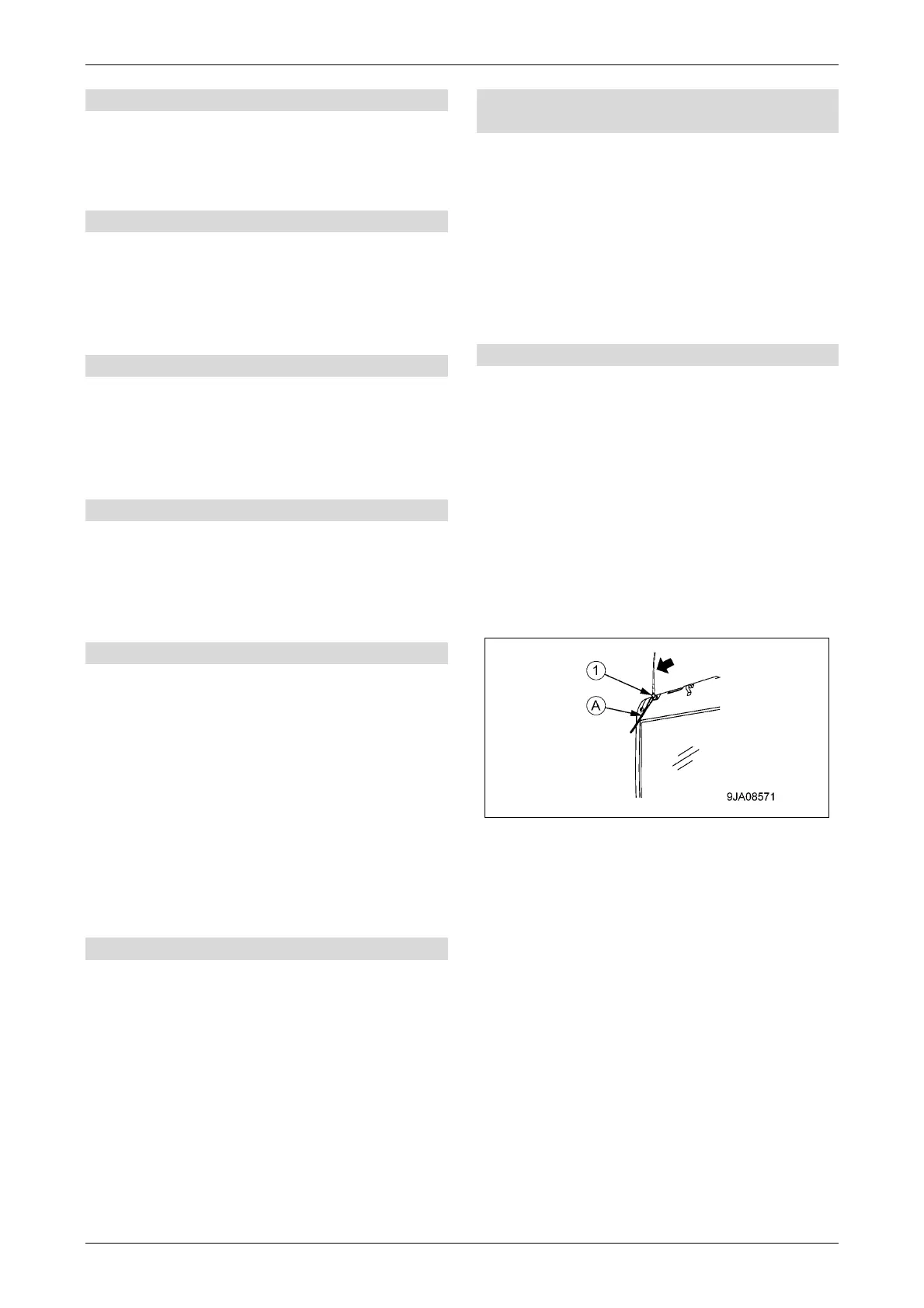
[Antenna]
Be sure to stow the antenna to keep it out of the
way during transportation or when storing the
machine in a garage.
1. Loosen the antenna mounting bolt (1), and
stow the antenna in the stowed position (A).
2. After stowing the antenna, tighten the
mounting bolt (1).



 To Next Page