Section 4 – MOMENT LIMITER (OVERLOAD DETECTOR) Mini-Crawler Crane M A E D A
4-72 3/2019 MC305C-3
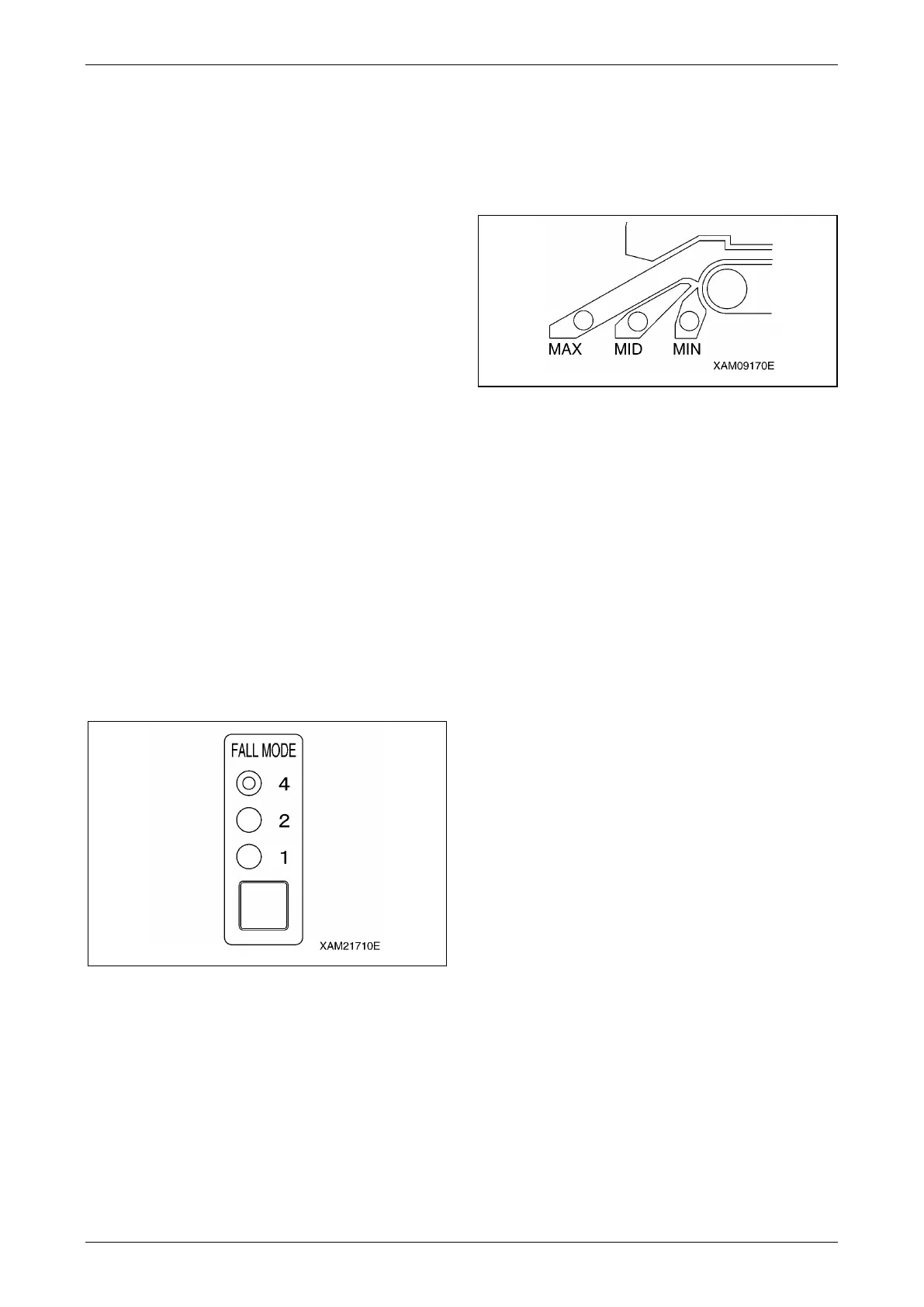
Number of Wires Selector Switch
WARNING!
• Stop the crane operation when changing the
number of wires hooked using the number
of wires selector switch.
• Changing the number of wires during the
crane operation can cause unexpected
accidents.
• Perform the crane operation always after
matching the number of wires display on the
moment limiter and the actual number of
wires. Mistaking the number of wires cause
serious accidents.
The wire cable has the safe load per cable
determined.
Determine the number of wires according to the
maximum load to be hoisted.
The actual number of wires hooked and the
number of wires display on the moment limiter
must match.
With this machine, the hook for four/two wire
cables is referred to as the standard
specifications.
The last status of the set number of wires is
memorised even if the starter switch is turned to
the OFF position.
Fig. 4-196
Boom Upper Limit Detection
When the boom is raised and the boom angle
reaches "about 77 degrees", the boom raising
operation stops automatically.
Boom Lower Limit Detection
When the boom is lowered and the boom angle
reaches "about 3 degrees", the boom lowering
operation stops automatically.
Outrigger Extension Detection
The outrigger extension status is detected with the
limit switch mounted to each of four outriggers,
lighting the appropriate LED (blue) of the "MIN",
"MID", or "MAX" and changing the rated total load.
Fig. 4-197
Moment Limiter Starting Status
The moment limiter checks its function for 2
seconds when the starter switch is turned to the
ON position.
Meanwhile,
• The red of the working status lamp lights up.
• All the LEDs light up.
• The horn sounds momentarily.
Then, if the moment limiter and the sensors are
normal upon the completion of the functional
check of the moment limiter, the red of the working
status lamp goes off and green of the working
status lamp up indicating that the machine is
ready for use.
CAUTION: If the red of the working status
lamp does not go off after completing the
functional check of the moment limiter, be
sure to contact us or our sales service
agency.
Moment Limiter Working Envelope
Setting
WARNING!
• The boom may go beyond the set value when
operated at high speed even if the working
envelope was restricted by the moment limiter.
Be sure to set the working envelope with safe
distance from obstacles.
Operate the crane at low speed.
• Be sure to verify that the boom stops at the set
position after setting the boom working
envelope.
If the boom working envelope is limited due to
working space issue, you can set the boom
working envelope to the desired value.



 To Next Page