M A E D A Mini-Crawler Crane Section 4 – MODE SETTING OF THE TRANSMITTER
3/2019 MC305C-3 4-93
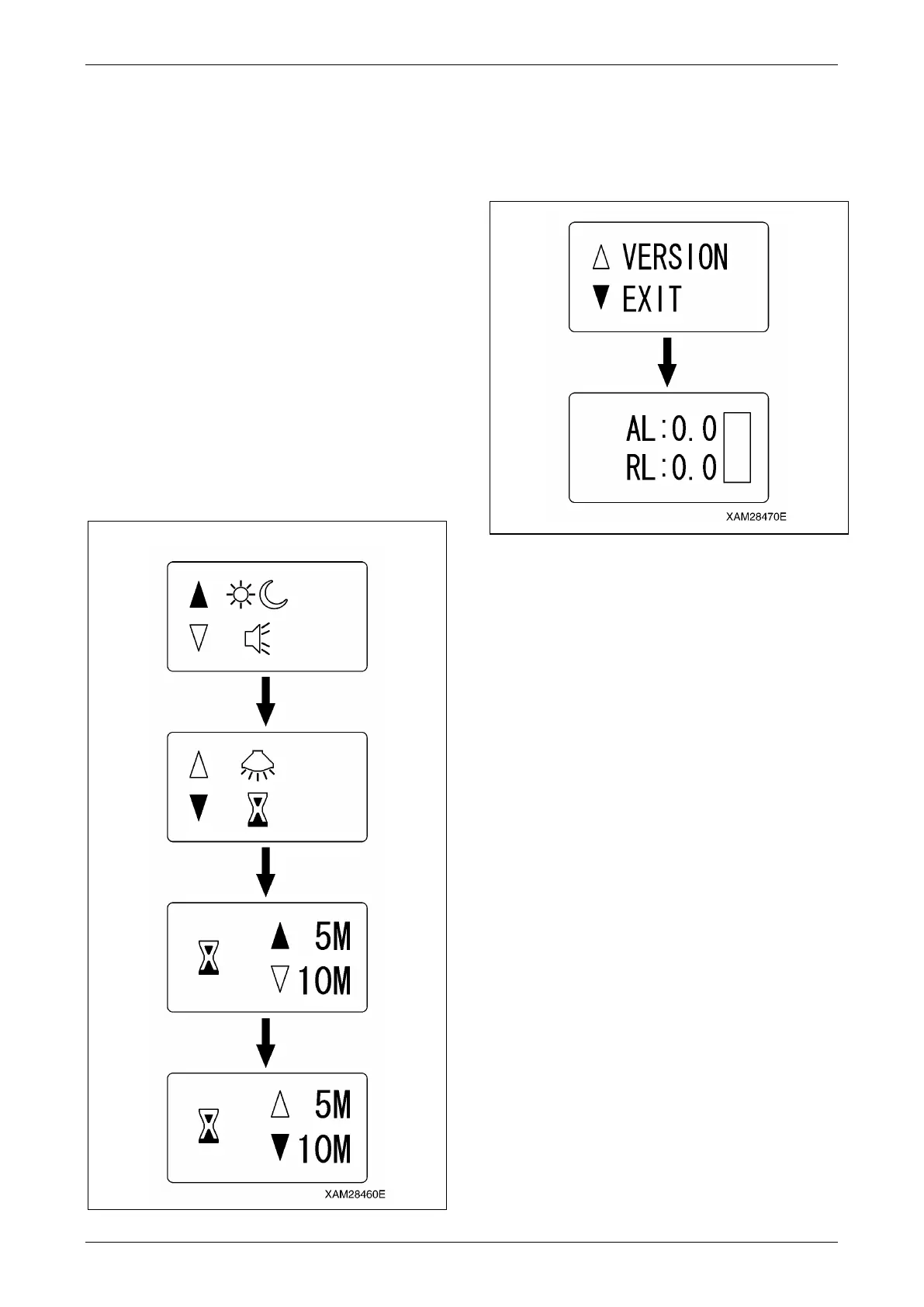
An Example for Setting in the A Mode
Hereunder is a procedure to change the time of
the "OFF timer", from "5 minutes" of the factory
setting, to 10 minutes:
1. Use the Hook raising and lowering lever
and shift the cursor (▲ or ▼) to the side of
the function item to change.
2. When the cursor comes to the side of the
"OFF timer", push the Hook stow/Setting
button.
Now, the "OFF timer" is selected and the
cursor (▲)appears next to "5 minutes", as
the current value.
3. Use the Hook raising and lowering lever so
that the cursor (▼) comes to the side of
"10 minutes", then push the Hook
stow/Setting button.
Now, the "OFF timer" setting is 10 minutes.
Fig. 4-250
4. Shift the cursor (▲ or ▼) using the Hook
raising and lowering lever and select "EXIT",
then push the Hook stow/Setting button.
Now the mode exits from the "A MODE" and
is turned to the "CRANE MODE".
Fig. 4-251
CAUTION:
• Once setting-up the desired function item
is completed, do not forget to practice the
termination procedure, above. Otherwise,
when this process is not correctly
terminated, the latest setting will not be
valid.
• Change of the other function item setting is
available by the same procedure. In such
event, correctly exit from the A MODE,
without fail.
A MODE SETTING LCD SCREEN



 To Next Page