Section 4 – MOMENT LIMITER (OVERLOAD DETECTOR) Mini-Crawler Crane M A E D A
4-70 3/2019 MC305C-3
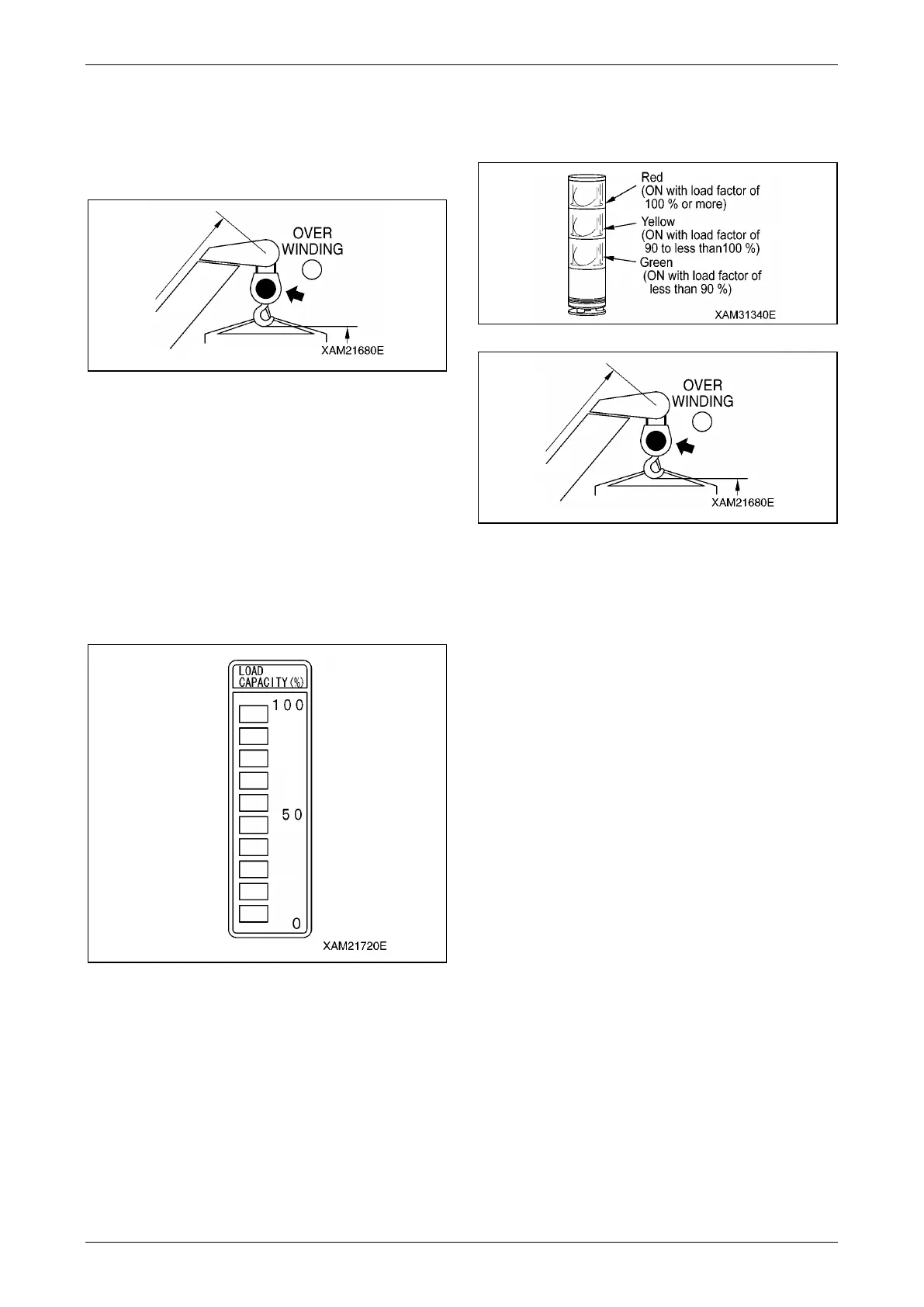
Load Factor LED (Changes to Green/
Yellow/Red)
This LED indicates the status of the moment
limiter load factor by its illumination.
Fig. 4-189
• The LED lights up in green if the load factor is
less than 90 %.
• The LED lights up in yellow if the load factor is
90 to less than 100 %.
• The LED lights up in red if the load factor is
100 % or higher.
Load Factor Display (Yellow)
This display indicates the status of the moment
limiter load factor by its illumination.
Fig. 4-190
• The load factor is indicated by ON/OFF of the
"bar" according to the changes of the load
factor.
• All the "bars" will be ON when the load factor
reaches 100 % or higher.
NOTICE: When the load factor is about 50 %, all
the "bars" around the number "50" on the right and
below are ON.
All the "bars" around the number "50" and above
are OFF.
Moment Limiter Functions
Overload Warning
Fig. 4-191
Fig. 4-192
1. Safety Zone ("Actual load" is less than 90 % of
the "rated total load")
• Green of the working status lamp lights up.
• The LED lights up in green if the load factor is
less than 90 %.
2. Pre-Warning ("Actual load" is 90 to less than
100 % of the "rated total load")
• Yellow of the working status lamp lights up.
• The LED lights up in yellow if the load factor
is 90 to less than 100 %.
• The alarm bleeps intermittently.
3. Limit Warning ("Actual load" is 100 % or
higher than the "rated total load")
• Red of the working status lamp lights up.
• The LED lights up in red if the load factor is
100 % or higher.
• The alarm bleeps continuously.
• The hazardous operation of the boom stops
automatically.
• Voice message of "Overloading" is heard.
• "Load factor 100 % or more" LED (yellow)
lights up.
4. Clearing Limit Warning Auto Stop
If the system stops automatically, promptly
perform the recovery operation caused by
overloading.
See "Recovery Operation after Auto Stop" on
page 4-61 for recovery operations.



 To Next Page