M A E D A Mini-Crawler Crane Section 5 – PERIODIC MAINTENANCE
3/2019 MC305C-3 5-45
11. Insert the cleaned element (3) into the air
cleaner body (4).
12. Install the dust pan (2) to the air cleaner body
(4) with a "TOP" mark faced upward, and
secure it with the two clamps (1).
13. See "Installing Machinery Cover" on page
5-18 and install the machinery cover.
14. See "OUTRIGGER STOWING" on page 4-45
and stow the outriggers.
Drain Contaminant Water/Deposits in
Fuel Tank
WARNING!
• Keep from heat and flame, including
cigarettes.
• Be sure to stop the engine before draining
fuel.
Potential ignition may occur through spilled
fuel if disregarded.
• Always put in the fuel tank drain plug and
secure it after draining fuel.
• Fuel drain pan: A 1-L container
1. Place the machine on a level surface.
2. See "OUTRIGGER SETTING" on page 4-36
and rotate the outriggers outward.
3. See "Removing Machinery Cover" on page
5-18 and remove the machinery cover.
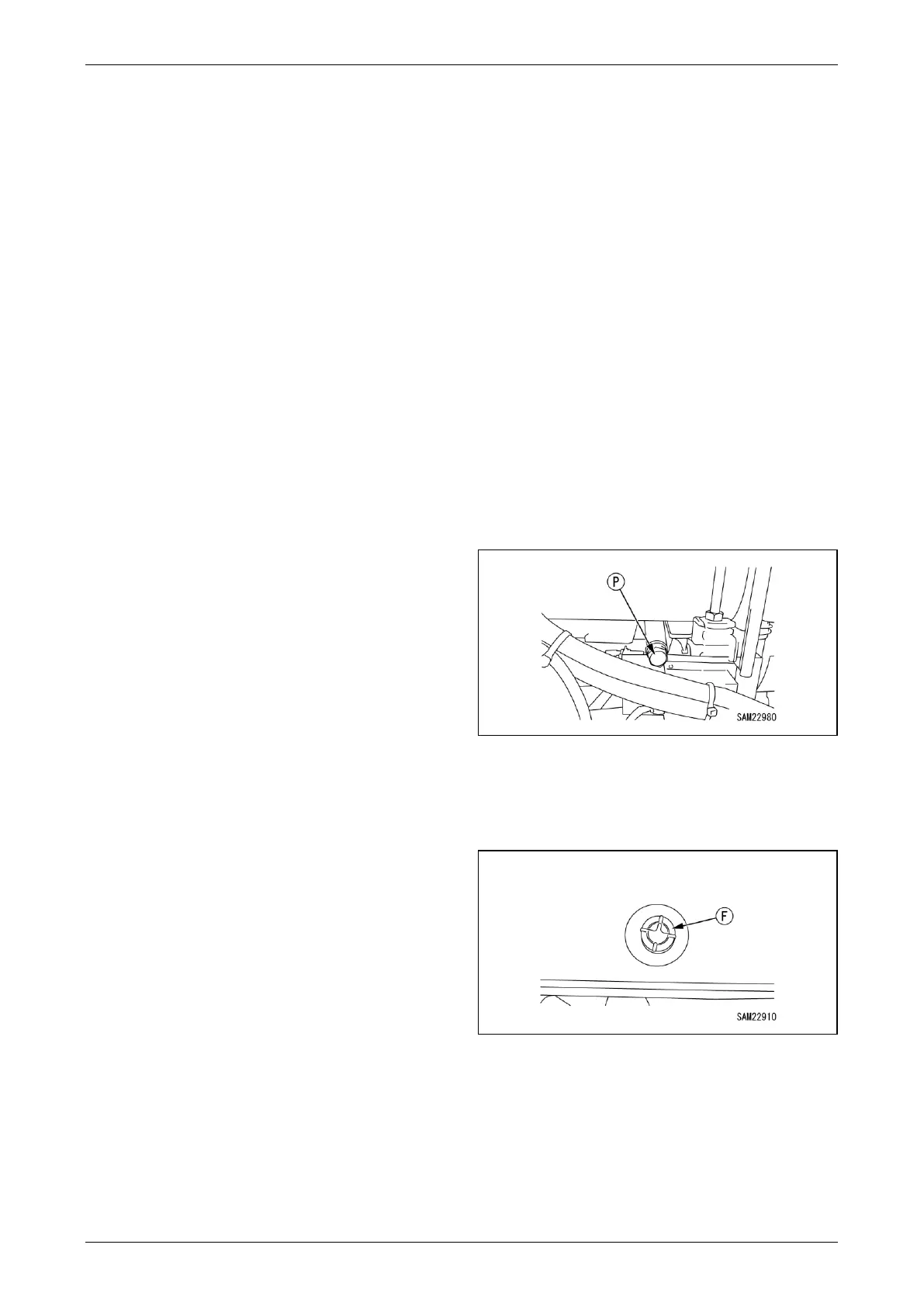
4. Place a drain pan directly under the fuel tank
drain plug (P) to receive drained fuel.
Fig. 5-75
5. Remove the drain plug (P) slowly to drain fuel,
keeping from contact with draining fuel.
NOTICE: Remove the fuel tank cap (F) if normal
or smooth fuel draining fails.
Fig. 5-76
6. Put in the drain plug (P) and secure it upon
completion of draining fuel.
NOTICE: Wipe off fuel completely if spilled.
7. See "Installing Machinery Cover" on page
5-18 and install the machinery cover.
8. See "OUTRIGGER STOWING" on page 4-45
and stow the outriggers.



 To Next Page