Section 4 –
CHANGING MACHINE TRAVELLING MODE Mini-Crawler Crane M A E D A
4-24 3/2019 MC305C-3
CHANGING MACHINE
TRAVELLING MODE
WARNING!
• Choose the appropriate travelling speed to
the ground and road surface conditions
while driving the machine.
• You can operate the travelling levers or
choose "high-speed travelling mode" or
"low-speed travelling mode" with the
operation position of the travelling
high-speed switch to change the travelling
speed.
• Always set the travelling high-speed
switch to the "OFF" (low speed) when
driving on the slope. Travelling on the
slope in the high-speed travelling mode
may cause overrun on the downward
slope.
• Be sure to stop the machine before
changing the travelling speed mode.
Changing Travelling Speed Mode
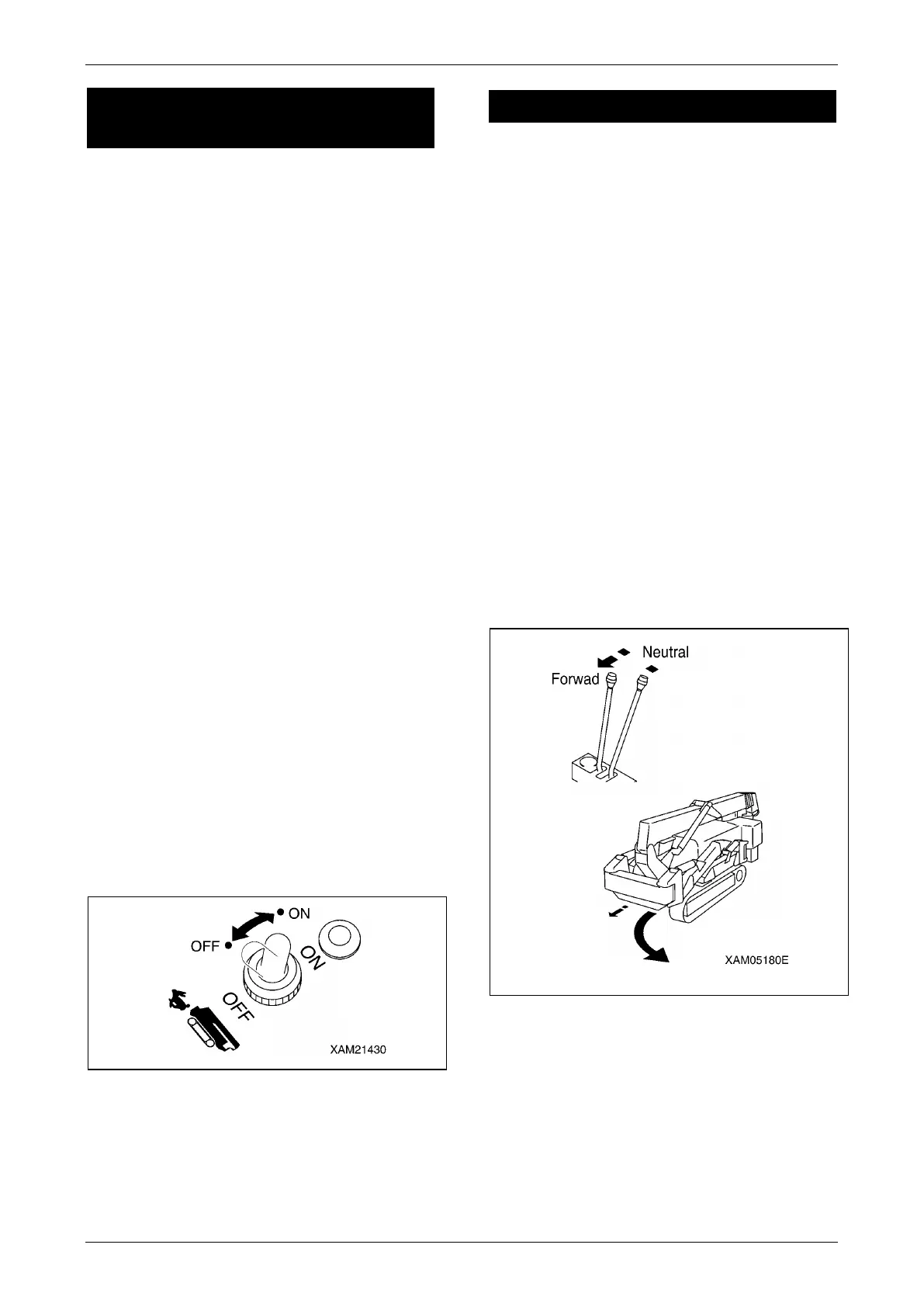
Operate the travelling high-speed switch on the
instrument panel.
• Push down the travelling high-speed switch to
the back.
• The pilot lamp of the switch section lights up
and the machine will be in the "high-speed
travelling mode".
• Push down the travelling high-speed switch
toward you.
• The pilot lamp of the switch section goes off
and the machine will be in the "low-speed
travelling mode".
Fig. 4-60
DIRECTIONAL CONTROLS
WARNING!
• Sudden steering or unnecessary spin turns
at high speed not only damages the rubber
track and hydraulic devices, but also may
result in collision with other objects.
• Stop the machine, then adjust the engine
speed to low speed before performing the
spin turns.
• Do not change the path on the slope. The
machine may slip to the side. Be especially
careful on the soft ground and clay soil.
Changing the Machine Direction
While Being Stopped
Left Turn
Operate the right travelling lever.
Tilt the travelling lever forward to turn to the left
in the forward direction.
Tilt the travelling lever toward you to turn to the
left in the backward direction.
Fig. 4-61
Right Turn
Operate the left travelling lever.
Tilt the left travelling lever forward to turn to the
right in the forward direction.
Tilt the left travelling lever toward you to turn to
the right in the backward direction.



 To Next Page