Section 5 – MACHINERY COVER
Mini-Crawler Crane M A E D A
5-18 3/2019 MC305C-3
MACHINERY COVER
WARNING!
• Be sure to stop the engine and remove the
starter switch key before removing the
machinery cover.
• Do not remove the machinery cover
immediately after the operation while the
engine is still hot.
49BRemoving Machinery Cover
Remove the machinery cover with the following
procedure when performing inspection/
maintenance inside the machinery cover.
1. Open all of the outriggers to an angle to allow
removal of the machinery covers.
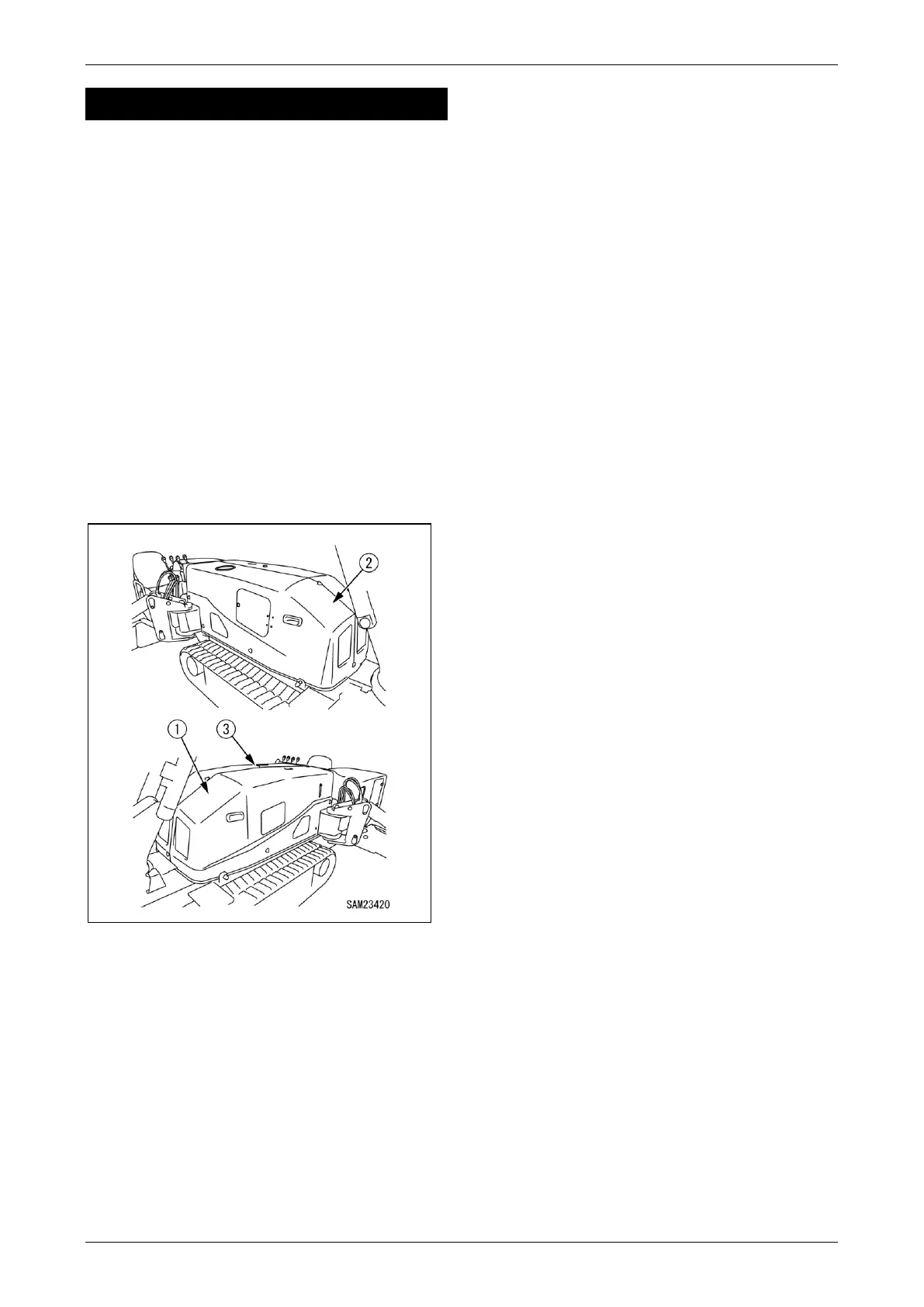
2. Remove the 10 retaining bolts (3) from the
left-hand machinery cover (1) and right-hand
machinery cover (2).
Fig. 5-23
Four retaining bolts at the top and six at the sides
(three each on the left and right) are used to
tighten with the machinery cover.
3. Pull the left-hand machinery cover (1) to the
side to remove.
4. Pull the right-hand machinery cover (2) to the
side to remove.
50BInstalling Machinery Cover
When you finished inspection/maintenance in the
machinery cover, install the machinery cover
using the following procedure.
1. Reattach the right-hand machinery cover (2)
in its original position.
2. Reattach the left-hand machinery cover (1)
in its original position.
3. Securely tighten the 10 retaining bolts on the
left-hand machinery cover (1) and right-hand
machinery cover (2).
4. Rotate all outriggers back inward to stow.



 To Next Page