Section 5 – INSPECTION
Mini-Crawler Crane M A E D A
5-34 3/2019 MC305C-3
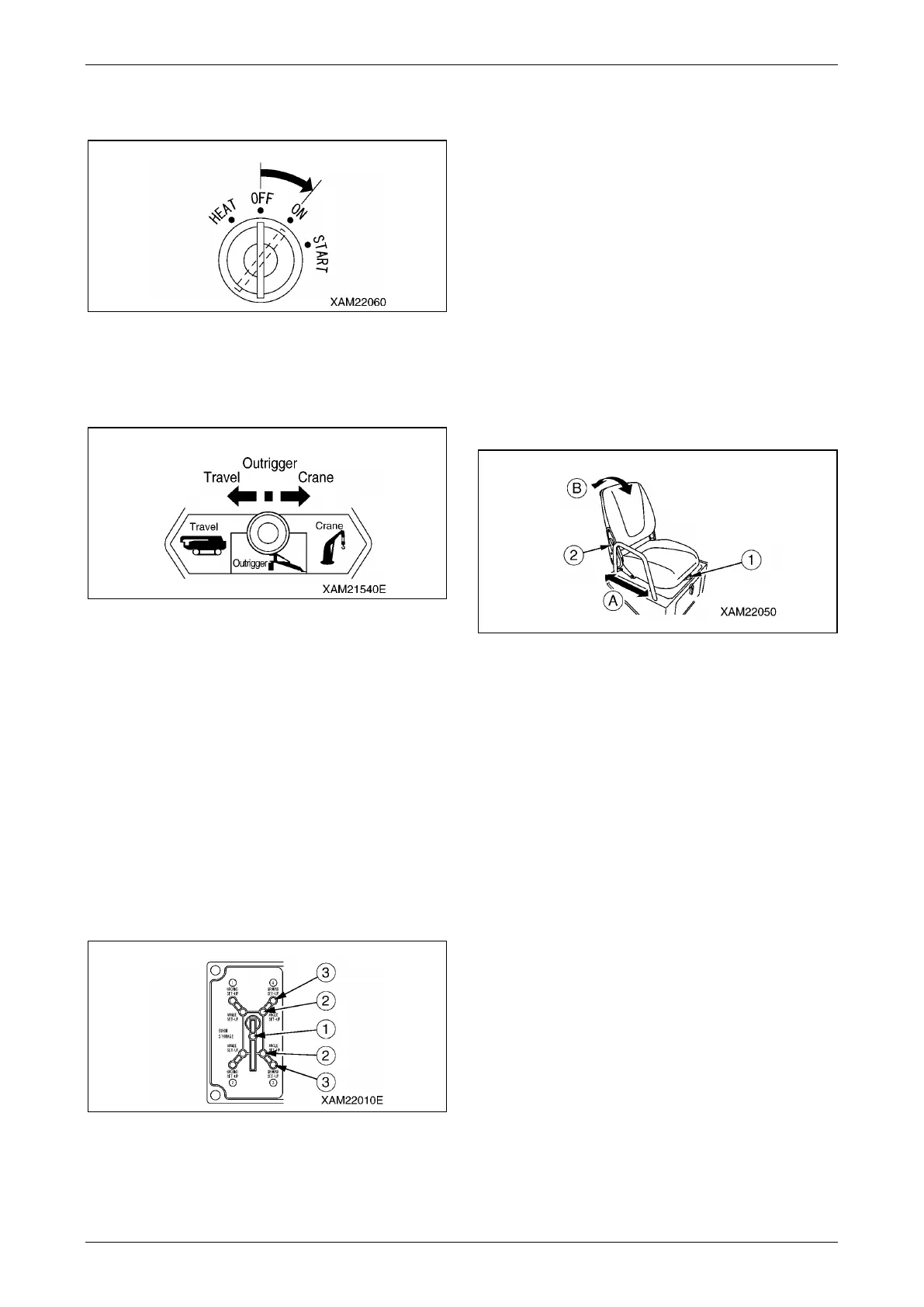
Check Outrigger Display
1. Turn the starter switch to the "ON" position.
Fig. 5-54
2. Operate the work selector switch on the
outrigger operation panel to the "Outrigger"
position.
Fig. 5-55
3. Verify that the lamps on the outrigger display
light up and go off in the order shown below.
(1) All of the boom stowing lamp (1),
extension lamps (2), and setting lamps (3)
light up in green for 2 seconds, and go off.
(2) The boom stowing lamp (1) (green) lights
up, and at the same time, all the extension
lamps (2) and setting lamps (3) flash in
red.
NOTICE: If a lamp on the outrigger display does
not light up for 2 seconds in green, the outrigger
display may be faulty.
Contact us or our sales service agency.
Fig. 5-56
4. Verify that the outrigger un-set warning lamp
flashes and the red of the working status
lamp lights up.
Adjust Operation Seat
WARNING!
• Adjust the operation seat before operation
or when the operator changes.
• Press your back against the back of the
operation seat and adjust the seat so that
you can fully step on the acceleration pedal.
Forward/Backward Adjustment of the Seat
1. While pushing the slide adjusting lever (1) to
the left, set the seat to the desired position.
2. Release your hand from the slide adjusting
lever (1).
NOTICE: The forward/backward slide adjustment
distance is 120 mm in 6 steps.
Fig. 5-57
Reclining Adjustment
CAUTION: Watch the space in the back while
adjusting the angle when reclining the
backseat backward.
1. While pushing the reclining adjusting lever (2)
forward, set the backseat to the desired
angle.
2. Release your hand from the reclining adjusting
lever (2).
NOTICE: The reclining adjustment angle is 75
degrees in 7 steps forward and 23 steps in
backward.



 To Next Page