3-10
The conguration menu choices are machine
type, reset defaults, brightness display or load
inverter parameters. To change the machine
type, toggle through the choices and pick the
appropriate model. Note the ashing return
symbol at the left of the display. That indicates
the enter button must be pressed to save the
choice. The screen will ask “are you sure?”
To conrm the choice, move to the correct
response. Press the enter button to set the
choice. Use the down button to highlight “reset
defaults”. Press the enter button and toggle to
yes to conrm. Arrow down to “load inverter
parameters” press enter and again conrm
the choice. If the door is open the screen
will display “close the door”, close the door
and press enter. If everything is okay, the
parameters will be loaded, sent, and veried.
Back at the conguration menu, arrow down to
line 6 to erase the standard programs. Press
enter. Toggle to yes and press enter again.
The memory will now be cleared of programs.
Arrow down to select “load the standard
wash programs”. Toggle to the appropriate
language and press enter. To load programs
1-6, toggle to yes and press enter. This loads
the six standard factory programs. Now the
conguration is complete. The initialization
menu provides choices for language,
compartment ush prewash, incoming hot
water temperature to the washer setting,
maximum water ll time, and overll detection
selections. Turn the key to enter the run
mode. Now the standard settings are loaded.
Resetting defaults sets the default vend price.
MFR PD USER INTERFACE USAGE IN PROGRAM MODE
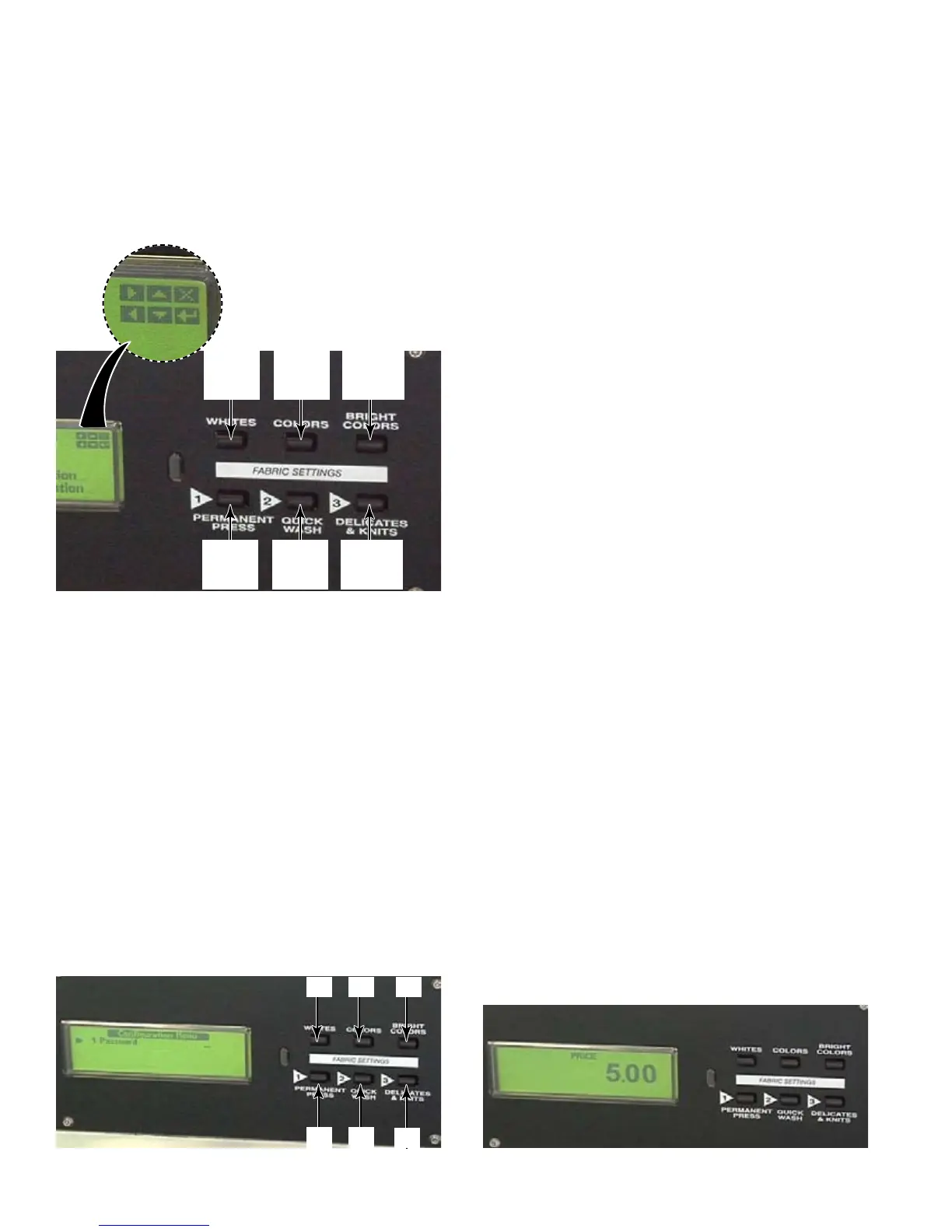
In program mode, the legend in the upper
right corner of the display shows the functions
of the buttons.
The directional buttons are used to make
choices on the display screen.
In the program mode, the rst thing to come
up is the main menu. The choices are,
cycle and status, price, wash cycle, service,
initialization and conguration. If a control
board or inverter is replaced, use the direction
buttons to move the arrow to conguration,
then press enter.
In the conguration menu, the buttons are
designated, from left to right, 1, 2, 3 across
the top row of buttons and 4, 5, 6 across the
bottom row of buttons. Enter the password, in
this case the password is 321. Press “enter”.
Move
Right
Move
Up
Cancel
Or Exit
Move
Left
Move
Down
Enter
Or Yes
6
4 5
31 2



 To Next Page