4-10
Raise the top of the washer (See page 4-2).
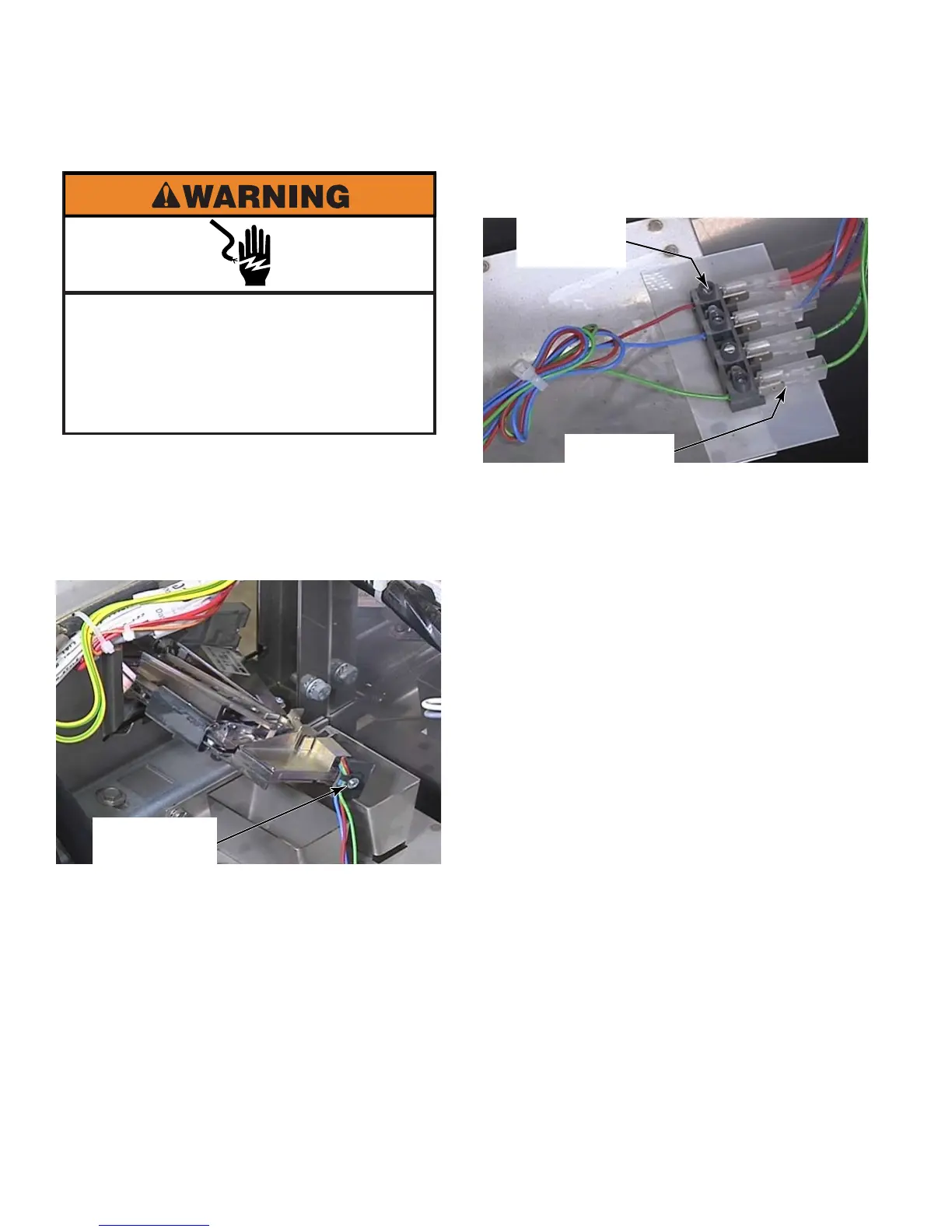
Remove the number one star head screw
that secures the optical sensor to the back
of the coin drop mechanism
(See page 4-10).
1.
2.
REMOVE OPTIC SENSOR
Unscrew the connections on the terminal
strip behind the optic sensor.
When reinstalling the optic sensor, connect
the wires as follows: red to red and blue to
blue. If only using a single coin acceptor,
connect the green wire to the long green
wire for coin one. The short green wire
connector is for coin two, so in this case, it
has nothing going to it. If using a two coin
acceptor, coin one is the lower valued coin.
3.
4.
Electrical Shock Hazard
Disconnect power before servicing.
Failure to do so can result in death or
electrical shock.
Replace all parts and panels before
operating.
1 Star Head
Screw
Securing
Screws
Coin One



 To Next Page