User’s Guide 75
McAfee Utilities
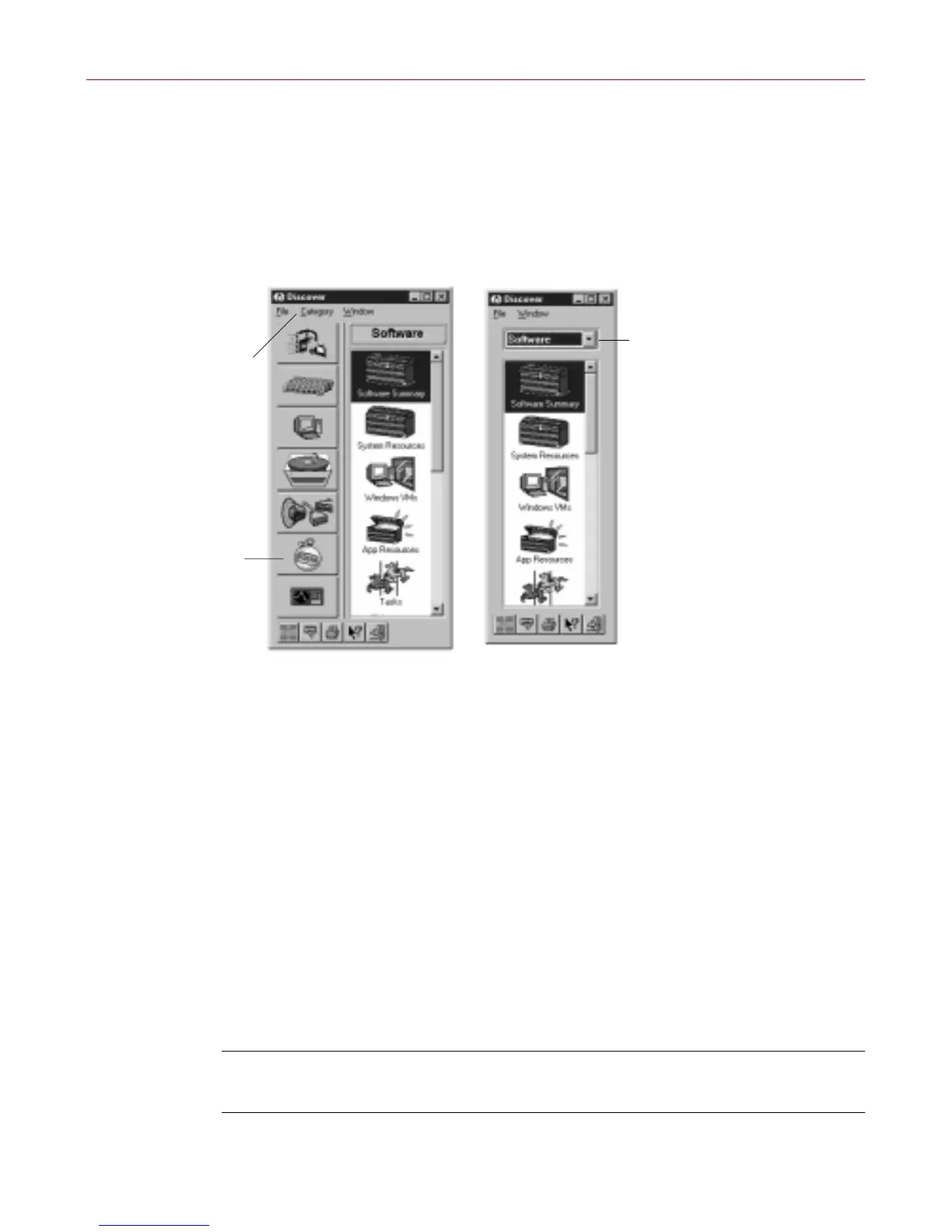
The Di scover Professional display s tyle is t he la rger of th e two windows. It
conta ins large buttons fo r each cat e g ory, making them very easy to select, so if
you h ave a large monitor, you may like using this multi-window view best.
The Di scover- Smal l Size disp lay style is a good choice if you want the flexibility
of a multi-window view, butyou havea smaller monitorand need to conserve
desktop “realestate.”T his window displays th e categories in a drop-down list
box rather than graphica lly as large b uttons.
Figure 4-9. D iscover P ro multi-window views
Undelete
McAfee U tilities Undelete lets you r ecover files t hat you’ve deleted even after
you’ve emptied the Recycle B in. Yo ur best c hances of s uccessfully undeleting
a file is imm ediately after yo u perform the deletion. Onc e you save additional
filesafter deleting o ne you’d like to und elete,par ts of itm ay have been w ritten
over.
McAfee U tilities p rovides both a Windows and DOS version of the U ndel ete
program. The DOS v ersion o f Undele te is also includedon the McAfee Utilities
Rescue disk w he n you create it. To undele te a file, select it in th e lis t at the
bott om and clic k the Unde lete button.
NOTE:Check your Recycle Bin t o s ee if your delet ed files ar e there, prior
to running Undelete.
Access Categories
from the Category
menu
Access Categories
by clicking the
graphic buttons
or…
Discover Professional display style
Access Categories
from the Categories
drop-down menu
Discover - Small Size display style



 To Next Page