User’s Guide 63
McAfee Utilities
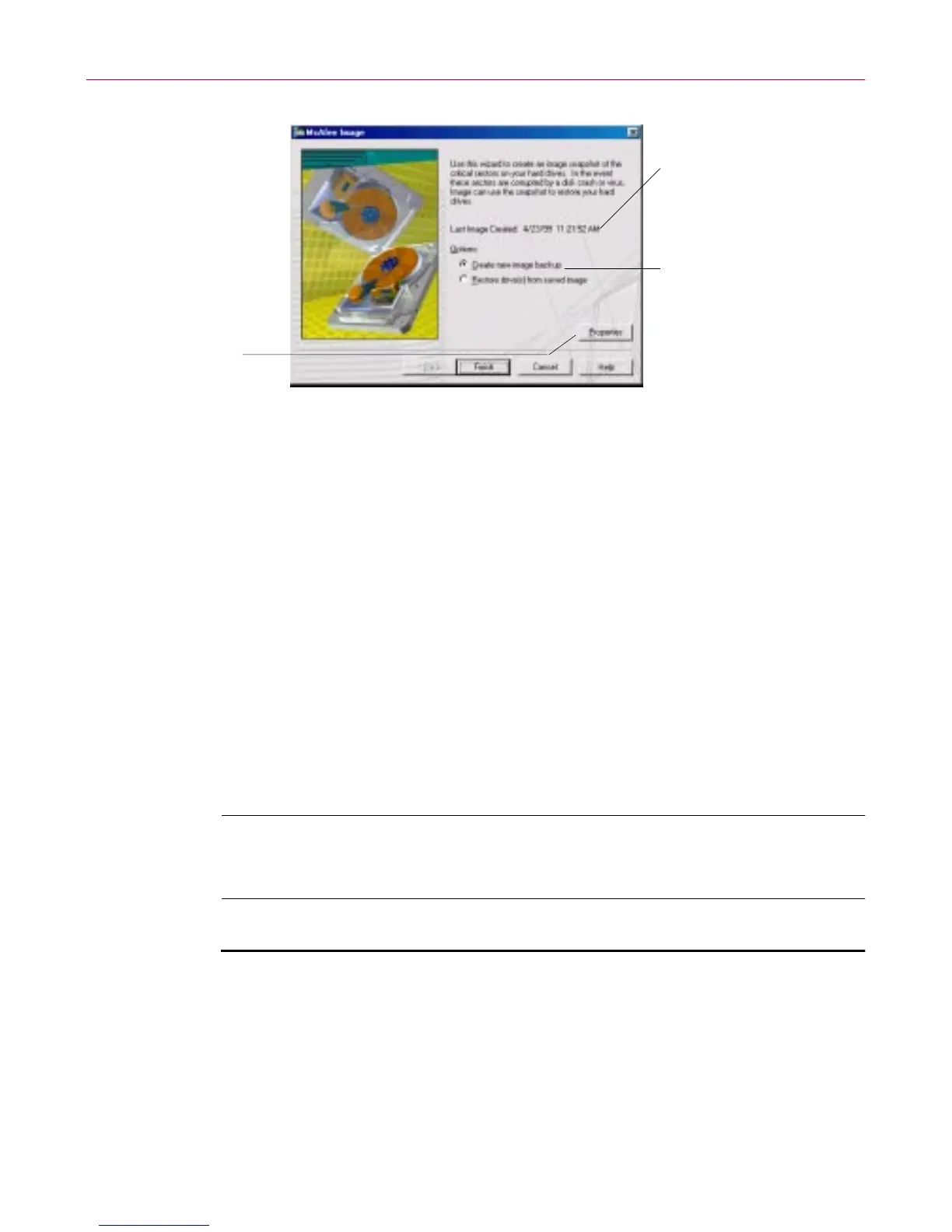
Figure 4-4. M c Afee Image Wizard
Setting Image Properties
You can set Image Pr operties t o s pecify whet her Im age saves the FileAllocation
Tables (FAT), which is a r oadmap or index to where all t he pieces o f f iles on a
di sk drive are loc ated. Most likely, you’ll wa nt to keep this che ck box selected.
You can also have Imagecreatea new image copyof yourhard d isks eachtime
you start Windows (recommended ).
Restoring drives from an Image file
When all else fails, you can restore the critical information on one or more
drives fro m an Image file. Restoring an image file does NOT recover deleted
files. I f you have d eleted data files that you need, you can restore a copy of
them from your last backup set (protected volume file or directory) created
with Safe & Sound.
WARNING: Do not restore an image, except as a last resort. The Image
file does not contain your data files, those are located in your Safe &
Sound bac kup set.
To restore one or more drives from an image file:
1. Start McAfee Image, select the Restore drive(s) from saved image radio
button, and click N ext > .
Select whether to create
animagefileorrestore
an image file; then click
Finish
The first time you run
Image, it records the
date and time; thereafter,
Image shows you when
the last Image file was
created
Click Properties
to set whether
Image will save
FAT information
andtoturnon
Image’s auto-save
option, which
updates the image
each time you
start Windows



 To Next Page