McAfee Utilities
60 McAfee Office
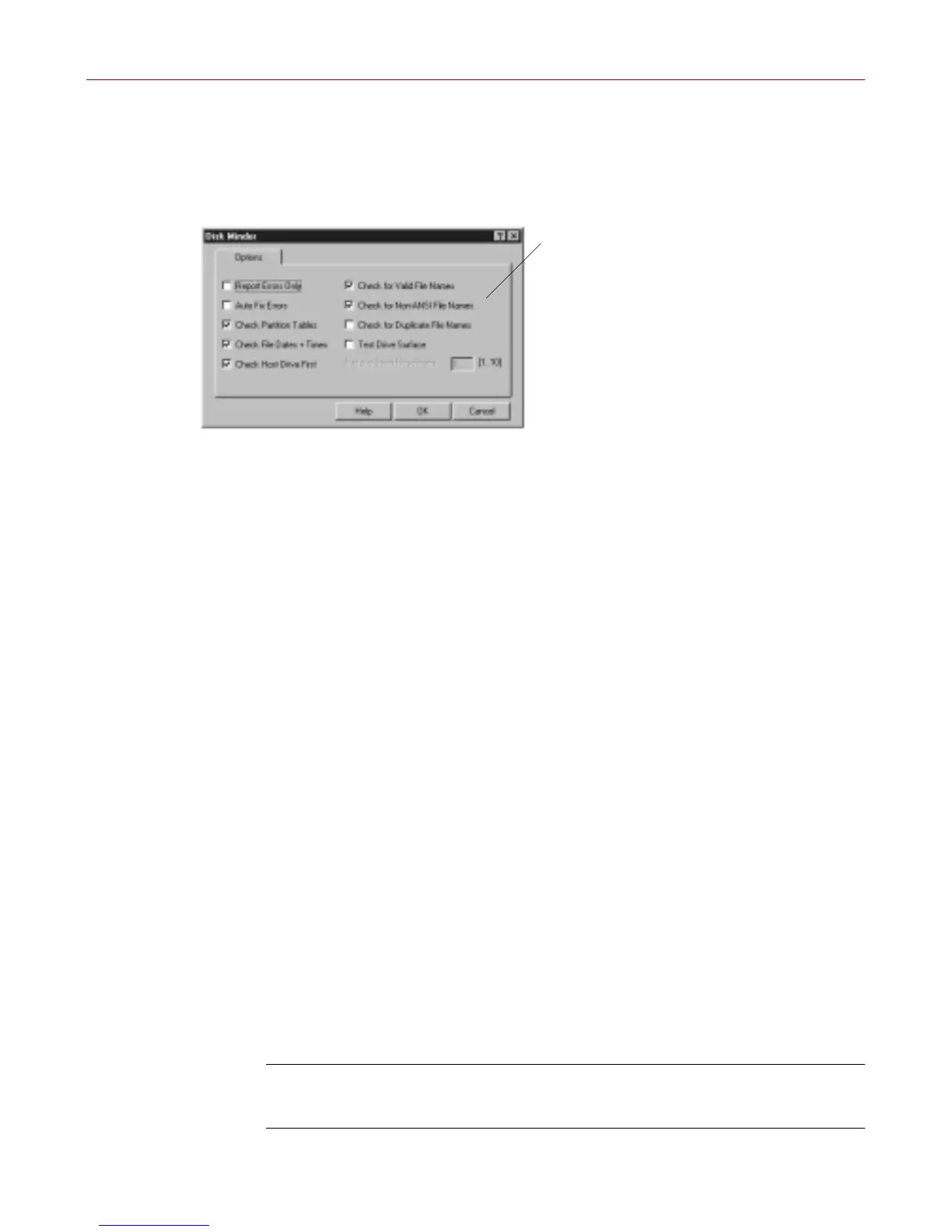
Customizing Disk Minder Properties
In addition to auto fix, report, and interactively fixing errors options, you can
also select other properties options to set how you wan t Disk Minder to work
on y our computer.
Figure 4- 3. Disk Minder Pr operties Op tions
Other opt ions include:
• Check Partition T ables–verifies partition tables, that defin e the
partitions subdividing a physical d rive into m ore than one logical drive .
• Check File Dates + Times–verifies that dates and times ass ociated w ith
files are valid. In Windo ws 95, Disk Minder verifies the C re ated,
Mo dified, a nd A ccessed date and time stamps.
• Check Host Drive First–checks the phys ical drive where DriveS pace or
D oubleSpace compr essed volume fil es are stored. Then it c hecks the
compressed volume files, or logical disks.
• Check fo r Valid File N ames–verifies that f ile name s use acceptable
characters. Valid characters for file names are numbers 0-9, letter s A-Z,
and basic symbols excluding the backslash ( \ ), greater than ( > ), less
than ( < ), colon ( : ), double quotations ( “ ), and bar or pipe ( | ). Disk
Minder f or Window s 95 also checks long file na mes as well as short file
names t hat follow the 8.3 file name conve ntion.
• Check for Non-ANSI File Names–f inds any non-ANSI f ile names. All
characters are u niquely number ed fr om 0 through 255. T wo standard s
exist for numb ering charact ers: ANS I an d IBM ASCII. Windo ws u ses
ANSI, and characters t hat appear on both numbering syst ems ar e
automatically translated by W indows to their ASCII equivalents for use
i n file nam es, whic h m ust be stored in ASCII.
NOTE: Disable this option w he n running unde r an internationa l
version of Windows that uses extended ASCII characters.
Select Properties options
and click OK



 To Next Page