User’s Guide 47
McAfee VirusScan
UsingtheVShieldconfigurationwizard
After you install VirusScan software and restart your c omputer, the VShield
scanner loads into memory immedia tely and begins working with a default set
of options tha t give you b asic anti-virus p rotect ion. Unless you disable it or
one of its modules—or stop it enti rely—you never have to worry about
starting the scanner or scheduling scan tasks for it.
To ensu re m ore than a m inima l level of security, however , you s hould
configure t he sca nne r to work with yo ur e-mai l c lie nt softw are and hav e it
exam ine your Internet t raffic closely for virus e s and malicio us software. The
VShield configuration wizard can help you s et up m a ny of these options right
away—youcanthentailortheprogramtoworkbetterinyourenvironmentas
you beco me mor e f amiliar with the scanner a nd your system’s susceptib ility
to harmful software.
To start the VShield configuration wizard:
1. Right-click theVShield icon inthe Windows system traytodisplaythe
V Shield shortc ut menu, point to Properties, then choose System Scan
to open the VShield Pr operties dialog bo x.
2. Click Wizard in the lower-left corner of the dialog box to display the
configuration wizard welcome pane l.
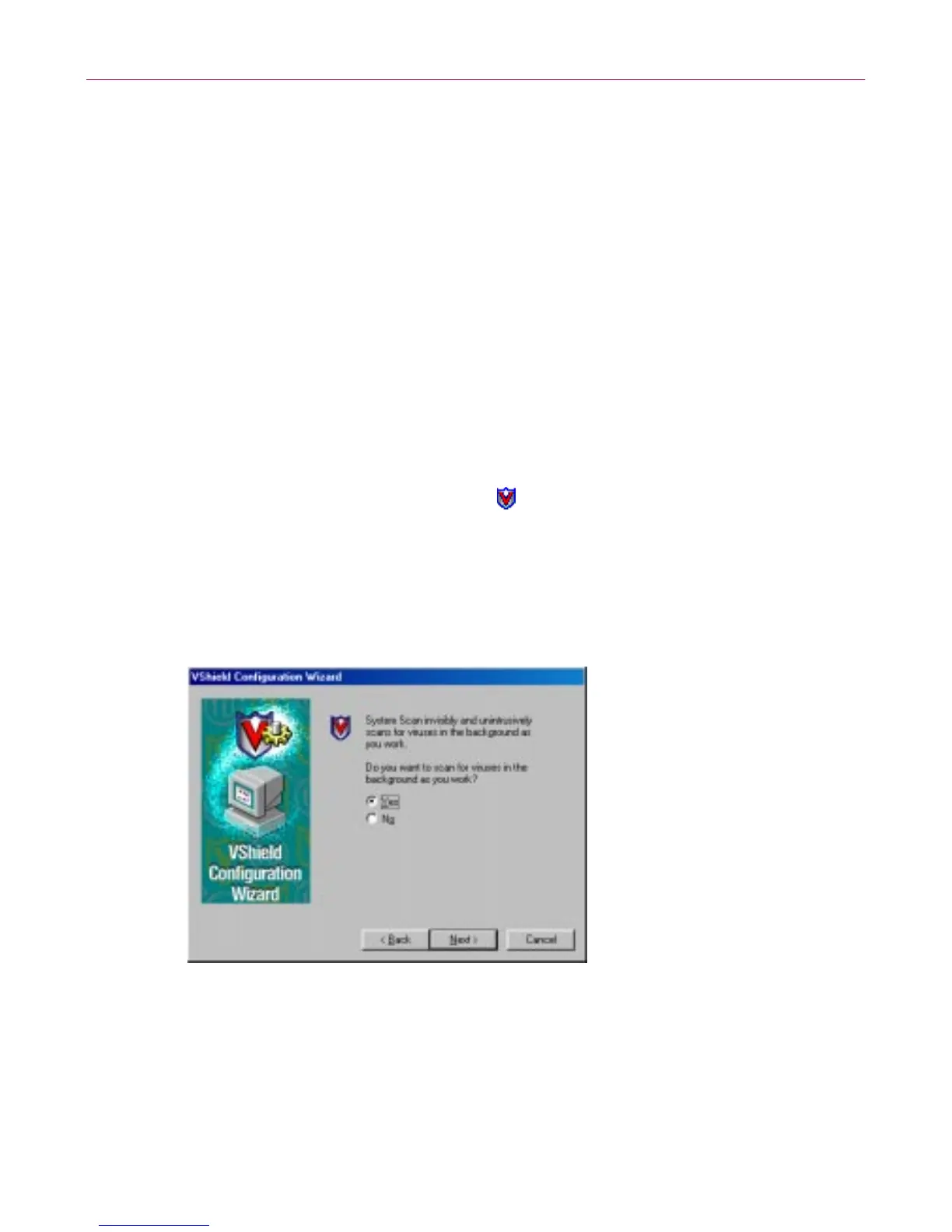
3. Click Next> to display th e System Scan confi guration panel.
Figure 3-9. VShield configuration wizard - System Scan panel
Here you ca n tell the VShield scanne r to lo ok for viruses in f iles
susceptible to infectionwhenever you open, run, copy, save or otherwise
modify them. S usceptible files include various t yp es of execut able files
and document files with embedded macros, such as Microsoft Office
files.



 To Next Page