User’s Guide 85
McAfee Utilities
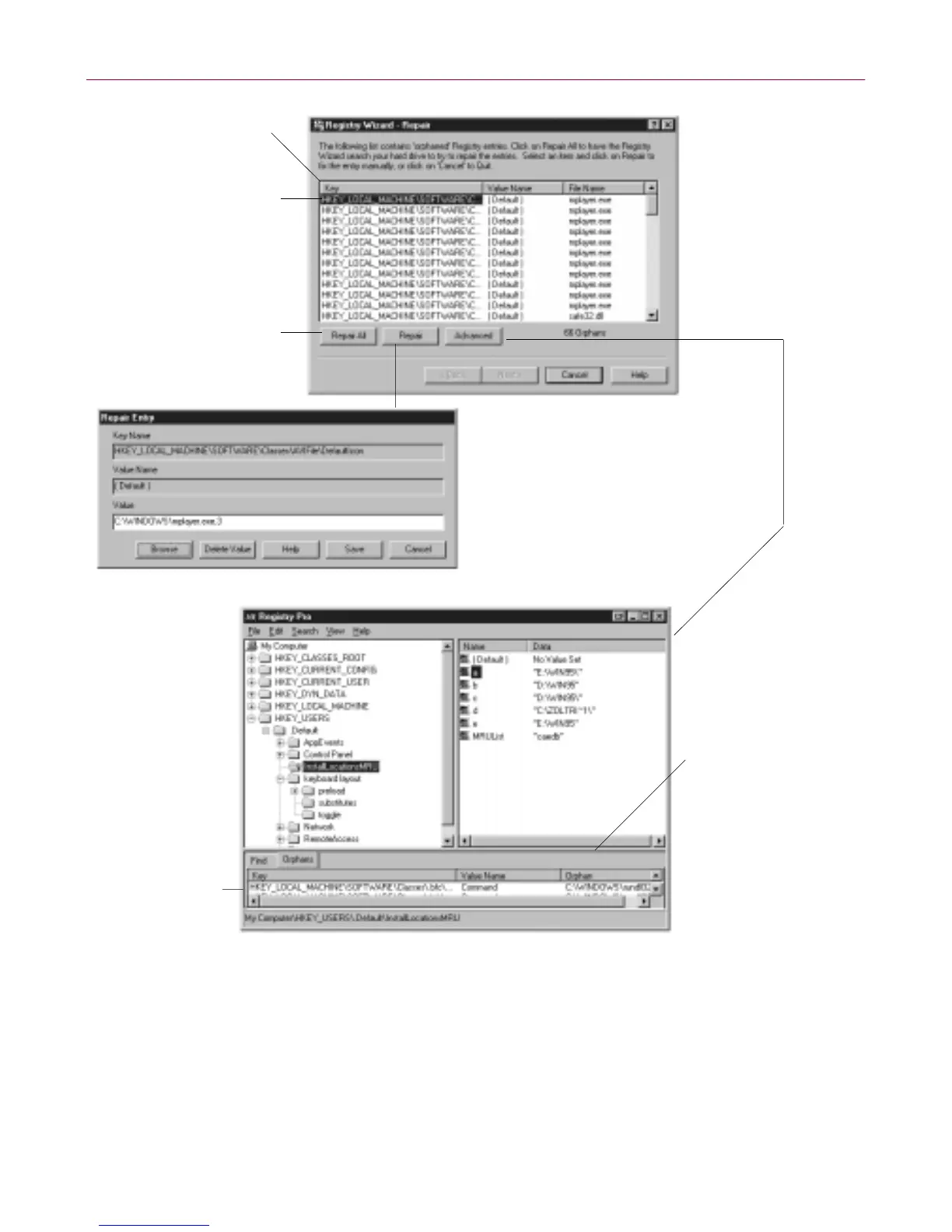
Figure 4-14. Repairin g the Registry
Tuning up the Registry
Registry W izard’s Tune Up proces s rebuild s y our Registry files in optim al
order. The Tune Up process does not remove an y information. Rather, it sorts
andcompacts the Registry, removing“holes” left by Registryentries th at have
been deleted in the pas t.
Click Advanced to
go to Registry Pro
where you can
edit an Orphan key
entry that Registry
Wizard has found in
the Orphan tab list
Select a column title to
change the sort order
of the keys
Select a key handle or
child key and click Repair
to manually edit its value
Click Repair All to let
Registry Wizard repair
invalid key entries
Select an invalid key
entry and click Repair
to manually edit the
value, or delete the entry
from the database
Clickanorphankey
and Registry Pro
selects it in the
list above so you
can edit its value
Point to the separator
bar between these
panelsanddragit
up or down to resize
the panels, as has
been done in this
illustration



 To Next Page