McAfee VirusScan
48 McAfee Office
The Sy ste m Scan mod ule will also sc an f iles stored on floppy disks
when ever you read from or write to them , or w hen you sh ut down your
comp uter.
If it finds a virus, the m odule will sound a n ale rt and prompt you for a
response. The module will also record its action s and summarize its
current s ettings i n a l og file that you can r eview later.
4. To enable these functio ns, clic k Yes, then c lick Next>. Otherwise, click
No, th en click Next> to continue.
The E-mail Sc an wizard panel w ill appear.
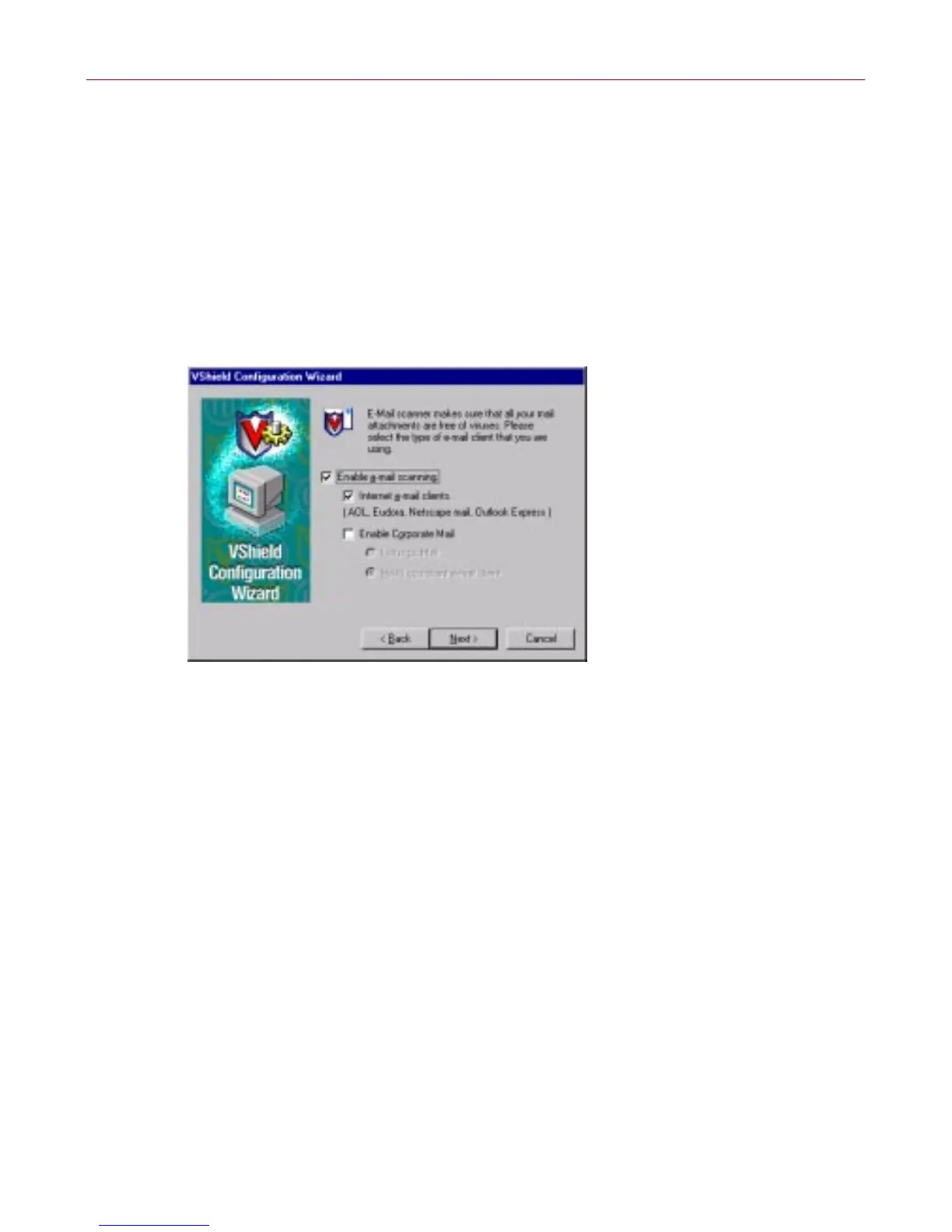
Figure 3-10. VShield configuration wizard - E-mail Scan panel
5. Select the Enable e-mail scanning checkbox, then select t he checkbox
that c orresponds to the type of e-m ail c lient y ou use. Your choices are:
• Internet e-mail clients. Sele ct th is checkbox if you use a Post Office
Protocol (POP-3) or Simple Mail Tran sfer Protocol (SMTP) e-mail
client that sends and receives standar d Internet m ail directly or
through a dial-up connec tion. If you send an d receive e-mail f ro m
home and use Netscape Mail, America Online, or such popular
clients as Qualcomm’s E udora or M icrosoft’s Outlook Express, be
sure to sel ect this option.
• Enable Corporate Mail. S elec t this chec kb ox if yo u use a
proprietary e-mail system at work or in a networked environment.
Most such systems use a central n etwork server to receive an d
distribute m ail that individ u al users send to each other from clie nt
application s. Such systems might send and receive mail from
outside the network or from the Internet, but they usually do so
through a “gateway” application run from the server.
The E-Mail Sc an module suppo rts corporate e-mail s ystems that fall
into two general categories:



 To Next Page