User’s Guide 49
McAfee VirusScan
– Lotus cc:Mail.Select this buttonify ou use cc:Mailv ersions6.x
and l ater, which use a proprietary Lotus protocol for send ing
and r eceiving mail.
– MAPI-compliant e-mail client. Select this button if you use
Microsoft Exch ange or Microsoft Outlook, as your corporate
e-mail system.
Specify w hich e-mail system yo u use, then c lick Next> to continue.
NOTE: If you use both types of mail systems, select both
checkboxes. N o te that the E-Mail Scan module supports only
one type of corporate e-mail s ystem at a t ime, ho wever. If yo u
need to verify wh ich e-mail system your office uses, check w ith
y our netw ork administrator.
Be sure to disti nguish between Microsoft Outlook and
Microsoft Outlook Express. A lthough the two programs share
similar names, Outlook 97 and Outlook 98 are MA PI-
compliant corporate e-mail systems, while Outlook Express
sends and receives e - mail through the POP-3 and SMTP
protocols. To learn more about these programs, consult you r
Microsoft documentation.
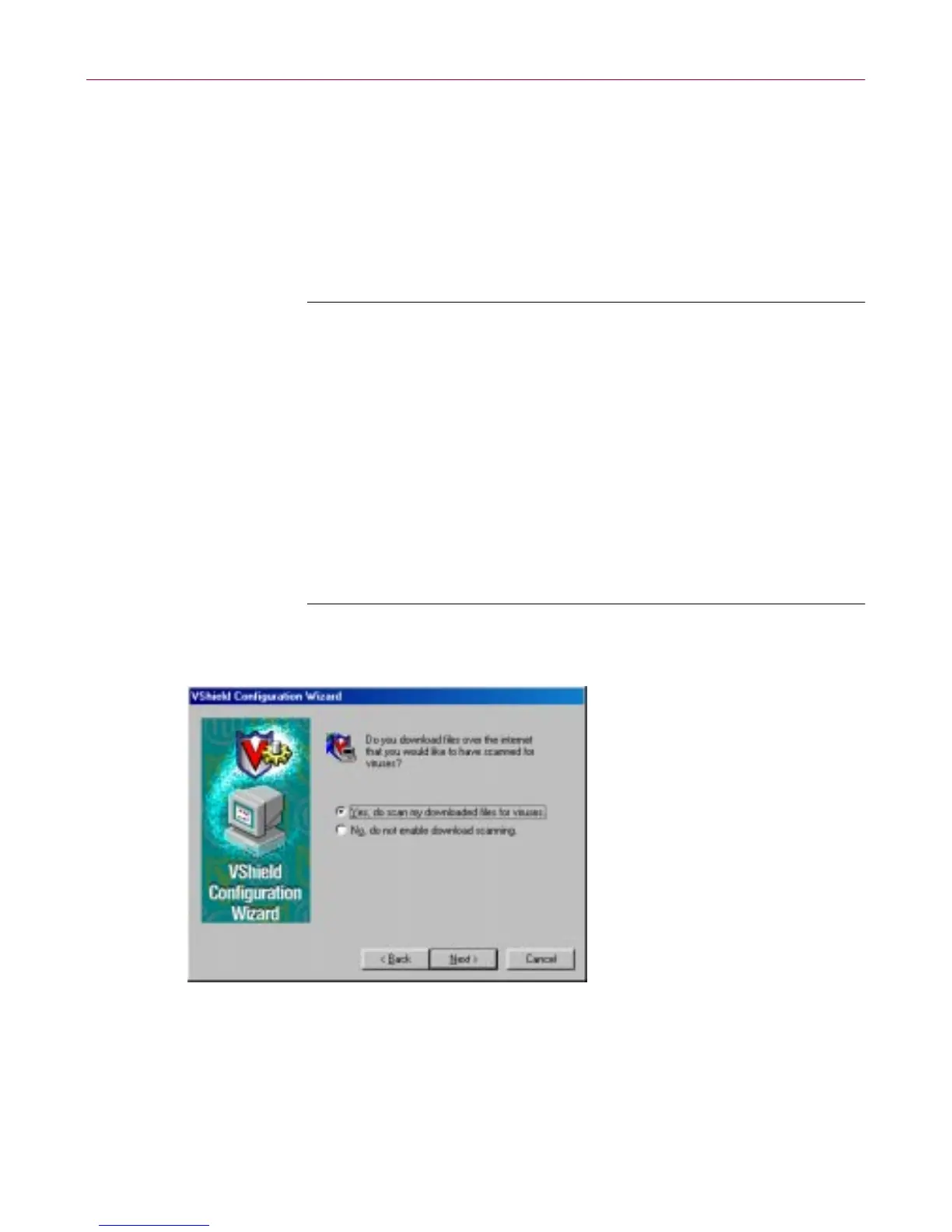
The next wizard panel sets options for the VShield Download Scan
module.
Figure 3-11. VShield Configuration Wizard - Download Scan panel
6. To h ave the Download Scan module look for viruses in each file that you
download from the Internet, select the Yes, do scan my downloaded
files for viruses checkbox, then click Next> to continue.



 To Next Page