McAfee VirusScan
50 McAfee Office
The module will look for viruses in those files most suscep tible to
i n f ectio n and w ill scan compress e d files as yo u receive t he m.
Otherw ise, sele ct t h e No, do not enable download scanning checkbox,
then cli ck Next> to continue.
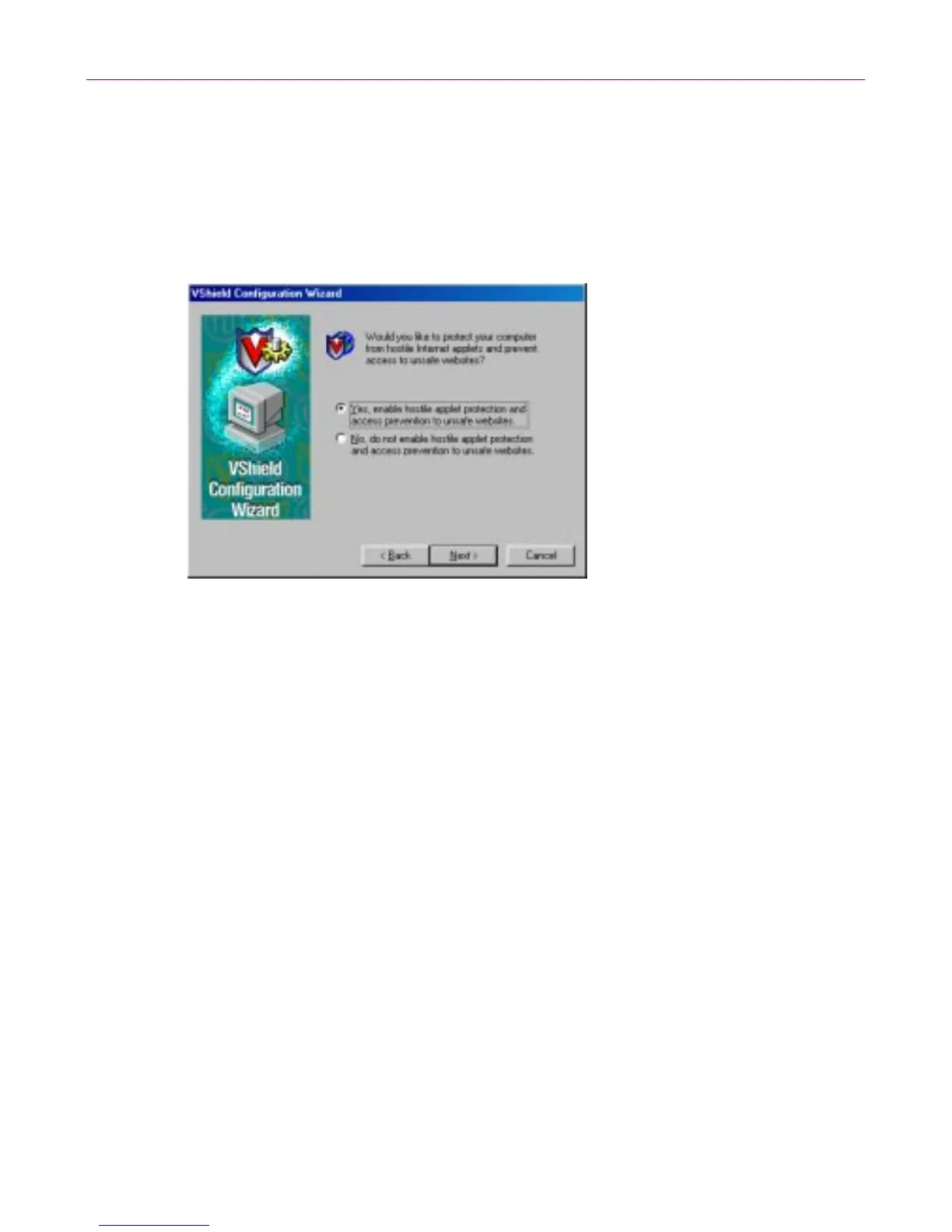
The next wizard panel sets options for the VShield Internet Filter
module.
Figure 3-12. VShield configuration wizard - Internet Filter panel
7. To have th e Internet Filter module block h os tile Java a nd Ac tiveX o bject s
or dangerous Internet sites that can cause your system harm, s elect Yes,
enable hostile applet protection and access prevention to unsafe
websites, then click Next>.
The Internet Filter module maintains a list of ha rmful o bject s and sites
that it uses to check the sites you visit and the objects you encounter. If it
finds a ma tc h, it can either bloc k it au tomatically, or offer you the chance
toallowordenyaccess.
To disable th is function, select No, do not enable hostile applet
protection and access prevention to unsafe websites, then click
Next> to con tinue.
The final w izard panel summ arizes the option s you chose.



 To Next Page