Notes
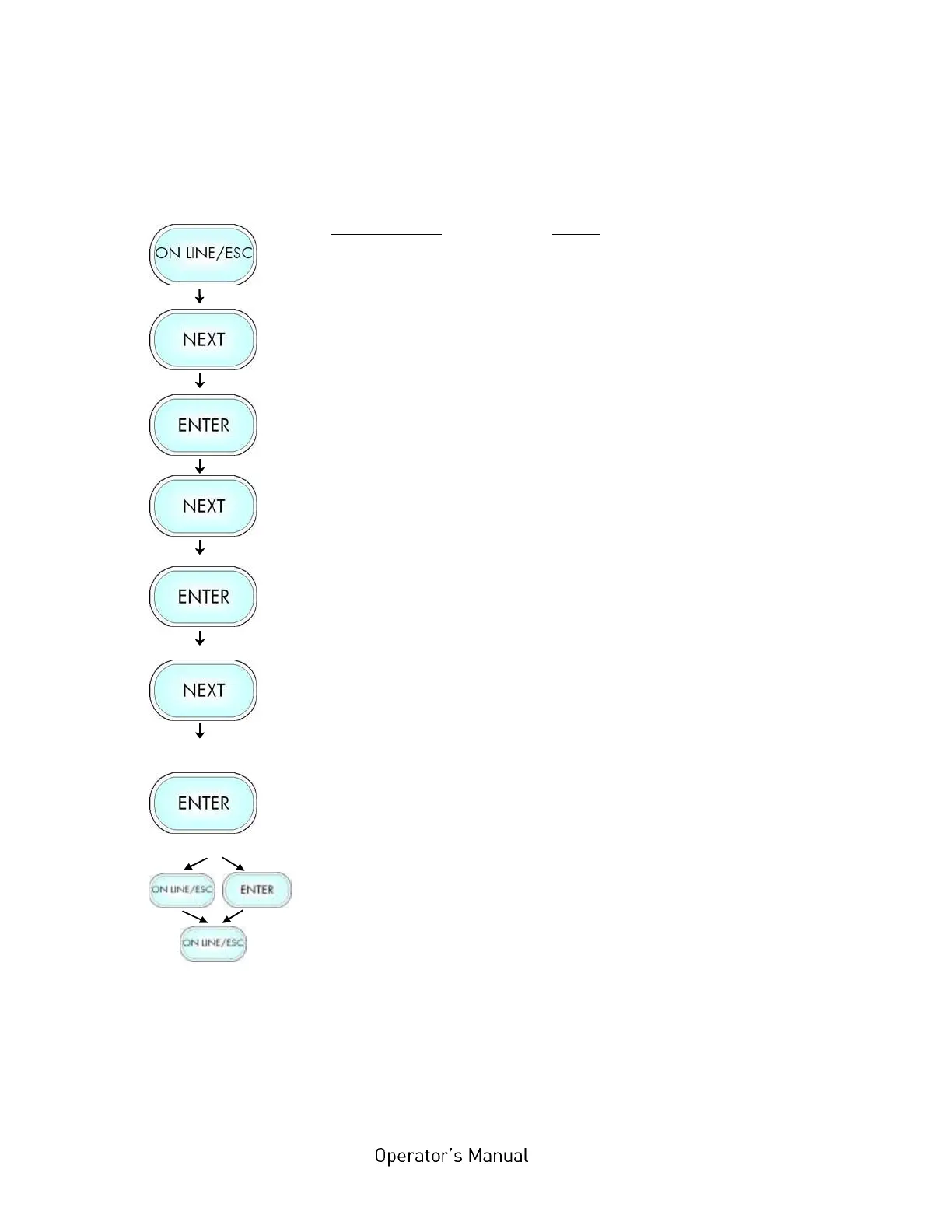
Turn the printer OFF LINE with this
key.
Press the NEXT or PREVIOUS key
until [Page Menu ] is displayed.
Press the NEXT or PREVIOUS key
until [Symbol Code ] is displayed.
Press the NEXT or PREVIOUS key
until the desired symbol code is
displayed.
The symbol code 901, IBM PC-I is
selected.
In addition this new value can be
saved as setup value (using the
ENTER key).
After this decision turn the printer
ON LINE again: Press the ON LINE
key longer than 2 seconds.



 To Next Page