This function shifts the print image (both colors together) in
relation to the paper to the X-direction (crosswise the print
direction).
Notes
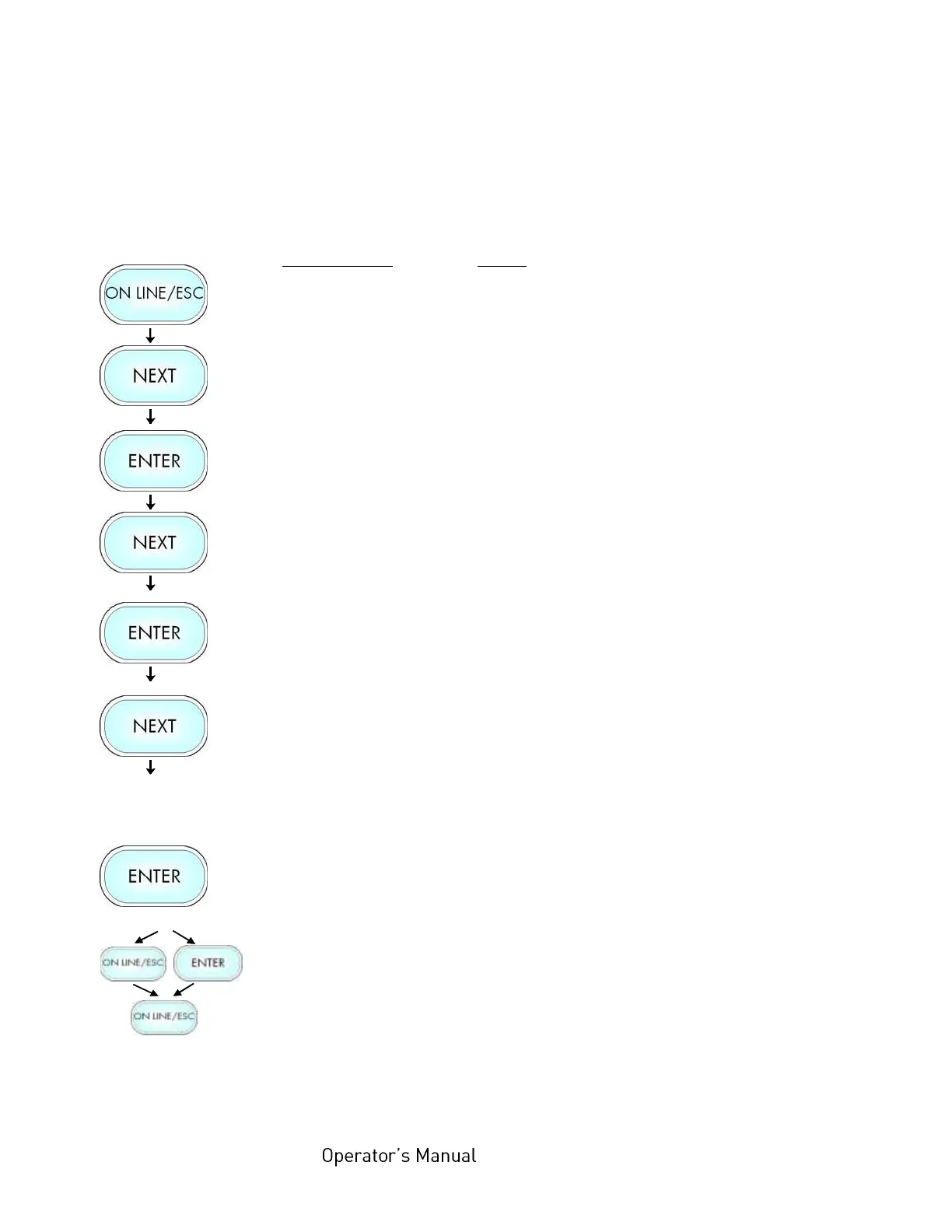
Turn the printer OFF LINE with this key.
Press the NEXT or PREVIOUS key until
[Engine ] is displayed.
Press the NEXT or PREVIOUS key until
[Image X-Pos.] is displayed.
The panel function Image Shifting to the
X-Direction is selected.
Currently set value (0 =Default).
Operating the NEXT or PREVIOUS key the
value for the image shift can be altered.
Values from -288 up to +288 Dot are
settable, so a max. image shifting of
appr. ±1 Inch (approx. ±25 mm) can be
reached.
Now the new image X-Position is saved.
In addition this new value can be saved as
setup value (using the ENTER key).
After this decision turn the printer ON
LINE again: Press the ON LINE key
longer than 2 seconds.



 To Next Page