Handling of Consumables 57
_________________________________________________________________________________________
_________________________________________________________________________________________
Microplex logiJET TC8 Edition 1.2
5.2.4. Ribbon Removal
The following steps are necessary if a ribbon has to be
exchanged. The work steps are valid for both print units.
1. Turn the printer OFF LINE.
2.
position.
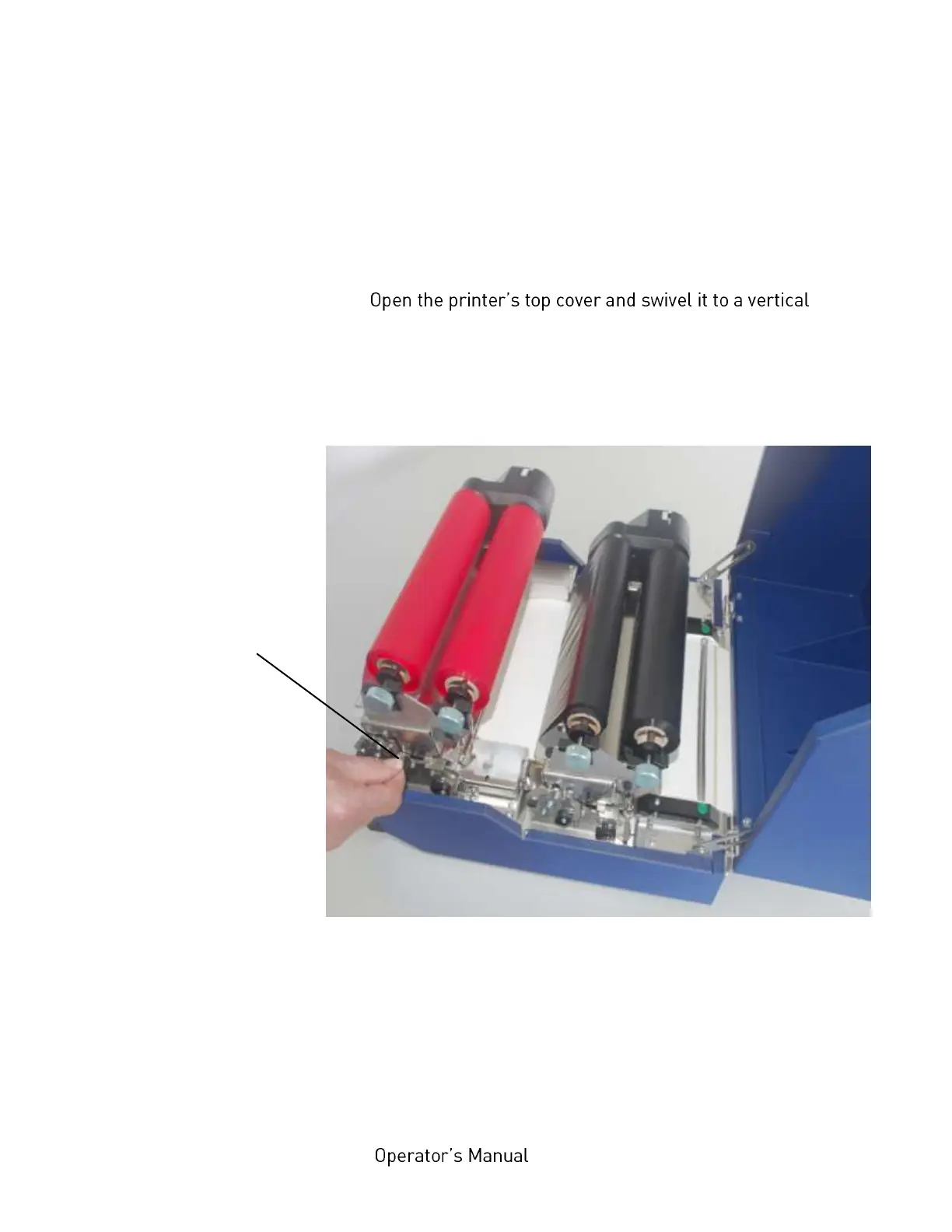
3. Unlock the printhead assembly by pushing the release lever.
Fig. 5.2.4.a Unlocking the front printhead assembly
4. Open the printhead assembly all the way until it stops and
stands upright.
Front printhead
release lever



 To Next Page