Operator Maintenance 159
__________________________________________________________________________________________
_________________________________________________________________________________________
Microplex logiJET TC8 Edition 1.2
8.1.3. Platen Roller Cleaning
with adhesive residues).
For the following cleaning operations the hints of section 8.1 are
valid, too !
Hint:
The sections that follow describe the cleaning of the front
printhead assembly. For the cleaning of the rear printhead
assembly refer to the following, too.
1.
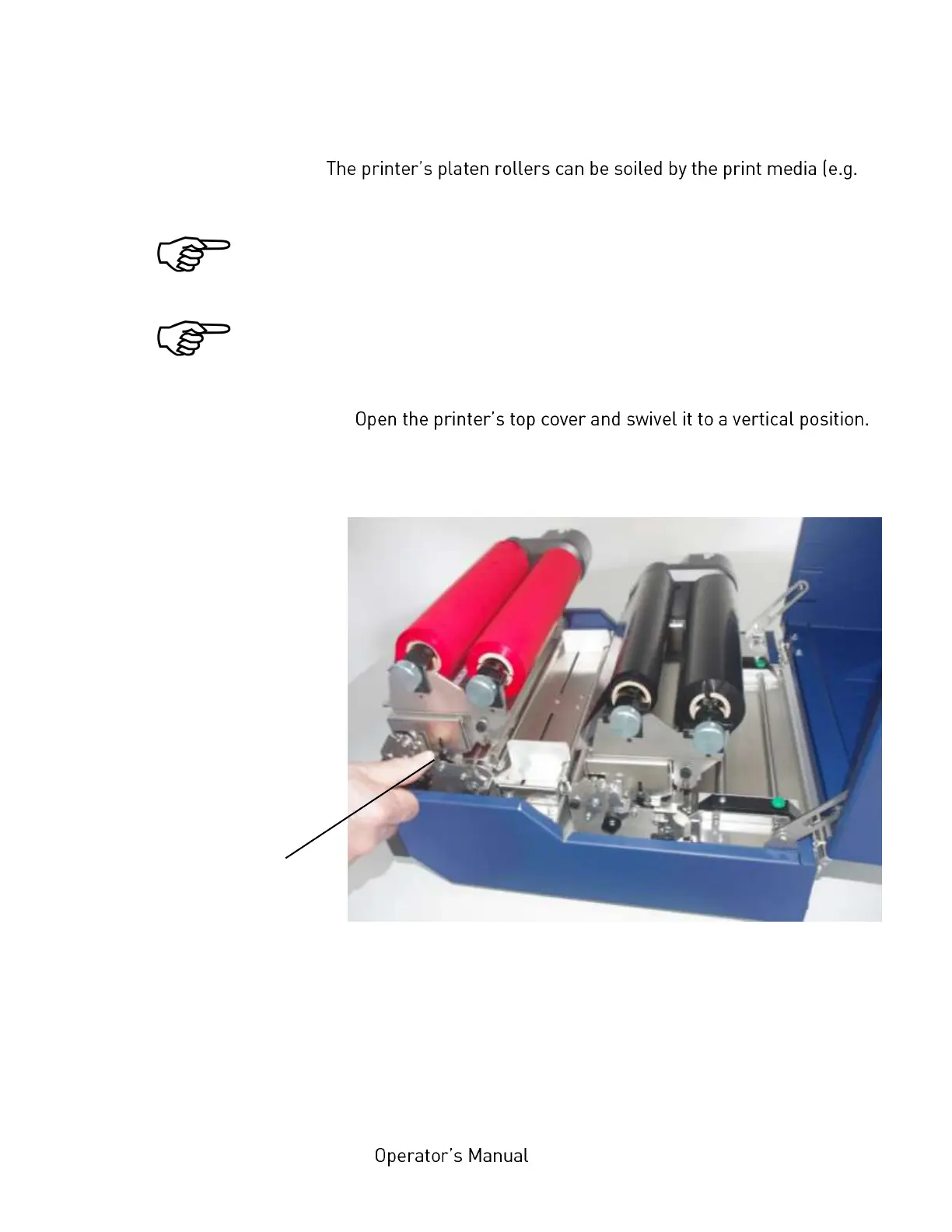
2. Unlock the front printhead assembly by pushing the release
lever.
Fig. 8.1.3.a Releasing the front printhead assembly
3. Swivel the printhead assembly upward until it stops and stands
upright.
4. Take out the ribbon if one is loaded. (Refer to section 5.2.4 for
more details.)
Printhead assembly
release lever



 To Next Page