80 Panel Functions
_________________________________________________________________________________________
_________________________________________________________________________________________
Microplex logiJET TC8 Edition 1.2
7.1. Adjusting the Printer to the Print Material (Paper Type)
This function is necessary to adjust the printer to the current media in use.
This adjustment selects the active Light Sensor Type (SyncSensor).
The printer is able to handle
continuous media
material with Gaps (label material)
material with Black Marks
The Gap Sensor (Transparent Photoelectric Switch) is suitable for labels with
transparent or register gaps.
The Reflex Sensor (Reflex Photoelectric Switch) is suitable for materials with
markings / Black Marks.
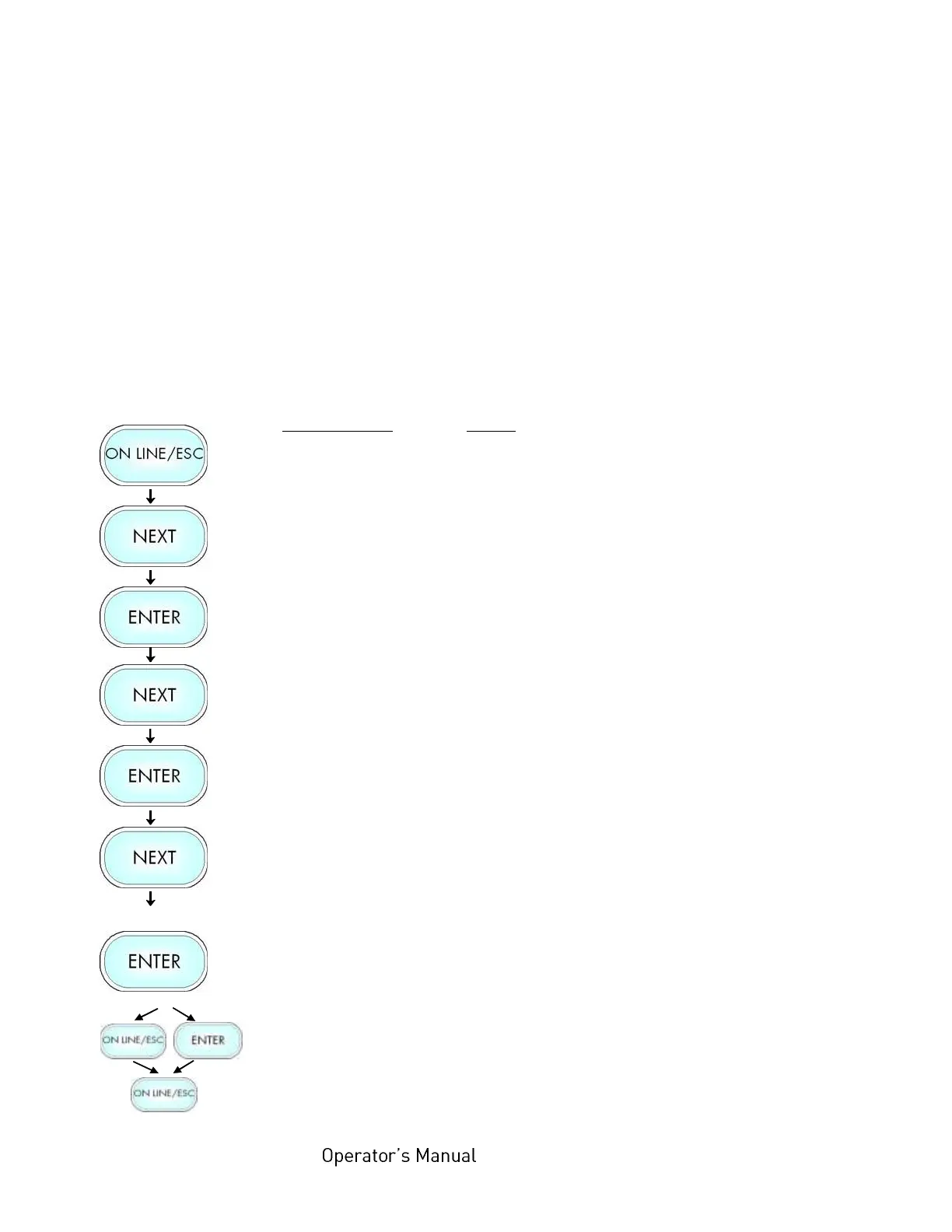
Panel display
[ON LINE ]
[Menu Level 1 ]
[Paper Menu ]
[Paper Size ]
[Paper Type ]
[Label (with Gap) ]
[Black Mark ]
[Save as Setup? ]
Notes
Turn the printer OFF LINE with this key.
Press the NEXT or PREVIOUS key until
[Paper Menu] is displayed.
Press the ENTER key. This selects the
Paper menu.
Press the NEXT or PREVIOUS key until
[Paper Type ] is displayed.
Press the ENTER key. This selects sub-
menu Paper Type.
The currently set value is displayed.
Press the NEXT or PREVIOUS key until
the statement shown by the display
corresponds to the inserted media (Black
Mark e.g.).
The printer is adjusted to material with
Black marks.
In addition this new value can be saved as
setup value (using the ENTER key).
After this decision turn the printer ON
LINE again: Press the ONLINE key
longer than 2 seconds.



 To Next Page