EasyManua.ls Logo

Microplex LOGIJET TC8 - Clearing Paper Jam

Default Icon
205 pages
Print Icon
To Next Page IconTo Next Page
To Previous Page IconTo Previous Page
Loading...
Troubleshooting 181
_________________________________________________________________________________________
_________________________________________________________________________________________
Microplex logiJET TC8 Edition 1.2
9.4. Clearing Paper Jam
Operation steps for clearing a paper jam are described in this
paragraph.
a) Turn the printer OFF LINE.
b) O
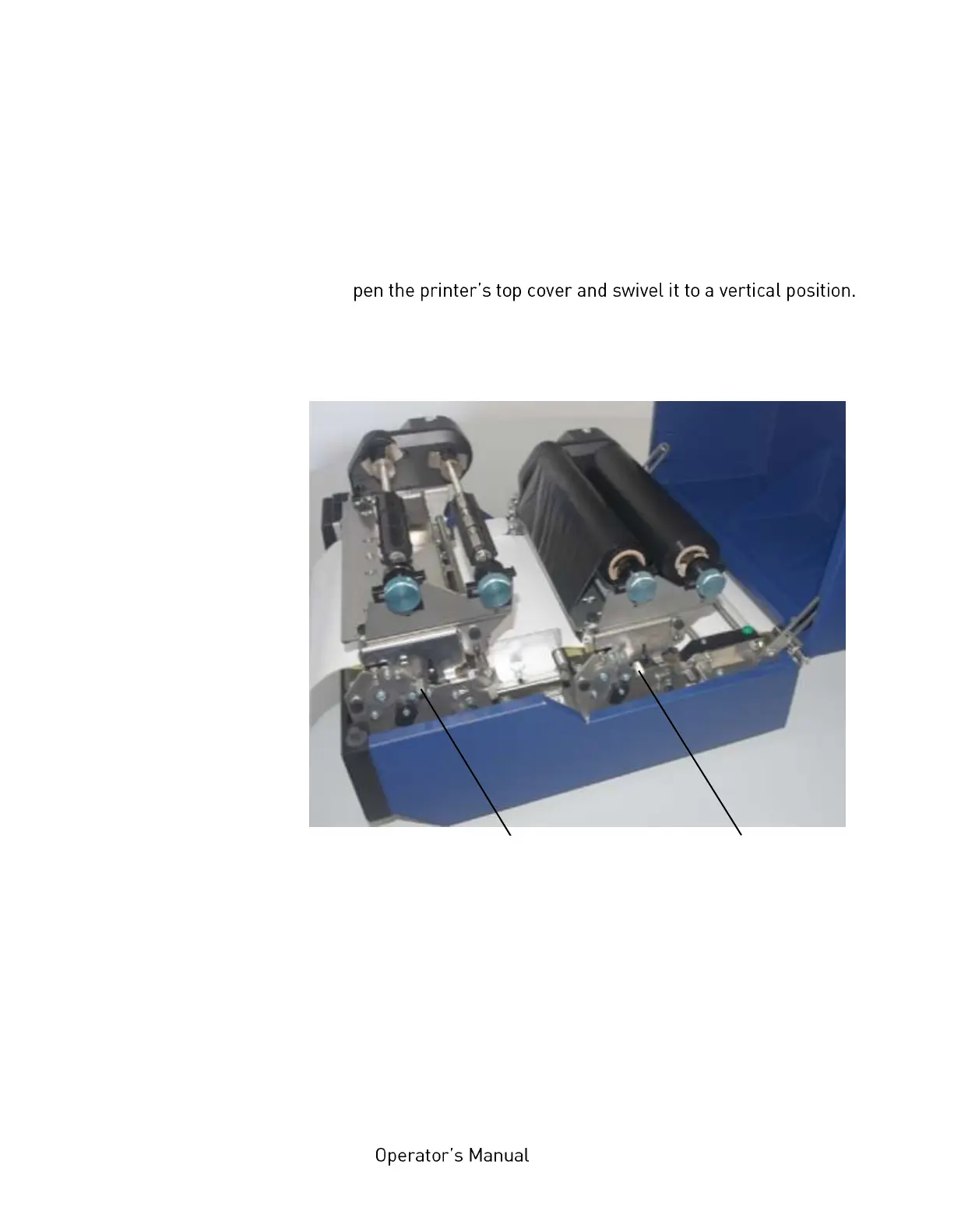
c) Unlock the front printhead assembly by pushing the release
lever.
Fig. 9.4.a Releasing the printhead assemblies
d) Swivel the printhead assembly upward until it stops and stands
upright.
e) Repeat the work steps c and d to open the rear printhead.
Caution! The printheads and the platen rollers may be hot.

Front printhead
assembly release lever
Rear printhead
assembly release lever

Table of Contents

Related product manuals