Handling of Consumables 55
_________________________________________________________________________________________
_________________________________________________________________________________________
Microplex logiJET TC8 Edition 1.2
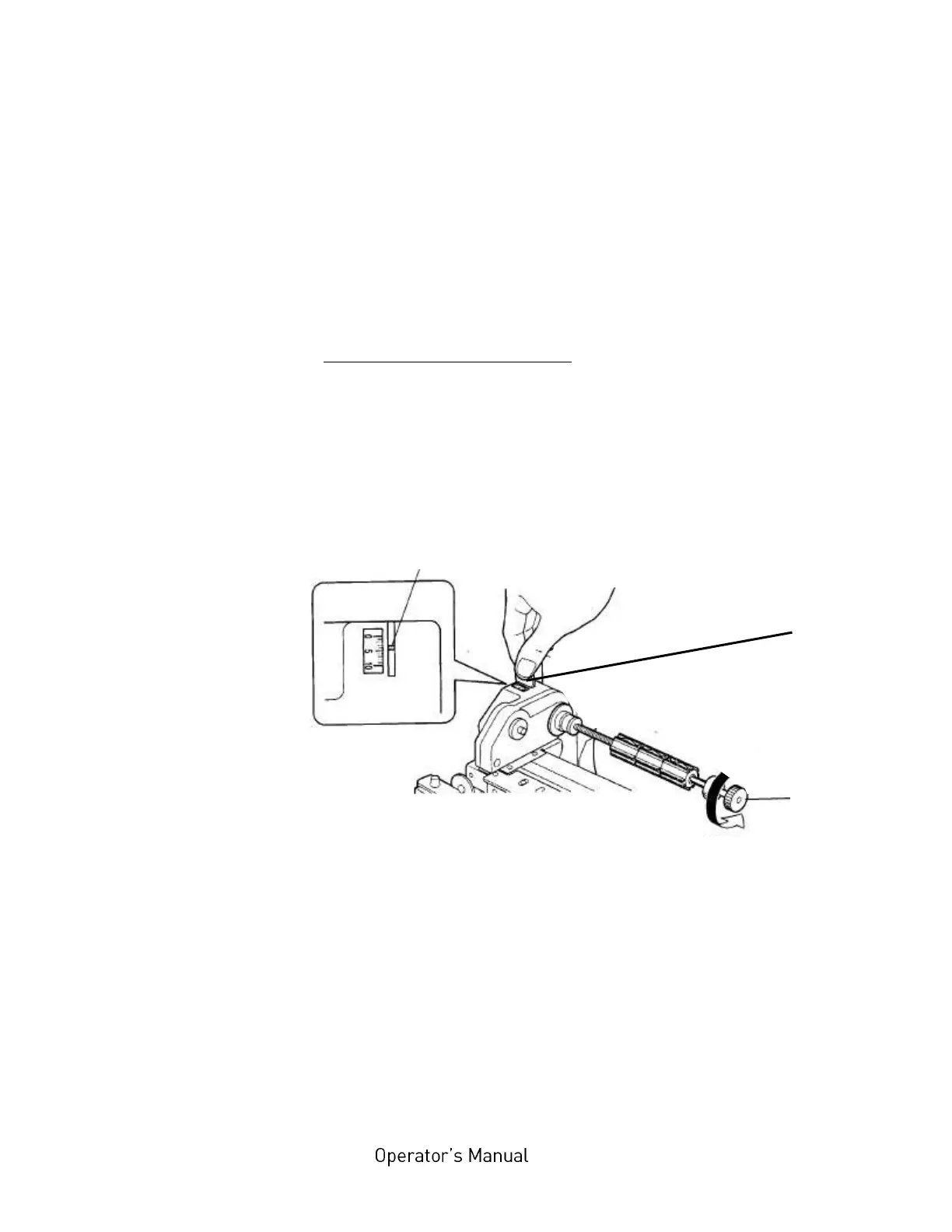
2. Turn the ribbon supply mandrel knob clockwise to increase
the ribbon tension torque. While doing this, observe the
displayed tension value (scale on top of the ribbon drive
mechanism).
3. Remove the coin.
B) Decreasing the ribbon tension
If the width of the new ribbon is smaller than the previous, the
printer might have a problem feeding the material.
To solve this problem the ribbon tension has to be decreased:
1. Insert a coin in to the slit on the ribbon drive mechanism
and hold down to lock the gear.
Fig. 5.2.3.b Reducing the ribbon tension
2. Turn the ribbon supply mandrel knob counterclockwise to
decrease the ribbon tension torque. While doing this,
observe the displayed tension value (scale on top of the
ribbon drive mechanism).
3. Remove the coin.
Knob of the
ribbon supply
mandrel



 To Next Page