3-CONTROLSANDINSTRUMENTS
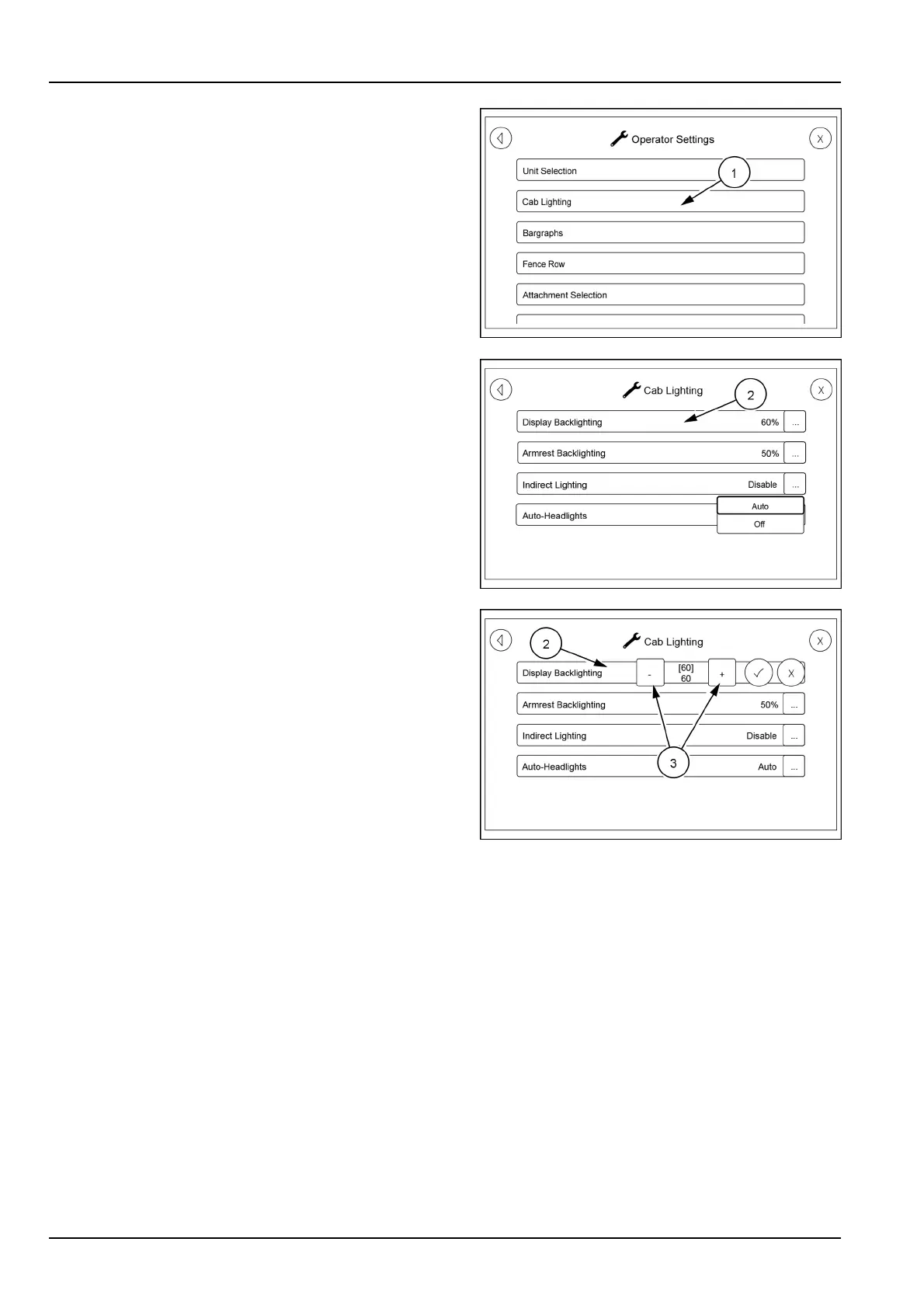
Returntotheoperatorsettingsscrollscreen.Touchthe
categoryCabLighting(1).
Thiswillbringupascreenwhereyoucanselectwhich
lightingyouwanttoadjust.T ouchtheDisplayBacklighting
icon(2)andthesettingicons(3)willappear.Touchthe
plus(+)orminus(-)toadjustthelightintensity.Oncethe
propersettingisreachedtouchthecheckmarktolockthe
settinginortouchtheXtoleavethesettingasis.
RAIL17SP00144AA6
RAIL18SP00332AA7
RAIL18SP00326AA8
3-92



 To Next Page