3-CONTROLSANDINSTRUMENTS
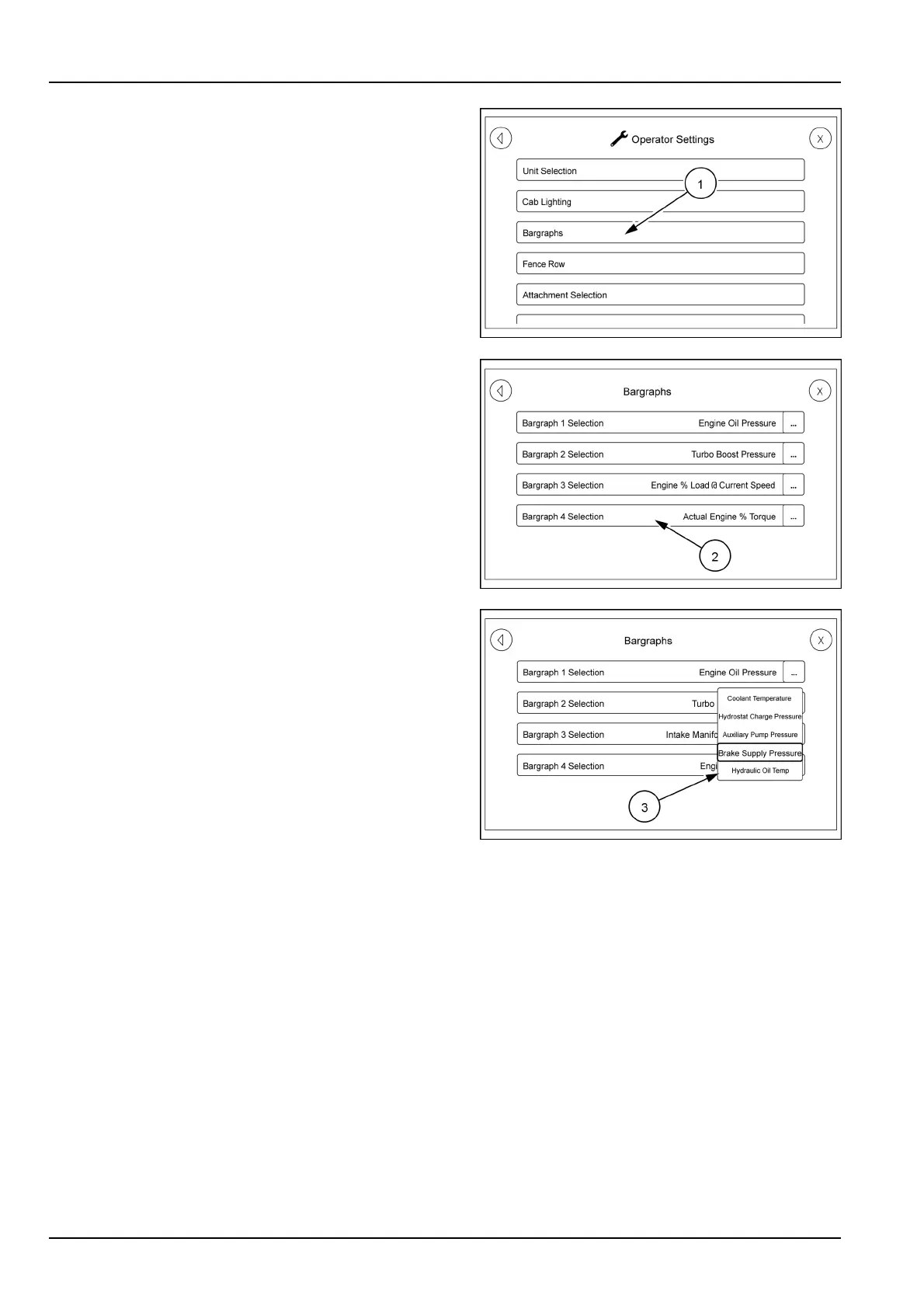
Returntotheoperatorsettingsscrollscreen.Touchthe
categoryselection(1).
Thebargraphselectionscreenwillappear.Thefourse-
lections(1through4)correspondwiththefourgauges
acrossthebottomoftheupperA-postdisplay1beingthe
gaugefarthesttotheleft.
Touchoneofthebargraphselections(2)andapop-up
menu(3)willappear.Thesemenusarelongerthanwhat
isdisplayed.Usetheswipemethodtoscrollthroughthe
list.
Oncetheselectionismadetouchtheselectedcategory
forthatgaugeandthegaugewillchange.
Allfourofthegaugescanbecustomizedperoperator
needs.
RAIL17SP00144AA18
RAIL17SP00110AA19
RAIL17SP00113AA20
3-96



 To Next Page