3-CONTROLSANDINSTRUMENTS
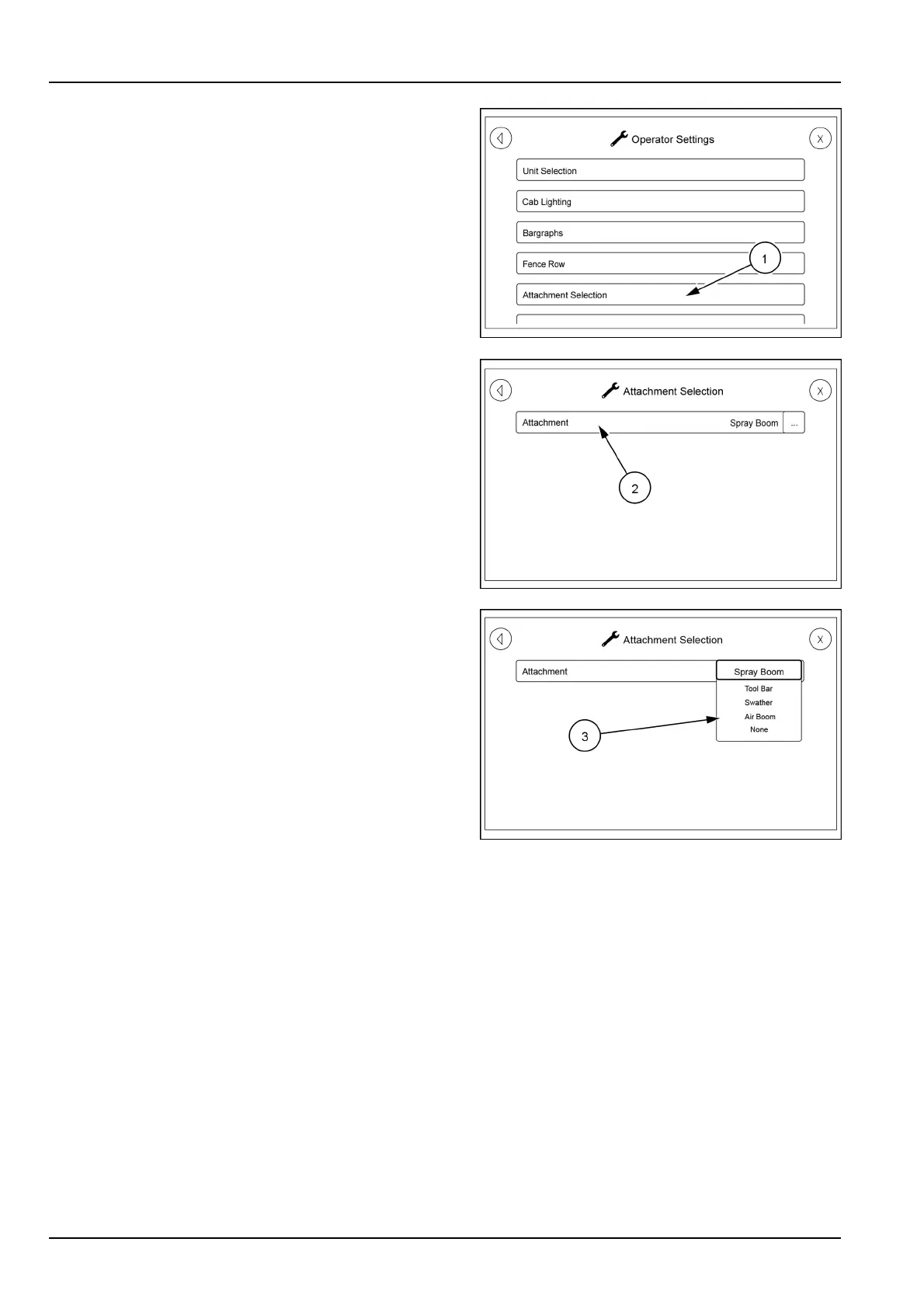
Returntotheoperatorsettingsscrollscreen.Touchthe
categoryattachmentselection(1).
Theattachmentselectionscreenwillappear.T ouchthe
AttachmentSelectionicon(2)andapop-upmenu(3)will
appear.
Selectthetypeofattachmentyouhaveattachedtoyour
unit.Youcanchoosefromsprayboom,toolbar,swather,
airboomornone.
RAIL17SP00144AA24
RAIL17SP00153AA25
RAIL18SP01068AA26
3-98



 To Next Page