26-4
26.6 Calibrating CO2
For sidestream and microstream CO2 modules, a calibration is needed every year or when the
measured values have a great deviation. For maintream CO2 module, no calibration is
needed.
Tools required:
Gas bottle, with 4%, 5% or 6% of CO2.
T-shape connector
Tubing
Follow this procedure to perform a calibration:
1. Make sure that the CO2 module has been warmed up or started up.
2. In the main menu, select [Maintenance >>]→[User Maintenance >>]→enter the
required password and then select [Maintain CO2 >>] from the popup menu.
3. In the [Maintain CO2] menu, select [Zero].
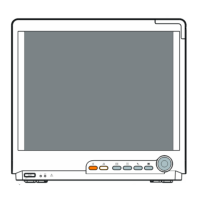
4. Connect the gas bottle with the tubing using a T-shape connector as shown below.
Check the airway and make sure there are no leaks.
5. Open the gas valve and vent CO2 into the tubing.
6. In the [Calibrate CO2] menu, enter the vented CO2 concentration in the [CO2] field.
7. In the [Maintain CO2] menu, the measured CO2 concentration, barometric pressure,
sensor temperature and current flowrate are displayed. After the measured CO2
concentration becomes stable, select [Calibrate CO2] to calibrate the CO2 module.
8. If the calibration is finished successfully, the message [Calibration Completed!] is
displayed. If the calibration failed, the message [Calibration Failed!] is displayed.
Perform another calibration.
9. Select [Exit] to exit the current menu.
Monitor
Gas bottle
Open to the air
Gas valve
Tubing






 To Next Page
