105/128
Integrating the Door Station into a Network with Static IP Addresses
© MOBOTIX AG • Security-Vision-Systems • Made in Germany
www.mobotix.com • sales@mobotix.com
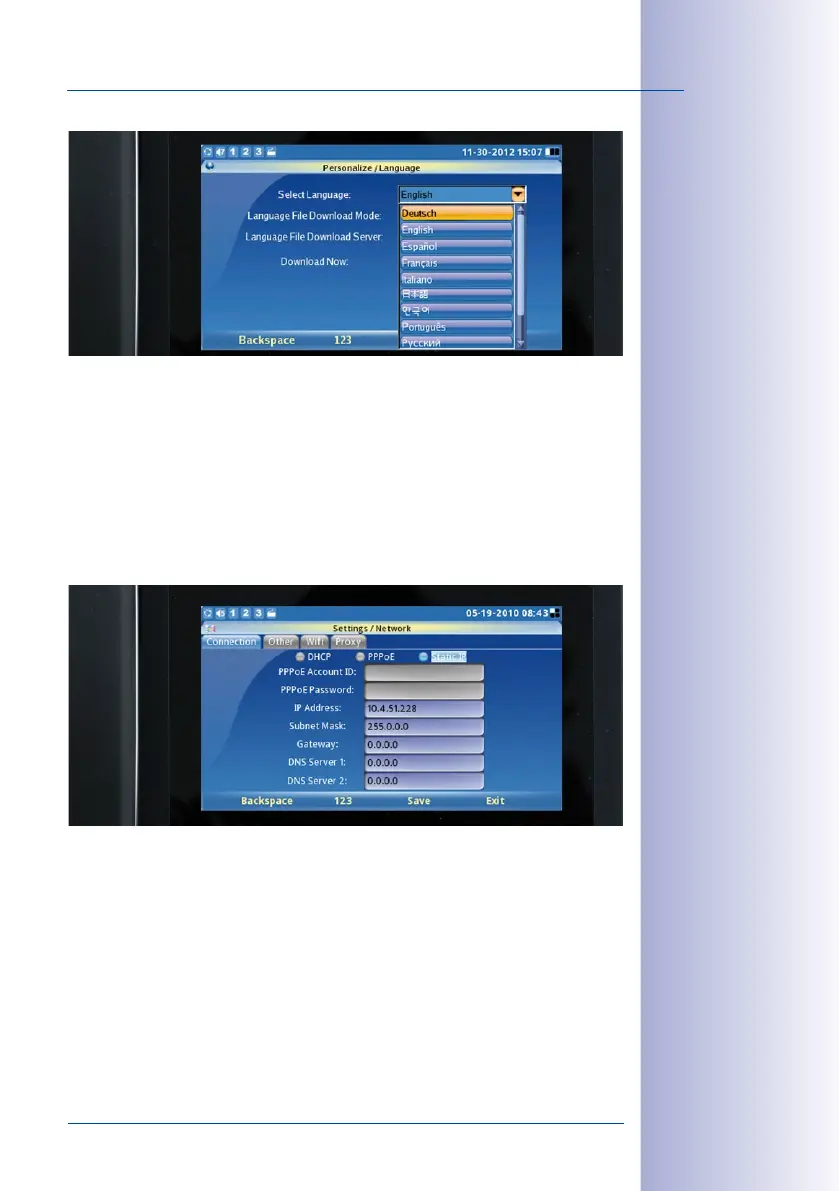
Next, change the configuration of each Grandstream telephone from the default DHCP
settings to a user-defined static IP address appropriate for the existing LAN. For example,
here, the address range is from 10.x.x.x (10.0.0.1 to 10.0.0.254) with the subnet
mask 255.0.0.0.
• Menu> Settings> Network
• Activate static IP
• Enter IP address 10.0.0.10
• Subnet mask 255.0.0.0> Save
Restart the Grandstream telephone:
• Menu> Settings> Maintenance
• Restart> Select and activate restart
The new static IP address of the Grandstream telephone (10.0.0.10) will now appear
on its display and is ready for use.
Caution: Values specied
are only placeholders
or examples



 To Next Page