9 Visualization
Maschinenfabrik Reinhausen GmbH 2020 1676385142/08 EN ETOS
®
ED
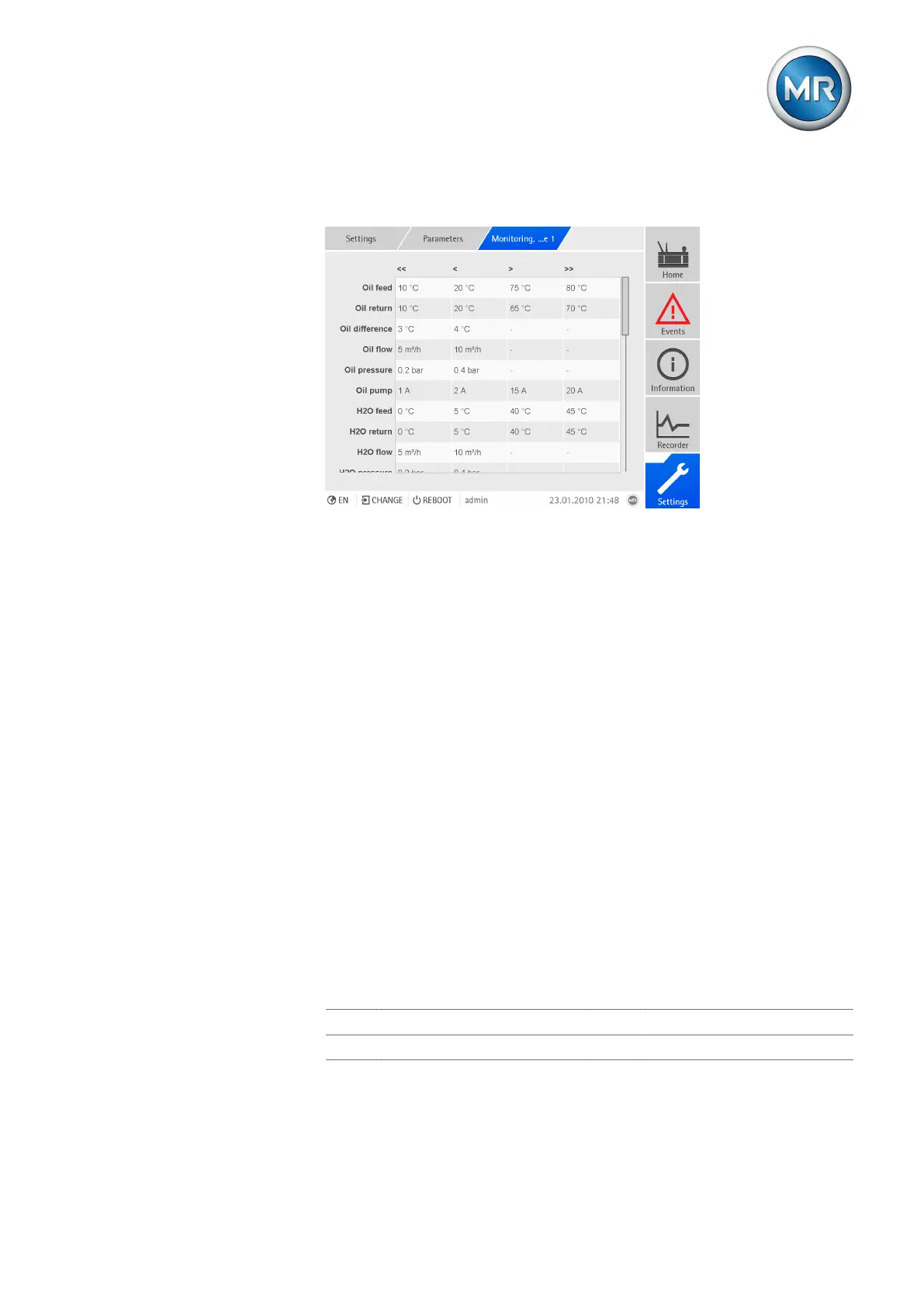
Behavior If the measured value is higher than the upper limit (> or >>) or lower than
the lower limit (< or <<), the device triggers an event message.
Figure124: Monitoring, cooling stage 1
1. Go to Settings > Parameters > Cooling system > Cooling stage 1/2
monitoring.
2. Select the desired parameter.
3. Set the desired parameter.
4. Press the Accept button to save the modified parameter.
Feed oil temperature
You can use these parameters to set the limit values for the permissible feed
temperature of the oil circuit. You can set two upper and two lower limit val-
ues for each cooling stage.
Return oil temperature
You can use these parameters to set the limit values for the permissible re-
turn temperature of the oil circuit. You can set two upper and two lower limit
values for each cooling stage.
Oil temperature difference
You can use these parameters to set the limit values for the permissible tem-
perature difference between the feed and return of the oil circuit. You can set
two lower limit values for each cooling stage.
Δθ Temperature difference θ
flow
Feed temperature
θ
return
Return temperature



 To Next Page