9 Visualization
Maschinenfabrik Reinhausen GmbH 2020286 6385142/08 ENETOS
®
ED
9.28.3 Function assignment
You can link the transmitted signals from the sensor to functions on the de-
vice. This requires configuring the desired device functions of the digital and
analog inputs for Modbus. Observe the following sections for more informa-
tion:
▪ Linking digital inputs and outputs [►Section 9.30, Page 295]
▪ Linking analog inputs and outputs [►Section 9.29, Page 292]
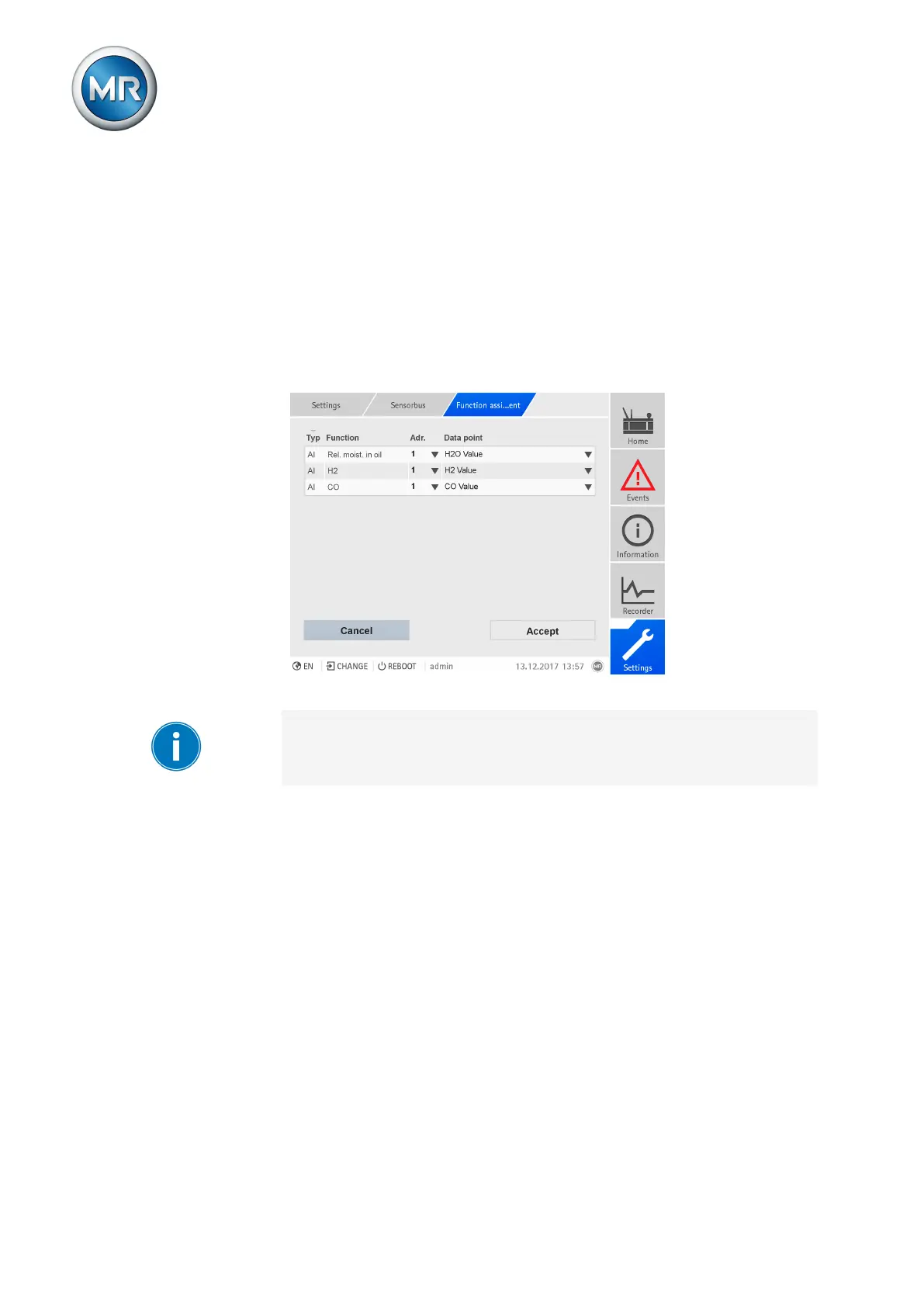
If device functions are configured for Modbus, you can link the functions to
the data points of the sensors.
Figure212: Assigning functions
The operation described below is only possible if you access the visualiza-
tion using a computer. You must also have a Parameterizer or Administrator
user role.
Proceed as follows to assign the functions:
ü The functions of the digital signals [►Section 9.30, Page 295] and analog
signals [►Section 9.29, Page 292] are configured for Modbus.
1. Go to Settings > Sensor bus > Function assignment.
2. Select the desired sensor address.
3. Select the desired data point.
4. Press the Accept button to save the changes.
5. After assigning the functions, reset the device to apply the changes.
9.28.4 Defining the sensors
This menu lets you define your own sensors, which you can connect to the
device over the MR sensor bus. The defined sensors are then available in
the sensor management function as a selection option.



 To Next Page