9 Visualization
Maschinenfabrik Reinhausen GmbH 2020 3136385142/08 EN ETOS
®
ED
Property Description
Save If you activate this option, the event is stored in the event
memory.
Multi-set
(not configurable)
The event can be triggered several times without having
been deactivated in the meantime.
High active
(not configurable)
High active: The device generates a signal if the event is
pending.
Low active: The device generates a signal so long as the
event is not pending. If the event is pending, the signal is
reset.
Acknowledgeable
(not configurable)
Acknowledgeable events must be acknowledged in the
event overview so that they are no longer displayed. All
other events are automatically removed once the cause is
remedied (e.g. limit value is no longer exceeded).
Blocking
(not configurable)
If the event is active, it blocks automatic voltage regula-
tion.
Table93: Properties of events
Settings Events Limit value U<
Name
Description
Remedy
Category
Limit value U<
Value has fallen below the limit value for undervoltage U<.
Check the current operating conditions of the transformer and the set U<
parameters.
Cancel Accept
Warning
Report
Save
Multi-set
High active
Acknowledgeable
Blocking
Home
Events
Information
Recorder
Settings
EN CHANGE REBOOT admin 06.04.2020 09:27
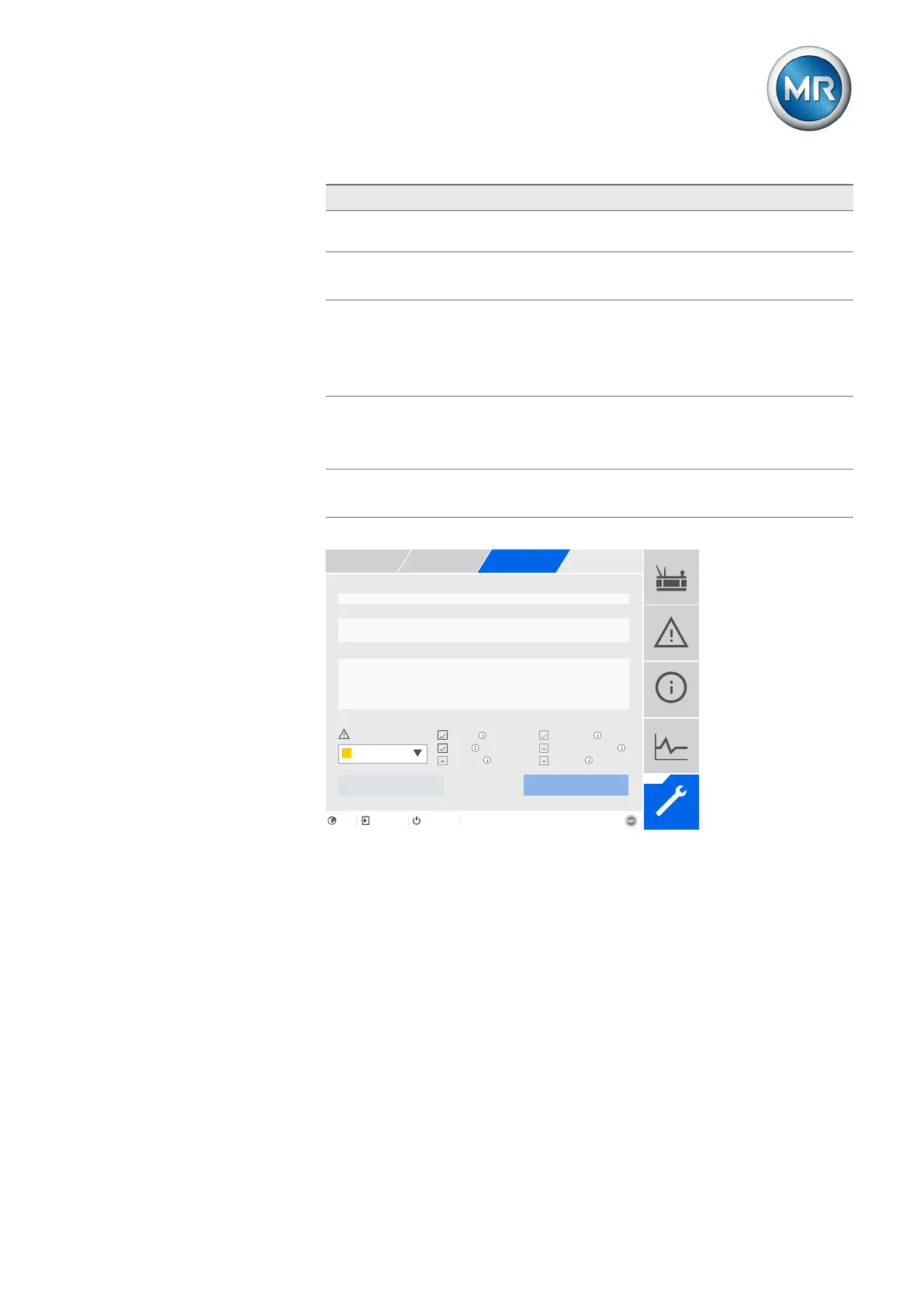
Figure238: Configuring events
To configure an event, proceed as follows:
1. Go to Settings > Events.
2. Select the event to be changed in the list.
3. Select the desired options.
4. Press the Accept button to save the change.



 To Next Page