MI
23
Innovation. Quality. Performance. Best in Industry. Worldwide.
Continuous Wave
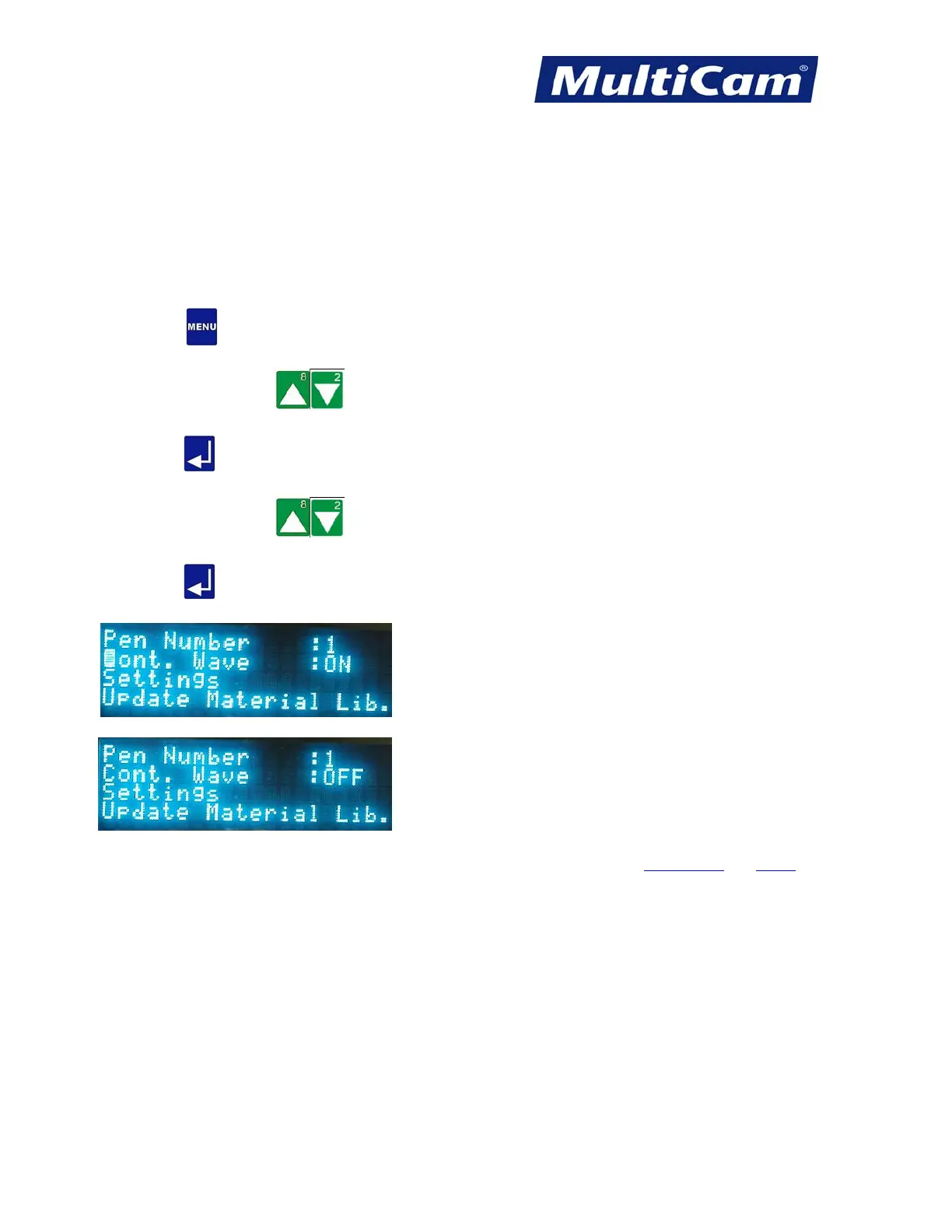
The Continuous Wave function is used to provide a continuous, steady current in either pulse or wave mode. A
steady current is supplied with the continuous wave on, and a pulsed current is supplied with the continuous
wave off. Pulsed current provides a higher peak power than continuous wave, though its average power measures
close to the average power of the continuous wave. High vaporization is achieved with a pulsed current, or
Continuous Wave OFF.
1. Press Menu
to access the menu system.
2. Press X-axis Jog Arrows
until Params_2D is highlighted in blue.
3. Press Enter
to access the Params_2D sub-menu.
4. Press X-axis Jog Arrows
until Cont. Wave is highlighted in blue.
5. Press Enter
to toggle the continuous wave setting ON or OFF. The menu stays in Params_2D with the
updated setting.
Params_2D Menu
Routers * Lasers * Plasma * WaterJets * Knife Cutters
www.MultiCam.com v. 11 10



 To Next Page