MI
80
Innovation. Quality. Performance. Best in Industry. Worldwide.
Fiducial Check
The Fiducial Check function allows the operator to determine how far out of square the machine is. Once the
fiducials are found, the system calculates the X,Y Offset and Rotation values. Based on these values, the system
can relocate the fiducials and display them in MotionMechanic, showing how far off the fiducials are in the X-
and Y-axes. Once the fiducials are relocated, the display will prompt the operator about aborting the job. Fiducial
Check works in conjunction with Retake Distance.
1. Press Menu to access the menu system.
2. Press X-axis Jog Arrows
until Vision is highlighted in blue.
3. Press Enter
to access the Vision sub-menu.
4. Press X-axis Jog Arrows
until Fiducial Check is highlighted in blue.
5. Press Enter
to access the Fiducial Check function.
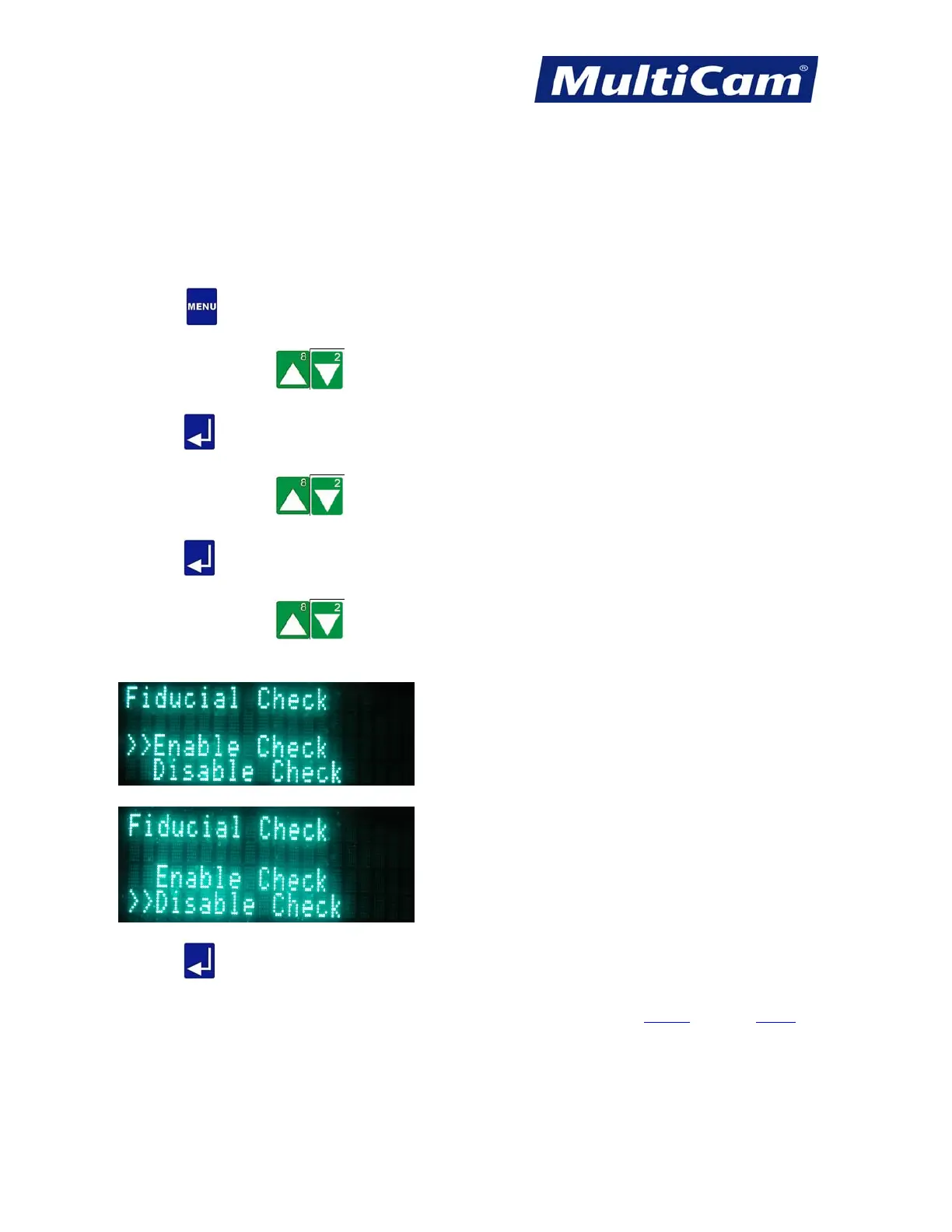
6. Press X-axis Jog Arrows
until the double arrows are to the left of the appropriate action.
a. Enable Check allows the system to determine how much the table configuration has changed.
b. Disable Check allows the system to continue operations without determining any change.
7. Press Enter
to engage the selected action and return to the Vision sub-menu.
Vision
Menu
Routers * Lasers * Plasma * WaterJets * Knife Cutters
www.MultiCam.com v. 11 10



 To Next Page