KF
2
Innovation. Quality. Performance. Best in Industry. Worldwide.
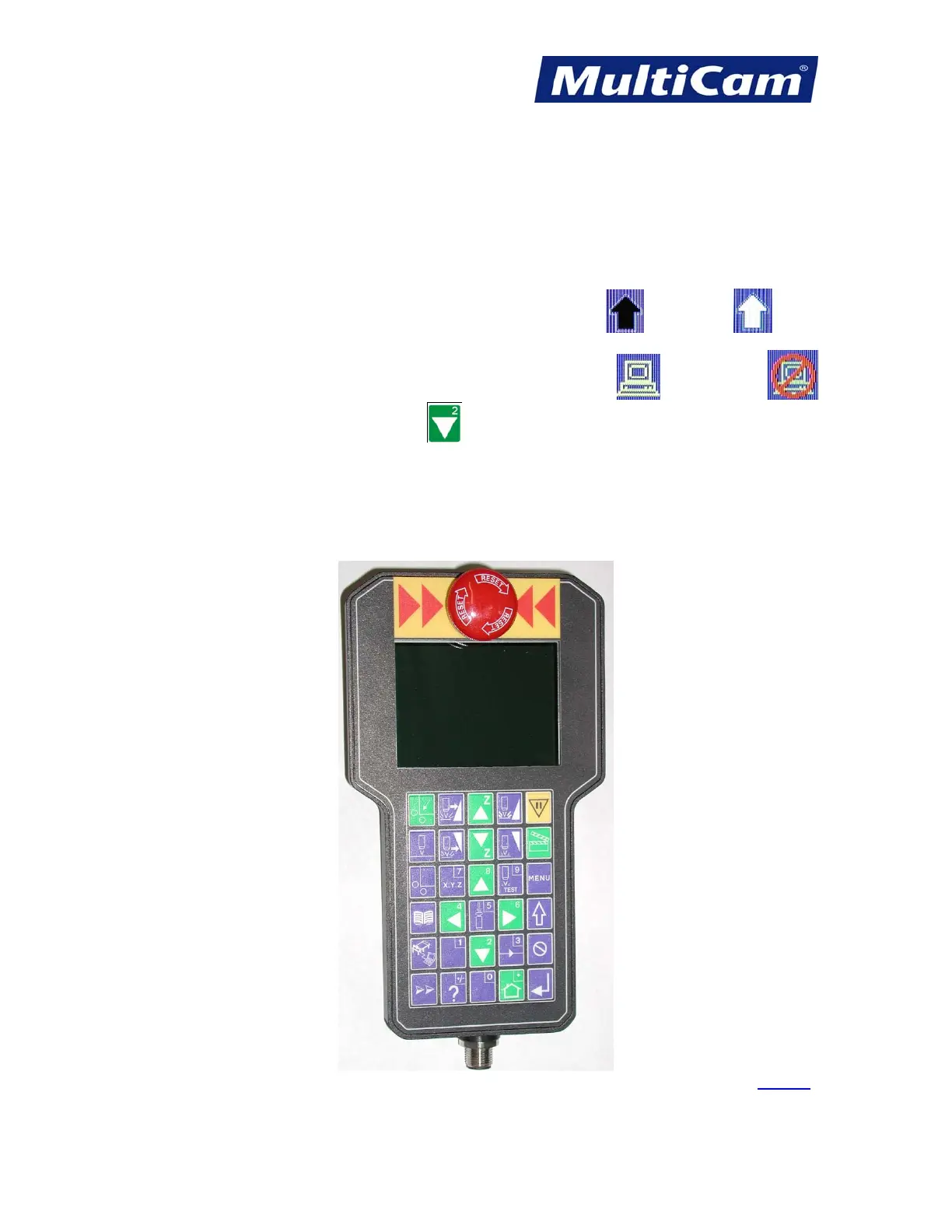
Handheld Keypad
The MultiCam graphical keypad provides more flexibility in accessing the Laser by allowing the operator to be
closer to the work surface when setting up jobs. With the mobility of this unit, operators experience fewer
problems pressing wrong keys by maintaining visual contact with the keypad. The display also allows for the
standard 4 lines of text at the top of the screen to indicate the machine status as well as a graphical depiction of
the cut file.
Shift Mode is indicated by the arrow at the bottom right (i.e., Normal Mode
, Shift Mode ).
The computer connection is also indicated at the bottom right (i.e., connected , not connected ).
Operators may press the X-axis Down Jog Arrow
to view additional menu items in the various menus
available on the keypad
.
The keypad also provides direction with the color scheme: Blue keys indicate adjustments and settings; Green
keys indicate action or movement; and the Yellow key indicates caution or pause. The Emergency Stop (E-Stop)
red button located at the top of the keypad allows the operator to immediately shut down or discontinue the
current job.
Keypad
Routers * Lasers * Plasma * WaterJets * Knife Cutters
www.MultiCam.com v. 11 10



 To Next Page