MI
5
Innovation. Quality. Performance. Best in Industry. Worldwide.
X & Y Feedrate (Cut Speed)
The X & Y Feedrate refers to the rate, measured in inches per minute (IPM), that the tool will travel in the X, Y
direction through the material while the tool is in the PD position (i.e., the Cut Speed). These speed settings will
vary with the type of material used.
The Cut Speed function can only be used when no feedrate has been programmed in the NC file. The machine
will default to 15 IPM if the machine loses power or the controller is rebooted.
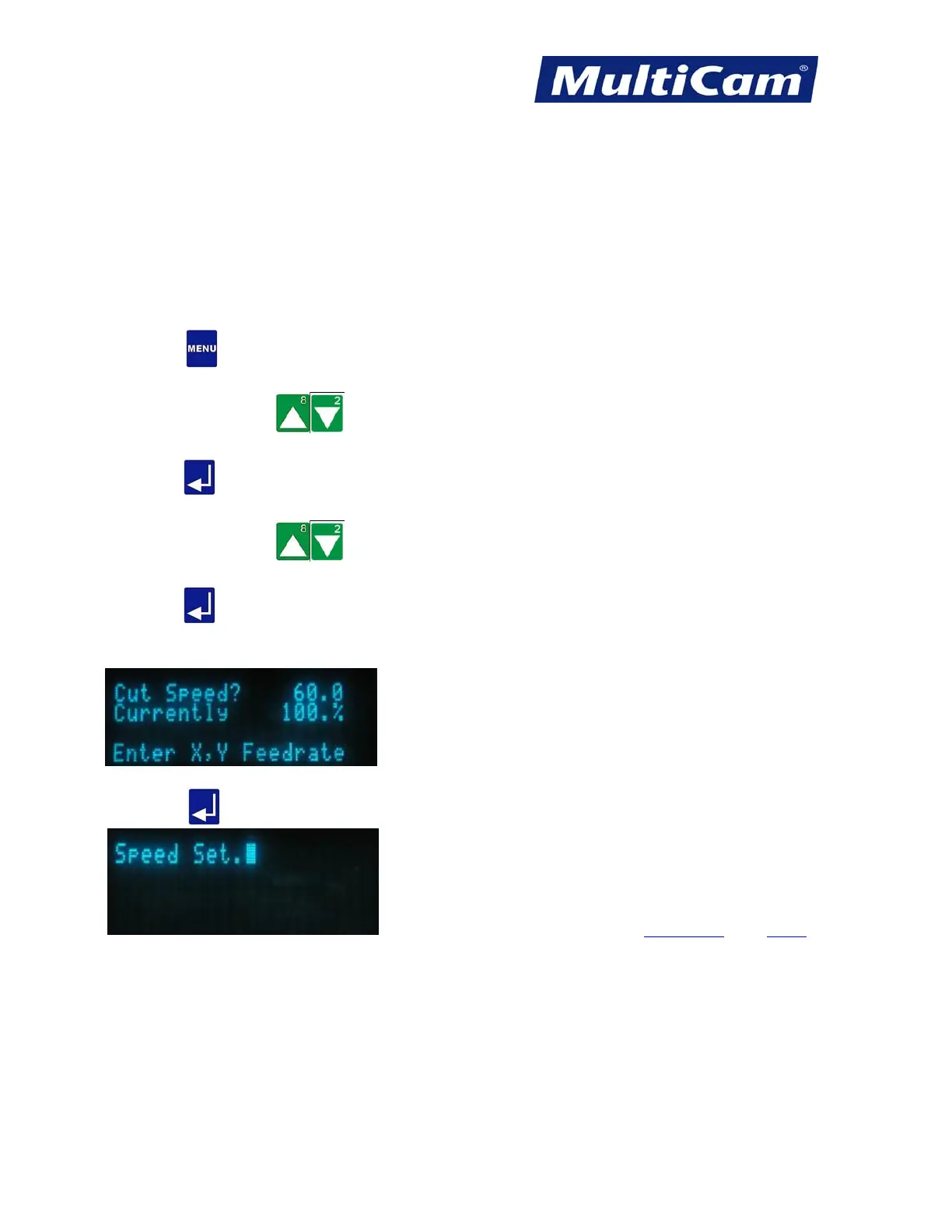
1. Press Menu to access the menu system.
2. Press X-axis Jog Arrows
until Params_2D is highlighted in blue.
3. Press Enter
to access the Params_2D sub-menu.
4. Press X-axis Jog Arrows
until Cut Speed is highlighted in blue.
5. Press Enter
to adjust the cut speed.
6. Enter the desired cut speed value using the number keypad (e.g., 60).
7. Press Enter to record the value and return to the Params_2D sub-menu.
Params_2D Menu
Routers * Lasers * Plasma * WaterJets * Knife Cutters
www.MultiCam.com v. 11 10



 To Next Page