MI
24
Innovation. Quality. Performance. Best in Industry. Worldwide.
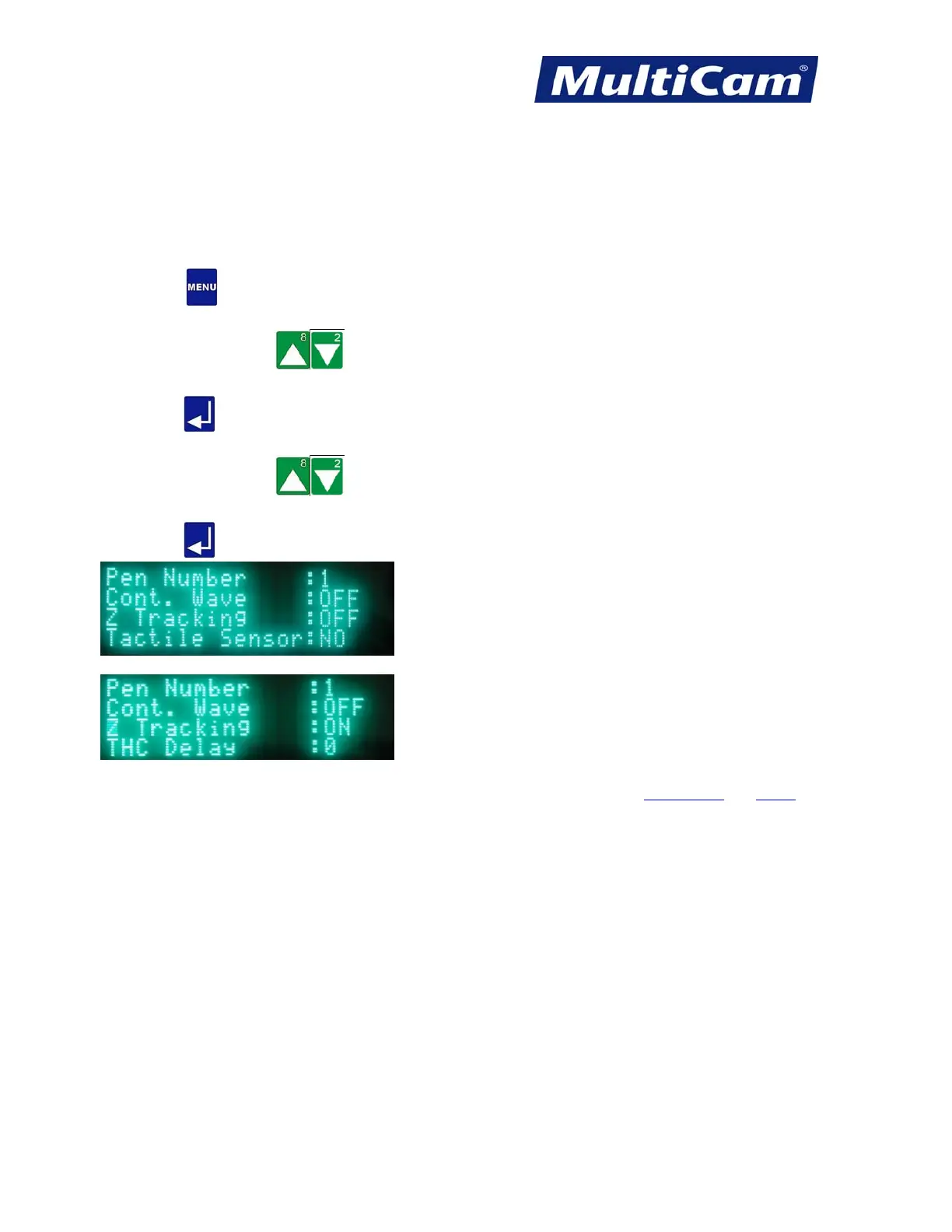
Z Tracking
The Z Tracking function is used in conjunction with the capacitive cutting head to maintain the same distance
from the cutting head to the material regardless of inconsistencies in the material (e.g., steel that is warped in the
middle). The Z Tracking function is most often used with steel and other conductive materials.
1. Press Menu
to access the menu system.
2. Press X-axis Jog Arrows
until Params_2D is highlighted in blue.
3. Press Enter
to access the Params_2D sub-menu.
4. Press X-axis Jog Arrows
until Z Tracking is highlighted in blue.
5. Press Enter
to toggle the Z Tracking from OFF to ON.
Params_2D
Menu
Routers * Lasers * Plasma * WaterJets * Knife Cutters
www.MultiCam.com v. 11 10



 To Next Page