KF
23
Innovation. Quality. Performance. Best in Industry. Worldwide.
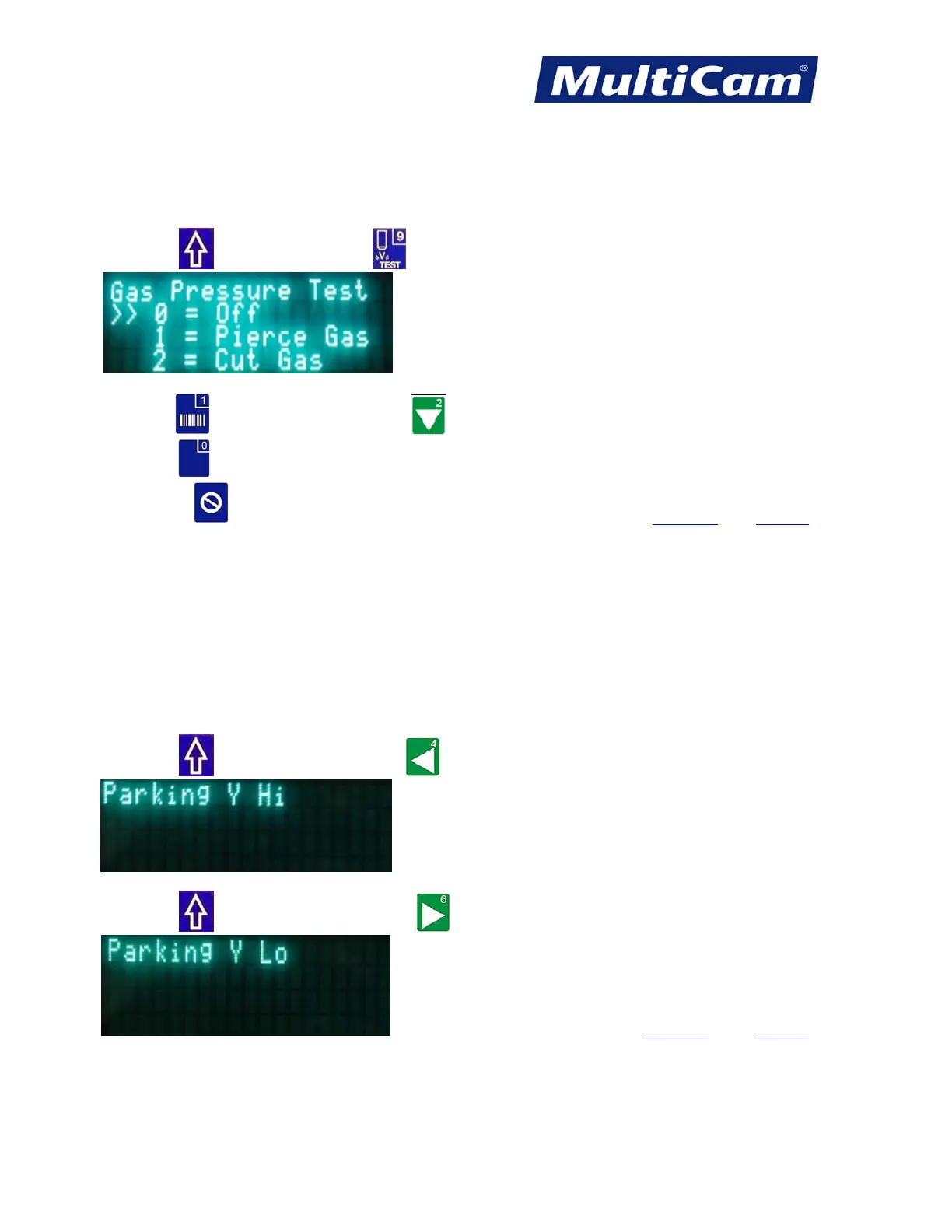
Gas Pressure Test
The Gas Pressure Test function allows the operator to test the pierce gas pressure and the cut gas pressure on laser
machines.
1. Press Shift
and Gas Pressure Test to begin gas pressure testing.
The double arrows show the current setting of the gas pressure test.
2. Press One
to test the pierce gas or Two to test the cut gas.
3. Press Zero
to turn off the pierce gas or cut gas test.
4. Press Cancel
to cancel the gas pressure test and return to the main display. Hot Keys Keypad
Park Y High or Low
The Park Y function will move the head assembly the maximum length of the gantry to the right or left in Y-axis.
This allows the operator to examine the work without interference from the head assembly.
1. Press Shift
and Y-axis Left Jog Arrow to move the head assembly to the left side of the gantry.
2. Press Shift
and Y-axis Right Jog Arrow to move the head assembly to the right side of the gantry.
Hot Keys Keypad
Routers * Lasers * Plasma * WaterJets * Knife Cutters
www.MultiCam.com v. 11 10



 To Next Page