KF
9
Innovation. Quality. Performance. Best in Industry. Worldwide.
Move
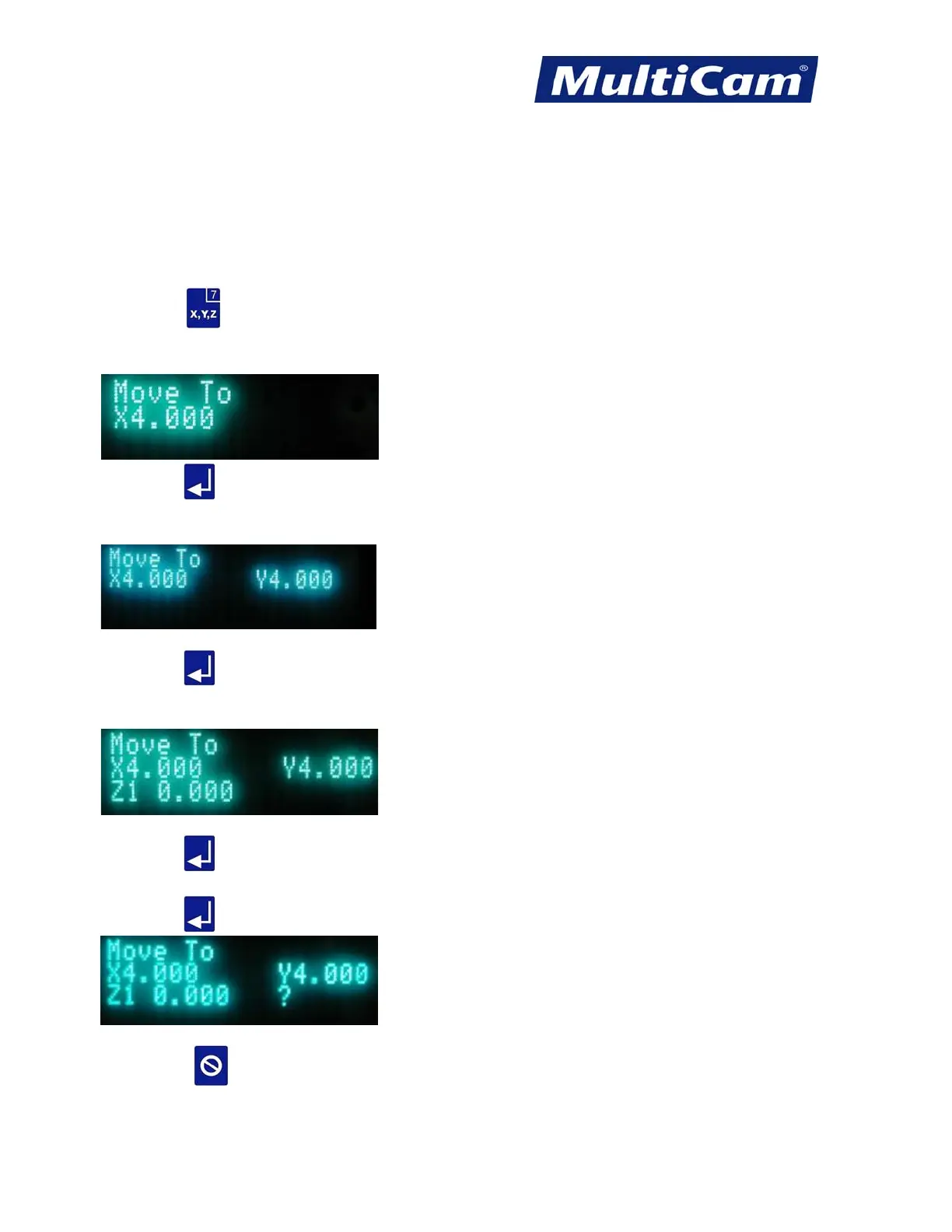
The Move function allows the operator to enter exact values for X, Y, or Z (0,0,0) where the first entry is X
(length), the second entry is Y (width), and the third entry is Z (height). The X, Y, and Z values will reference
from the Hard Home position until the Set Home and Set Surface functions have been selected. At that point, the
X- and Y-axes will reference from the Set Home position. The Z value will reference from the surface of the
material.
1. Press Move
.
2. Enter the desired value for X using the number keypad (e.g., 4.0).
3. Press Enter
to accept the value.
4. Enter the desired value for Y using the number keypad (e.g., 4.0).
5. Press Enter
to accept the value.
6. Enter the desired value for Z using the number keypad (e.g., 0.0).
7. Press Enter
to accept the value.
8. Press Enter
when the “?” is displayed to accept all settings and move the machine to the new coordinates.
9. Press Cancel
to return to the main display.
Routers * Lasers * Plasma * WaterJets * Knife Cutters
www.MultiCam.com v. 11 10



 To Next Page