KF
8
Innovation. Quality. Performance. Best in Industry. Worldwide.
Start
Pressing Start will begin a job file or execute a Cut Utility. When a file has been completed, the operator c
press Start
an
to a ine ctivate the replay buffer and begin the file again. Operators should never leave the mach
unattended during the cutting sequence. Hot Keys
Keypad
Set Home (0,0)
The Set Home function allows the operator to identify the exact location of X=0, Y=0 on the material to be cut.
This is the Soft Home location 0. The file that is to be executed on the table will use this location as the software
reference point home or origin (0,0): the machine will begin and return to this new origin, and the X and Y
coordinate locations are stored in the controller’s memory.
The location of the Set Home position will be the new origin (0,0) until a new home is set or the current home is
cleared by selecting Clr_Home from the Utility sub-menu. The software reference point must be the material
home point.
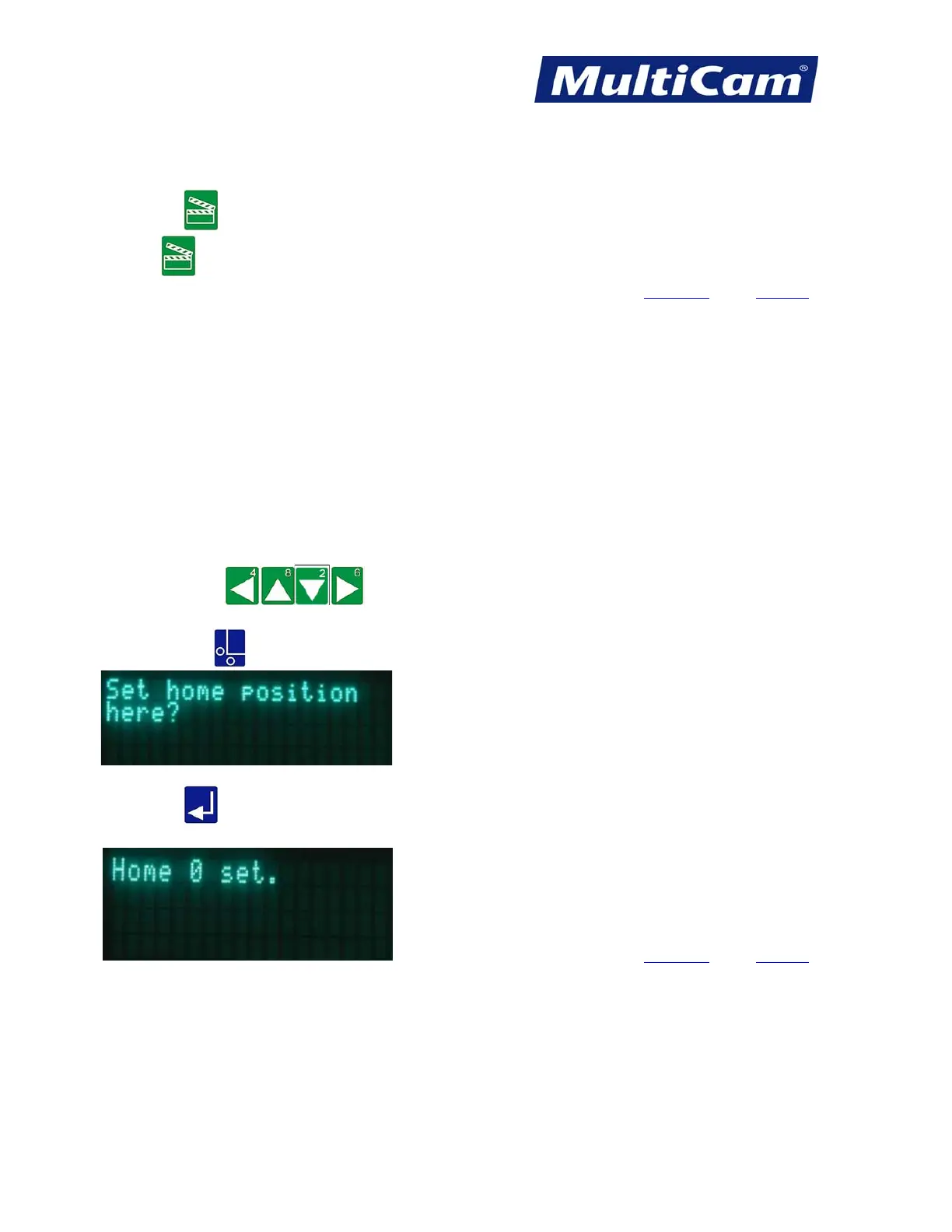
1. Press Jog Arrows
to place the center of the head assembly over the front right corner
of the material.
2. Press Set Home
.
3. Press Enter
to accept. This will store the absolute X and Y coordinate locations in the controller’s
memory.
Hot Keys Keypad
Routers * Lasers * Plasma * WaterJets * Knife Cutters
www.MultiCam.com v. 11 10



 To Next Page