MI
37
Innovation. Quality. Performance. Best in Industry. Worldwide.
Save Surface Map
The Save Surface Map function is used to save up to 4 surface maps. The system maintains this information in the
Material Library.
1. Press Menu
to access the menu system.
2. Press X-axis Jog Arrows
until SurfMap is highlighted in blue.
3. Press Enter
to access the SurfMap sub-menu.
4. Press X-axis Jog Arrows
until Save Surface Map is highlighted in blue.
5. Press Enter
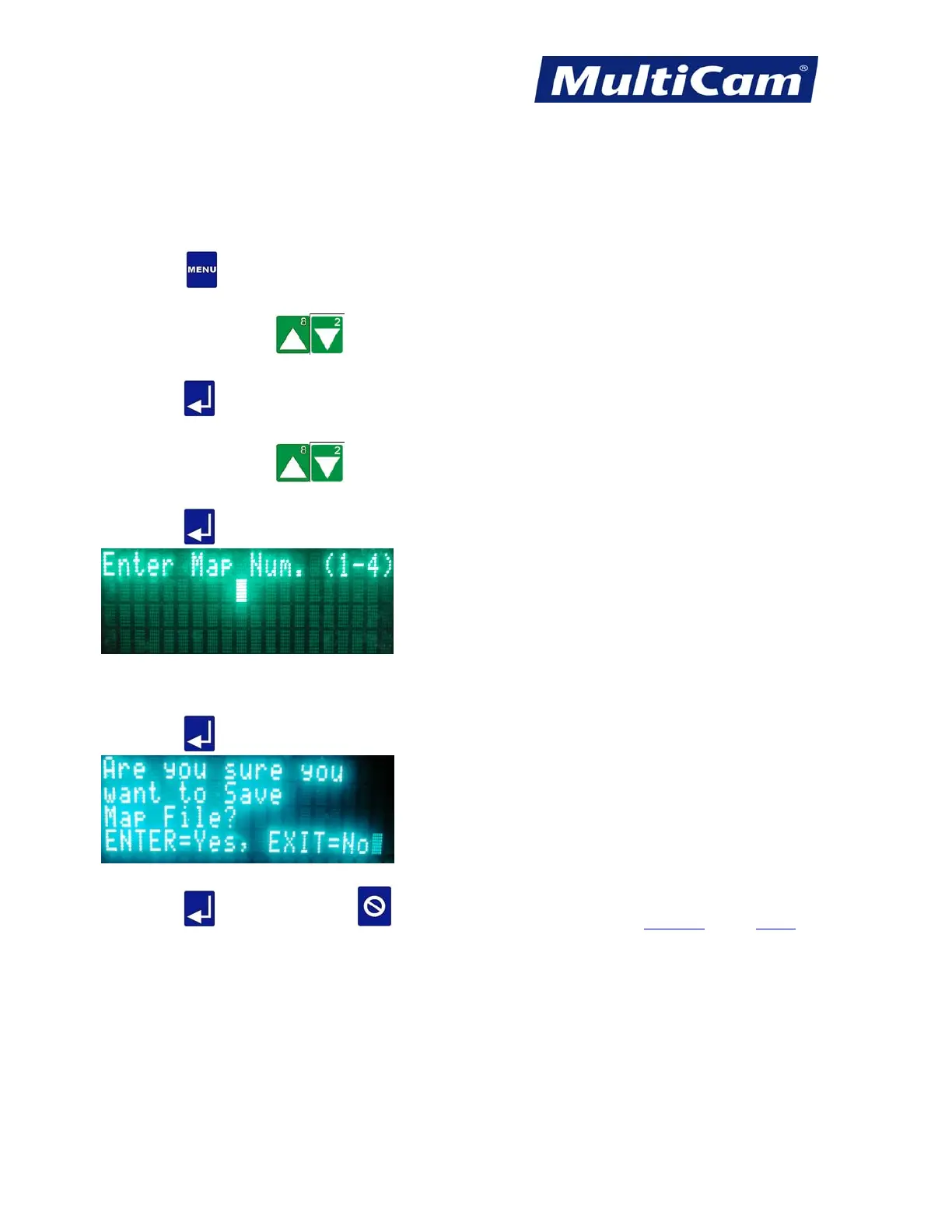
to enter the surface map to be saved.
6. Enter the value for the map being saved using the number keypad.
7. Press Enter
to accept the number. The system will prompt the operator about saving the Map File.
8. Press Enter
to update or Cancel to exit without saving. SurfMap Menu
Routers * Lasers * Plasma * WaterJets * Knife Cutters
www.MultiCam.com v. 11 10



 To Next Page