KF
28
Innovation. Quality. Performance. Best in Industry. Worldwide.
Advanced Features
Advanced Features help the operator to be more productive by previewing a file before cutting the material with
Dry Run
, rotating a file to match the angle of the sheet with Rotate File, cutting an entire sheet of shapes using the
Step and Repeat
function, accessing the bar-coded information with the Bar Code Scanner, using the Safety Mat
as an option for pausing the cutting sequence, determining the status of the laser through the Status Light Bar
, and
maximizing the cutting time by creating 2 separate work areas on the same machine with Dual Start
.
Keypad
Dry Run
The Dry Run function is an advanced feature that allows the operator to preview the file to be cut. The file will
run at full speed, but the system allows the operator to slow down the Dry Run process by leaving the feedrate
override active. The spindle will stay in the Tool UP position, never entering the material. The keypad displays
Tool 1 Up when the cutter would normally be in the UP position moving between contours. The keypad displays
Tool 1 Down when the cutter would normally be in the material cutting the contours. This command will function
through the DNC or through the internal replay buffer of the machine.
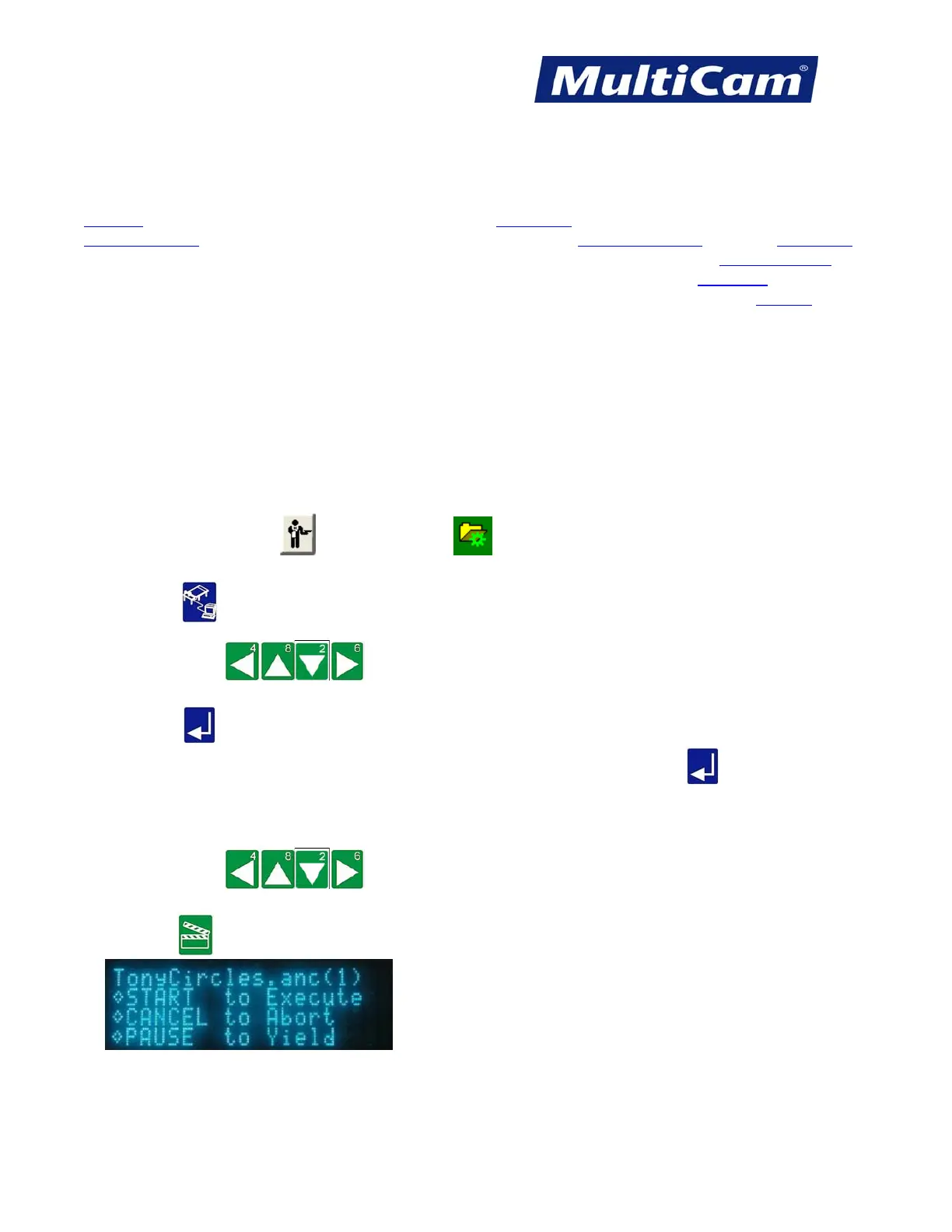
1. Make sure that JobServer or JobNameServer has been activated on the computer.
2. Press DNC . The keypad display will show a list of the directories in the DNC path.
3. Press Jog Arrows until the blinking cursor is over the directory to be entered.
4. Press Enter . The keypad will display the DNC files that are available in that directory, and directories or
folders and any associated subfolders are displayed between brackets [ ]. Press Enter while the blinking
cursor is located over the 2 decimal points at the beginning of the directory to return to
the list of directories if
necessary.
5. Press Jog Arrows until the blinking cursor is over the first letter of the file to be executed.
6. Press Start .
Routers * Lasers * Plasma * WaterJets * Knife Cutters
www.MultiCam.com v. 11 10



 To Next Page