MI
65
Innovation. Quality. Performance. Best in Industry. Worldwide.
Test Cap
The Cap Sensor function is used to access several settings specific to the capacitive cutting head and sensor. This
menu item is not applicable to systems with no capacitive cutting head and sensor.
1. Press Menu
to access the menu system.
2. Press X-axis Jog Arrows
until Utility is highlighted in blue.
3. Press Enter
to access the Utility sub-menu.
4. Press X-axis Jog Arrows
until Cap Sensor is highlighted in blue.
5. Press Enter
to access the Capacitive Sensor sub-menu.
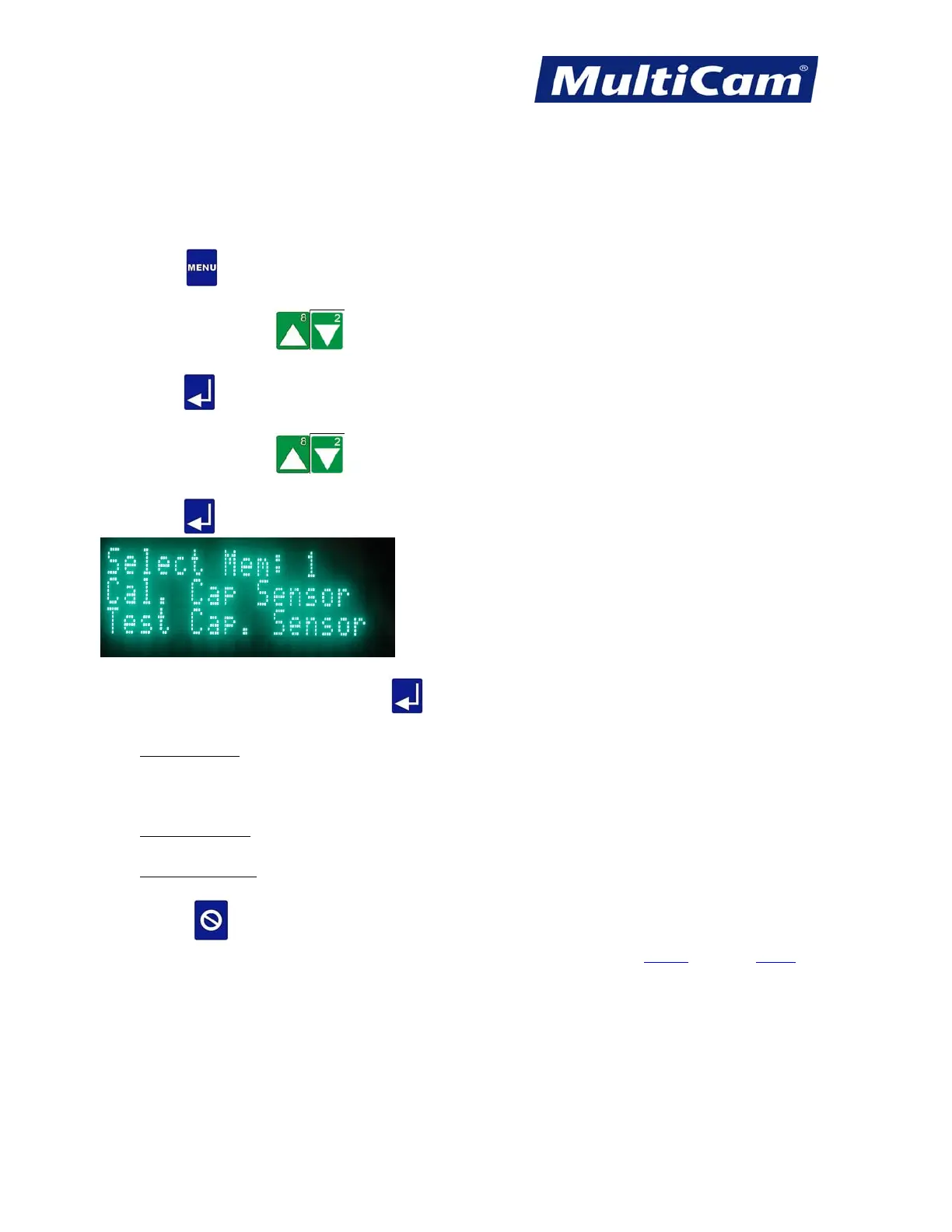
7. Scroll to a specific option and press Enter
.
• Select Mem: 1
– toggles between 1 and 2
This setting is specific to Haas Capacitive Height controllers and allows the operator to save the electrical
calibrations associated with the 2.5” (63.5mm) lens and the 5” (127mm) lens.
• Cal. Cap Sensor
– calibrates the capacitive height system to the surface
• Test Cap. Sensor
– checks the outputs between the capacitive sensor and the controller
8. Press Cancel
to return to the Utility sub-menu.
Utility Menu
Routers * Lasers * Plasma * WaterJets * Knife Cutters
www.MultiCam.com v. 11 10



 To Next Page