CN
16
Innovation. Quality. Performance. Best in Industry. Worldwide.
Communications Port Settings of Windows
Most PCs are running Windows 2000 or higher as the Operating System. The default configuration of Windows is
set to take advantage of larger (16 byte) FIFOs in the COM ports.
The
MultiCam Controller has 4 to 7 character-receive FIFOs, which is less than half the standard default setting.
Operators should reduce their Transmit FIFO levels when using a
MultiCam Controller to lessen the chance for
poor communications or loss of data that would result from having the settings too high.
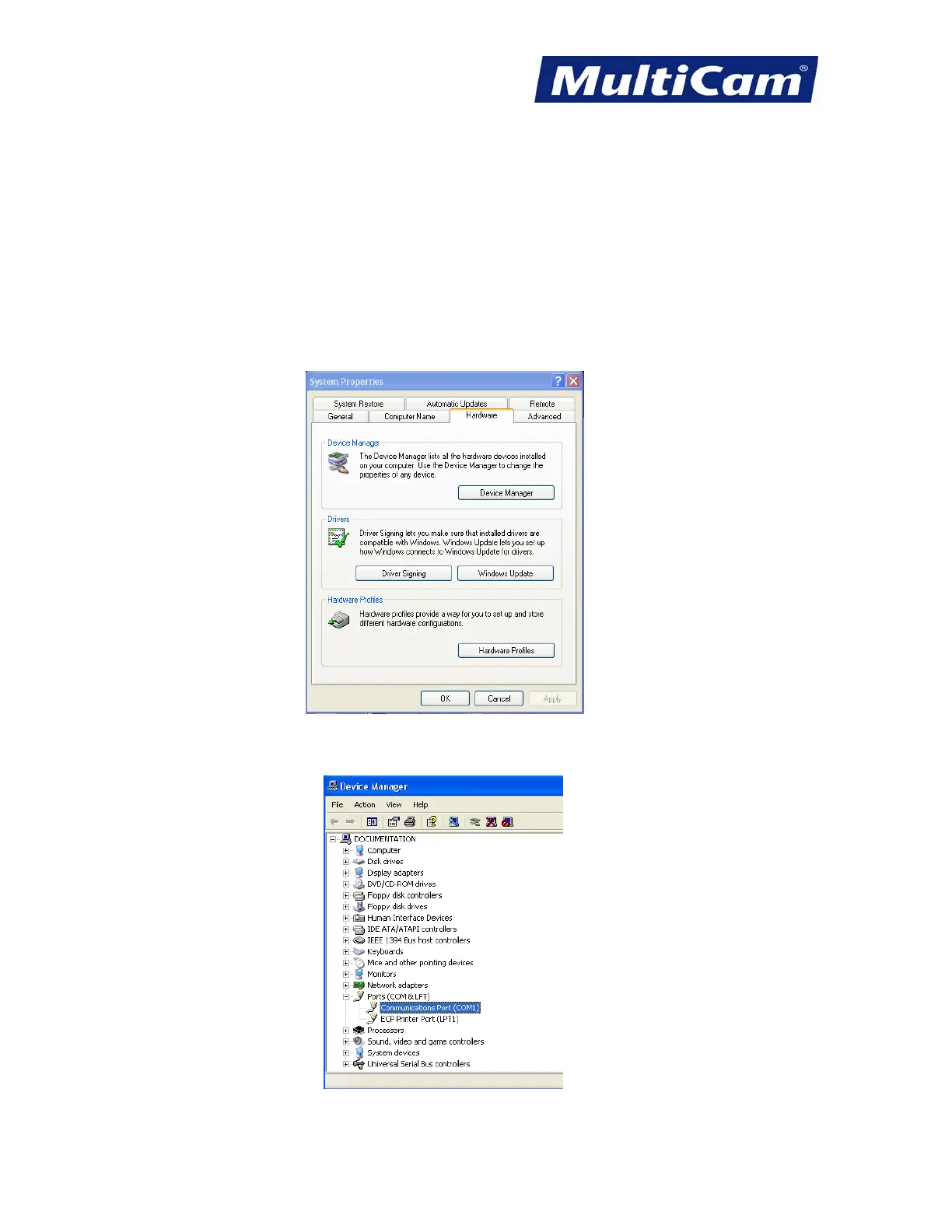
1. Right-click on the My Computer icon from the Windows Desktop, select the Hardware tab, and select Device
Manager.
2. Select Ports (COM & LPT) and then select Communications Port (COM1) or the port to which the
MultiCam
Controller serial cable is connected.
Routers * Lasers * Plasma * WaterJets * Knife Cutters
www.MultiCam.com v. 11 10



 To Next Page