KF
30
Innovation. Quality. Performance. Best in Industry. Worldwide.
Step and Repeat
The Step and Repeat function is used to make a single job file cut multiple times. Operators can program a single
part of the cutting sequence and include the size of the material to be cut without having to create a larger file with
a detailed description of parts and motions.
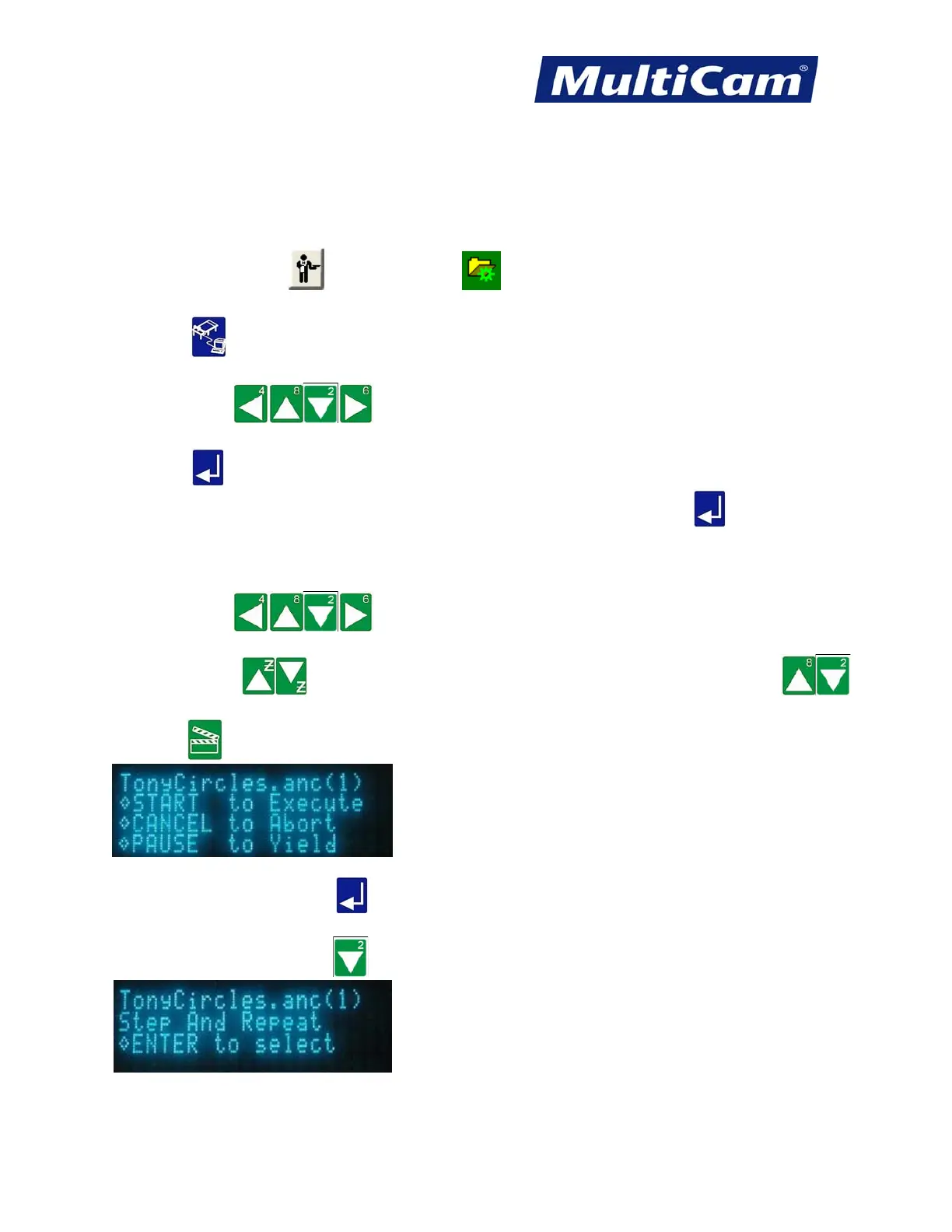
1. Make sure that JobServer
or JobNameServer has been activated on the computer.
2. Press DNC
. The keypad display will show a list of the directories in the DNC path.
3. Press Jog Arrows until the blinking cursor is over the directory to be entered.
4. Press Enter
. The keypad will display the DNC files that are available in that directory, and directories or
folders and any associated subfolders are displayed between brackets [ ]. Press Enter
while the blinking
cursor is located over the 2 decimal points at the beginning of the directory to return to the list of directories if
necessary.
5. Press Jog Arrows
to move the blinking cursor over the first letter of the file to be
executed.
Z-axis Jog Arrows
will page up or down one screen at a time, while X-axis Jog Arrows
will move up or down one line at a time.
6. Press Start
to access the particular file.
If the operator just presses Enter
over the blinking cursor, he or she will only receive a display of the file
name, size, and date/time created.
7. Press X-axis Down Jog Arrow twice to access the Step and Repeat function.
Routers * Lasers * Plasma * WaterJets * Knife Cutters
www.MultiCam.com v. 11 10



 To Next Page