KF
31
Innovation. Quality. Performance. Best in Industry. Worldwide.
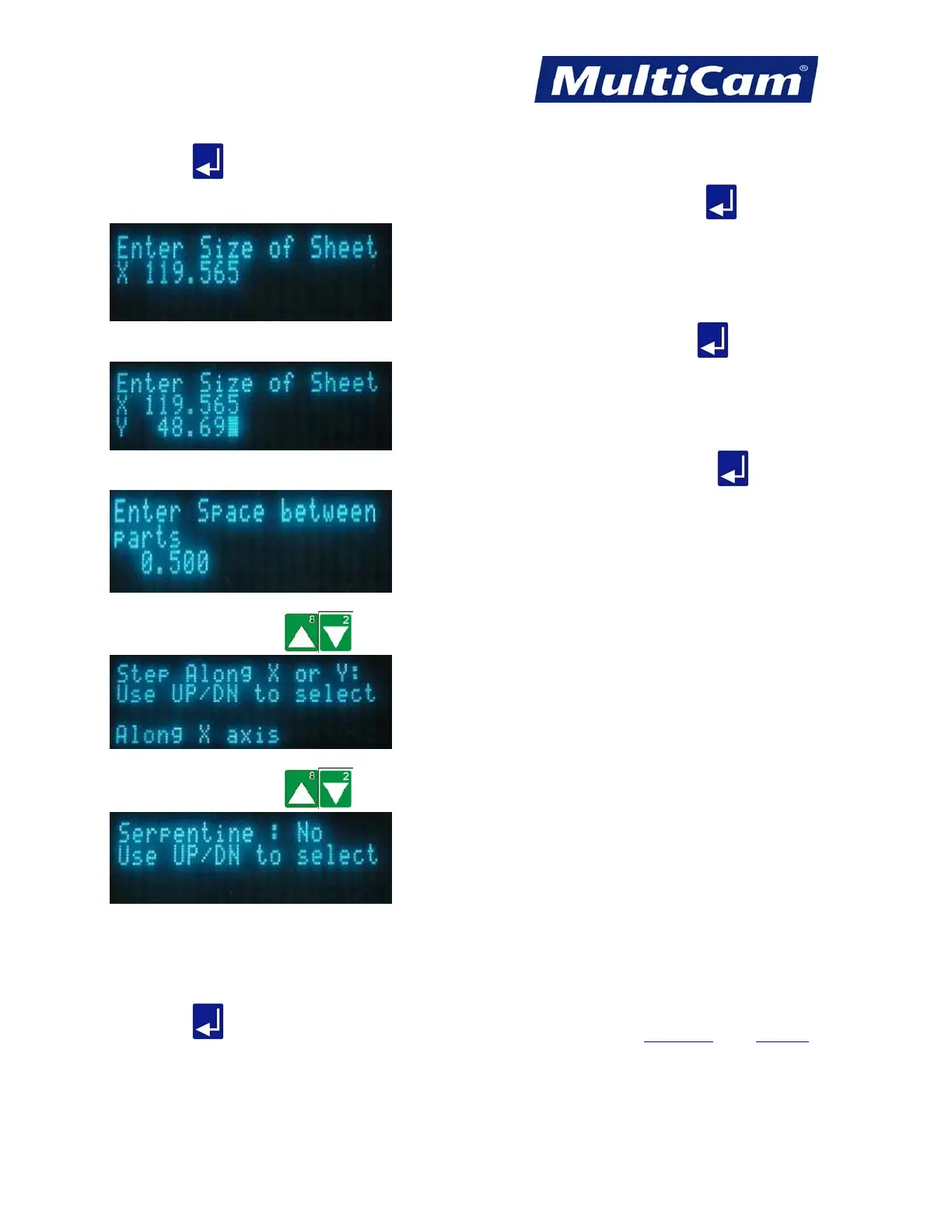
8. Press Enter to start the Step and Repeat function.
9. Enter the sheet size in X-axis using the number keypad (e.g., 119.565) and press Enter
.
10. Enter the sheet size in Y-axis using the number keypad (e.g., 48.690) and press Enter
.
11. Enter the space between the parts using the number keypad (e.g., 0.500) and press Enter
.
12. Press X-axis Jog Arrows
to select whether the machine should step along the X- or Y-axis.
13. Press X-axis Jog Arrows
to select Yes or No for the Serpentine option.
If X-axis is selected above and serpentine is selected next, then the machine will cut the parts in a line down
the X-axis, move over in the Y-axis, and cut back up the X-axis. This sequence of motions increases
efficiency since the machine will not make a big slew move back to the front of the machine after each row
of parts.
14. Press Enter
to start the cutting sequence. Advanced Keypad
Routers * Lasers * Plasma * WaterJets * Knife Cutters
www.MultiCam.com v. 11 10



 To Next Page