KF
6
Innovation. Quality. Performance. Best in Industry. Worldwide.
Pause
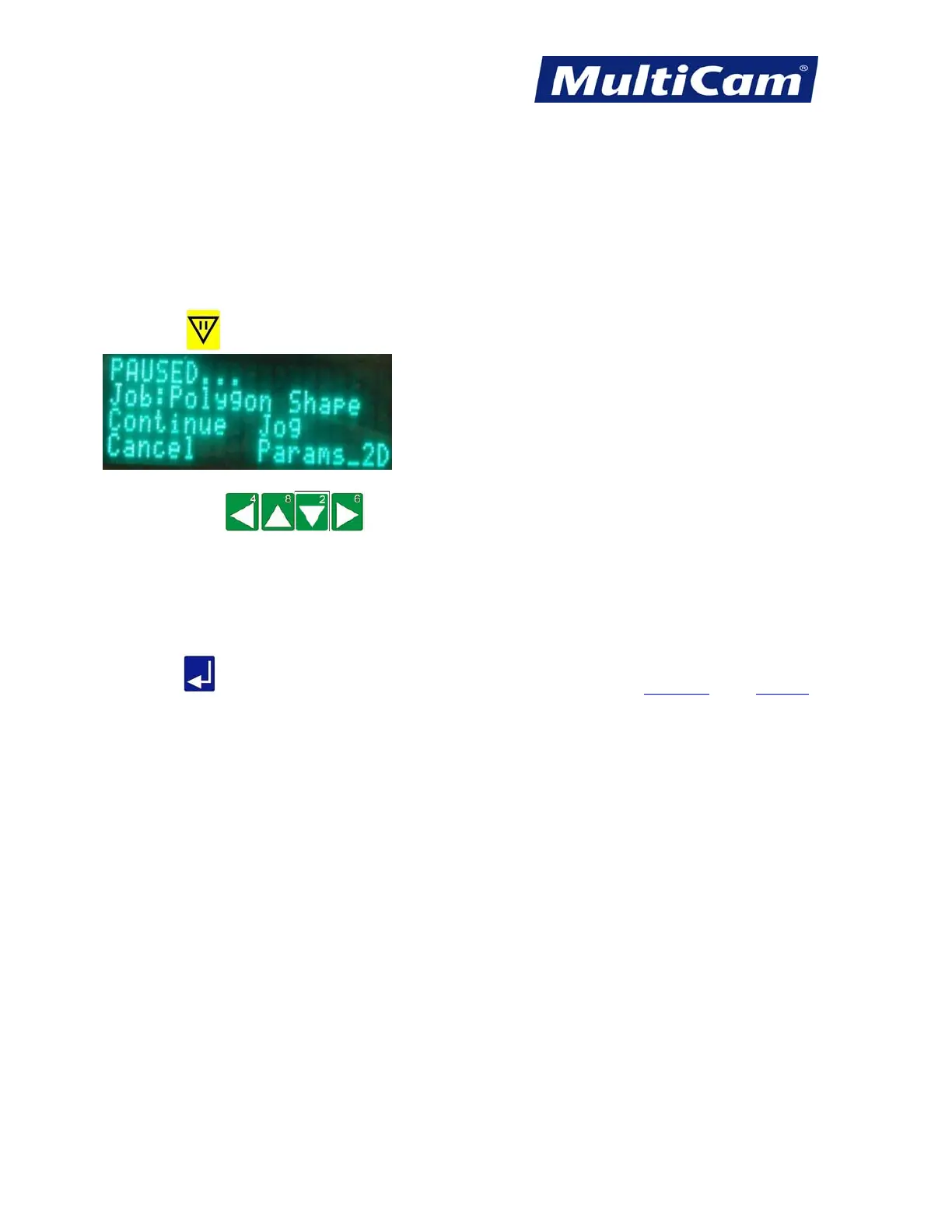
The Pause function allows the operator to instantly stop any motion of the machine or any file. The Z-axis will
move to the Lift Height position, and the spindle will shut off. At this point, the operator can change any 2D
cutting parameters or Jog the spindle out of the way to get a better look at the cut. When “Continue” is selected,
the machine will automatically return to the position before Pause was activated and continue with the
commanded motion or the file.
1. Press Pause
to stop the machine for any reason.
2. Press Jog Arrows until the blinking cursor is over the first letter of the command to be
executed.
a. Continue finishes out the operation or file originally executed.
b. Cancel ends the operation or file executed and shows Motion Cancelled… on the keypad display.
c. Jog allows the operator to Jog the machine to any location within the table parameters.
d. Params_2D allows the operator to make any quick changes in the 2D cut parameters.
3. Press Enter
to accept the command. Hot Keys Keypad
Routers * Lasers * Plasma * WaterJets * Knife Cutters
www.MultiCam.com v. 11 10



 To Next Page